
Display UV Count in 3D viewport Statistics
So i the 3D Viewport we can see plenty of useful statistics.
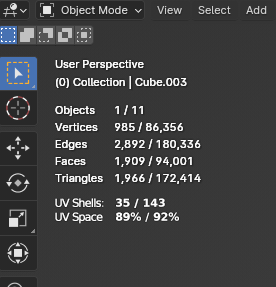
EXCEPT for UV stats, which is very relevant to game dev work. It seems like a simple fix to include.
Where stats can be displayed:
- 3D viewport, beneath normal Statistics. Useful to quickly compare many different meshes.
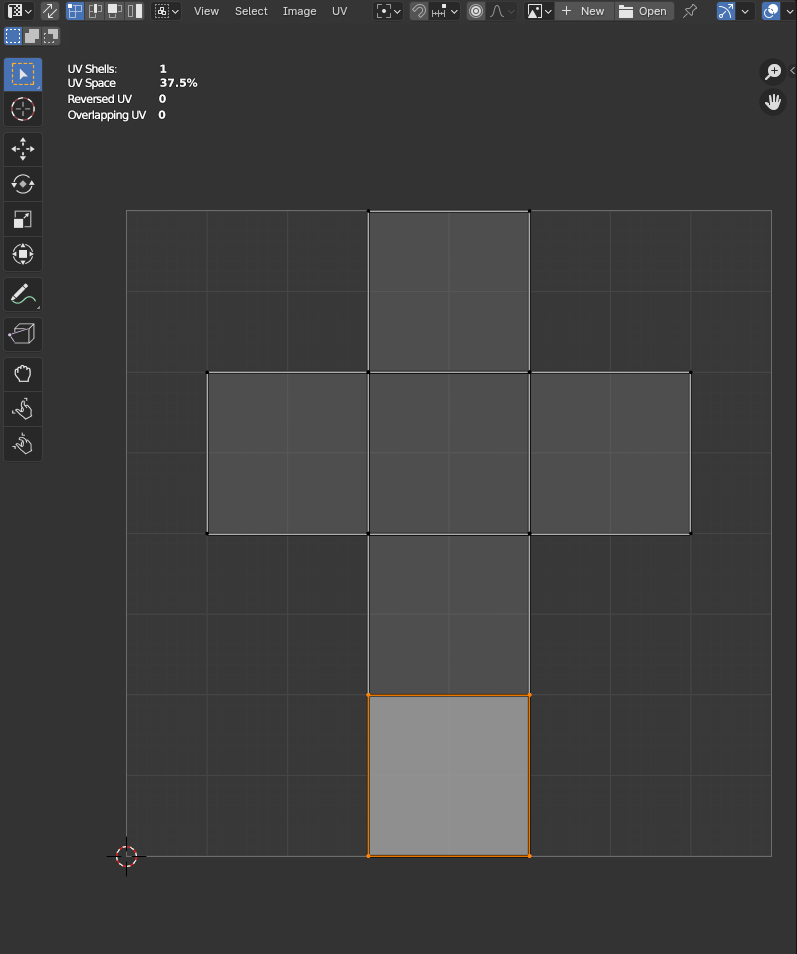
- UV Editor. Handy while manipulating UVs.
How to enable statistics:
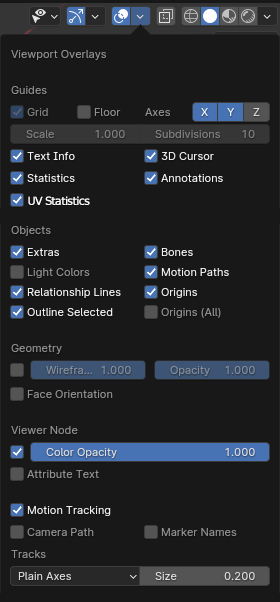
- Overlays popup of 3D Viewport/UV Editor
Of particular interest:
- UV shell count
- % of UV space used (when packing is done manually, it helps to track to a desired target)
Other stats that can be displayed:
- Count of overlapping UV faces
- Count of reversed (flipped) UV islands
5 Comments
Your screenshot doesn't show anything new? It's the same statistics we already have.
Maybe make a mockup showing which statistics would be useful to show. Some might not even belong in the 3D Viewport and should be in the UV Editor instead.
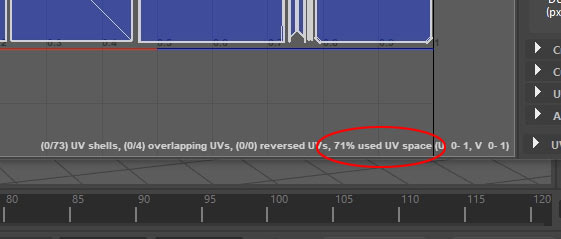
My apologies. I provided a mockup, but I have also added a screenshot which shows Maya's UV statistics, which I believe are all quite useful
Where stats can be displayed:
I'll ask my modellers and update if they disagree, but I believe that of particular interest are:
Updating post to reflect what I said above
Do you mean the number of face corners? I don't see any issue with showing the number of face corners and is fairly easy to add.
Adding data for UV-maps might indicate adding any data layer to the 3d viewport, which will clutter the UI. For reference see how many data is shown in the spread sheet editor. The question is how this could be shown to the user in a nice way in the 3d viewport without cluttering the UI.
Updated post to clarify
Maybe he means the range of UV values that the object covers?