
DopeSheet expanded
Remove keyframe shapes when Dopesheet is expanded. It's hard to navigate when you have so many objects on the screen.
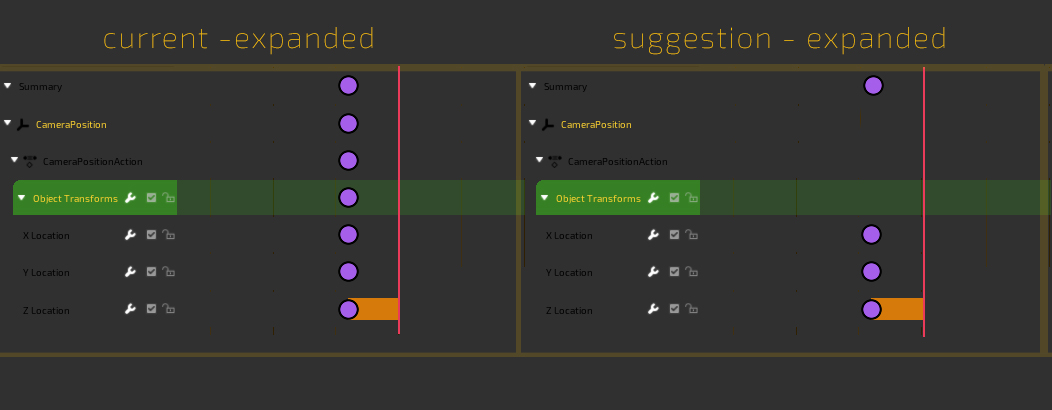
Remove keyframe shapes when Dopesheet is expanded. It's hard to navigate when you have so many objects on the screen.
4 Comments
Why not, but as an option. The point of these additional keys is to be able to move everything under with one handle.
* @-L0Lock- * Yeah I when I was posting this...I was thinking... "hmm...well then you won't be able to select all at once." So yeah I can see the workflow benefits when you want to move all keys on a frame...but still maybe there is a better solution to this. Where you don't have 100 identically shaped items to click.
I guess my argument is that in this setup it's a bit of a visual noise there. I mean there should be a better solution to retain the functionality and in the same time make it easier visually to navigate.
Or rather than completely vanished out it could get greyed out or could get smaller
* @ezeez2104 * yeah....something to make it easy to know which is a specific channel keyframe(rot-x,y,z) and which is "select all keyframes" in this frame button