
Textured appearance for lights in viewport for easier selection
It would be nice to have a separate option to have the lights appearance more visible in the viewport.
Currently the lights just looks like a wireframe. More challenging to select when the lights become too many.
My proposal would be to have the option to make the lights more visible by adding visible to slightly visible textures.:


Thanks.
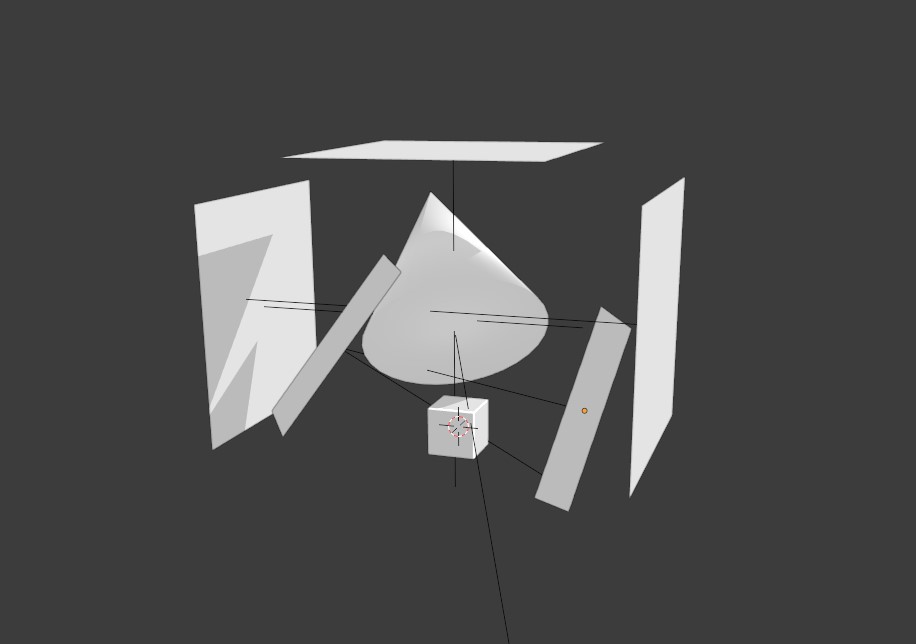
6 Comments
You should set your lights to appear in front (x-ray)
* @syborg64 * this is just a small example of it. It can be quite challenging when the number of lights starts to get larger, especially when some of the lights are overlapping.
* @johnpdelacruz28 * well, here your lights aren't that much clearer. since wires are shared to both mesh objects and lights it doesn't help. The icon lights have is the only thing that really lets you see there's a light here and it's not even showing up on your screen. Also, your lights are showing up as solid but that doesn't make sense to me. Here it looks like a plane not a light
* @syborg64 * split view 4 render mode and wireframe. It would be nice to have the shading separate from objects.
But then you'd have issues seeing your subject when there are many lights too. Which is not ideal when you work on your lighting: you need to see well.
* @-L0Lock- * This is slightly focused on workflows that is on the lighting pipeline.
The user would create a separate window for rendered view and then the other would be wireframe if shaded view is too distracting.
This is like the section where you want to arrange lights. Not necessarily thinking about the objects temporarily.
Although you can see the render view on the other side of the window.
When the number of lights are starting to get larger, the lights overlapping each other with the current display makes it a little challenging. Can still be managed but it would definitely make the task much faster and easier when you can see which light you are selecting much clearly.