
'Sync Scene Time' Extended Functionality
Blender 5.0 introduced the Sequencer Scene — a feature for the VSE Story Tools Project that allows the sequencer to display a separate scene than the active one.
This, paired with the new Sync Scene Time function, allows you to edit scenes while simultaneously seeing how they play out in your master edit.
Syncing Audio
Syncing audio across multiple scenes has always been cumbersome. In the past you'd mix the audio in the master edit, then have to copy all the sound strips over to each scene in order to time animation to audio, lip sync, etc.
If you made a change to the timing of audio in the master edit, you'd have to go through each scene and update it there as well, and vice versa.
How the Sequencer Scene *Almost* Fixes This Issue
Now in Blender 5.0, you don't need to have the audio in your scenes at all! You can instead play the audio through the sequencer scene, and any changes you make don't need to be updated anywhere else.
The Problem
The sync scene time functionality is not bi-directional. The explanation given is as follows:
"The sequencer can change the active scene and map time, but it’s not possible the other way around since [the sequencer] can have multiple strips using the same scene (+camera, and even time!)."
While this makes sense, this workflow is problematic for two reasons:
- You have to keep the sequencer window open at all times, taking up space.
- Although animating primarily in the dope sheet or graph editor, you need to move over to the sequencer every time you want to play or scrub your animation with audio.
This makes the workflow unintuitive and cumbersome.
My Proposal
Create a new, separate setting for Sync Scene Time that allows for bi-directional syncing.
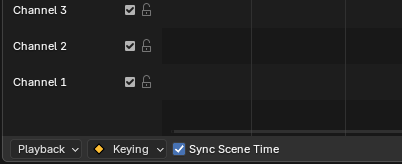
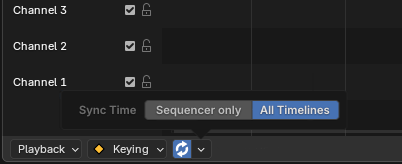
When this mode is enabled, timeline interactions in animation editors (such as the dope sheet, graph editor, and timeline) would no longer control the active scene's timeline directly. Instead, they would control the sequencer timeline remotely.
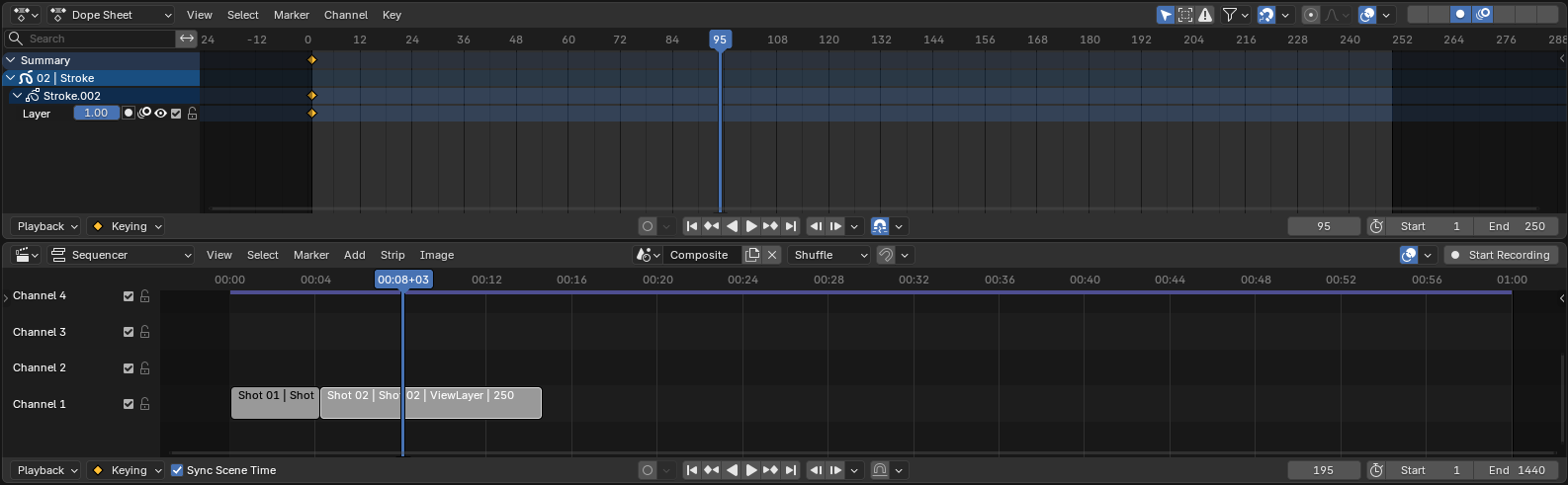
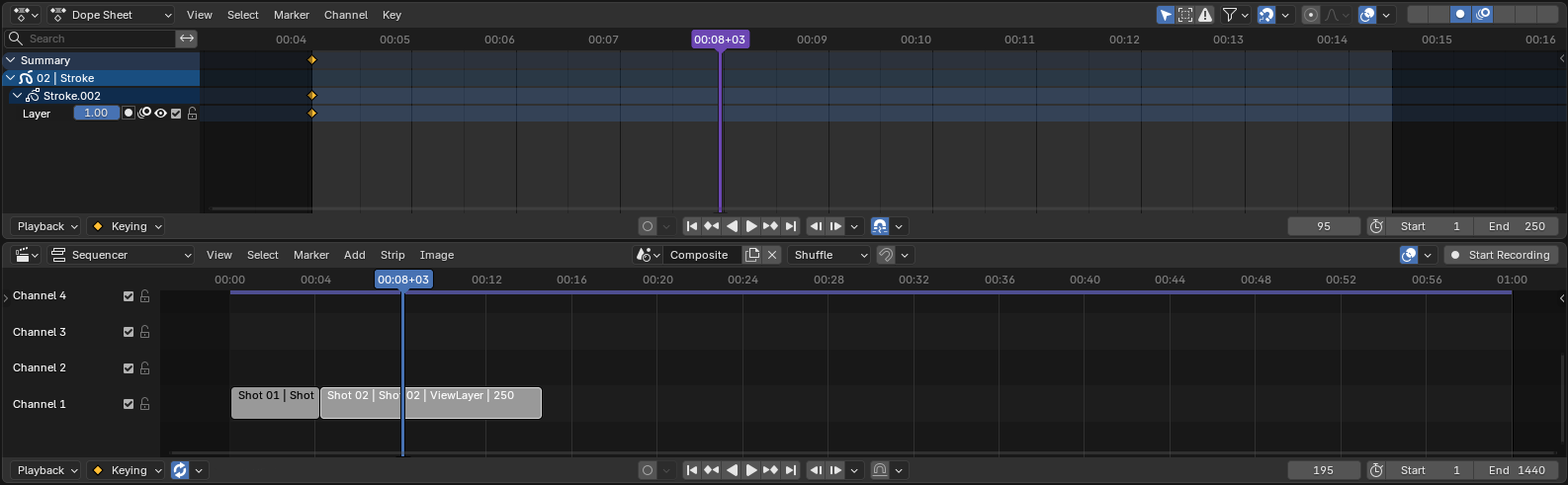
Dragging the playhead, stepping frames, or starting playback from these editors would move the sequencer's playhead. Sync Scene Time would then update the active scene and scene frame automatically, just as if you were interacting with the Sequencer itself.
You would essentially be giving up the ability to interact with the active scene's timeline itself, in favor of being able to control the sequencer without having to be in the sequencer window.
You could indicate this through a few ways, like matching the active scene's "Use Timecode" setting and frame number to the sequencer scene's, as well make the active scene's playhead a different color to indicate it's mirroring the sequencer scene.
Conclusion
I'm not sure how difficult this playhead mirroring would be to implement. I'm also open to suggestions on different or better ways to remedy this issue.
The main takeaway is that the Sequencer Scene and Scene Syncing are very good implementations, and a step in the right direction. But it feels like it's only halfway there, and I'd like to see it taken to the next step so that the active scene and sequencer scene can work in full harmony.
2 Comments
Got this problem today when trying out the Storyboard template, and as you point out, it's kind of cumbersome to always have to playback from the sequencer. It makes stuff such as lip-syncing really tiring. I really like your proposed solution!
nice