
Add arrows next to the load icon to any external image node
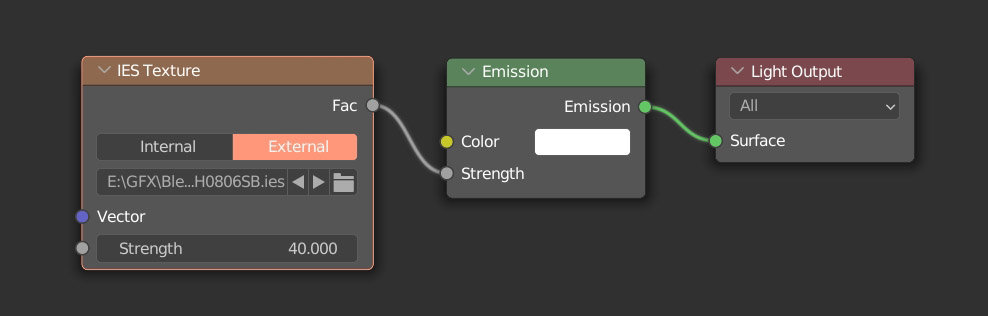
I've always wondered why nodes that load external images don't have a couple of arrows to navigate through the files within the folder. This is something very common in many tools and it would save tons of clicks and time to anyone that has a large list of files to preview. This is very useful when checking out IES lights, micro detail noise textures, HDRI environments etc. Imagine the difference between having to click the load icon, remember the file you loaded last time, select the next and accept. This is a simple preview and next arrows based on the folder you first loaded the file from.
4 Comments
Yes. Very much needed. However, I would prefer a kind of List Node where I can choose all files in a folder or just 38 specific files or a regular expression pattern that matches 13 files.
Do you mean having all files visible as a list in the node editor? But that would be crazy if you have 500 files in a single folder. Maybe I don't understand. Also the regular expression pattern that matches 13 files. What is that exactly?
no, they would not be all visible. youd be able to feed them into a node like your proposal to pick one from the list. Other nodes would be able to utilize all of the list. Add a data viewer node like in geometry nodes to see the whole list in the spreadsheet
I don't know it sounds more like a different proposal? The idea I shared was very simple. Just a couple of arrows to navigate through the folder files.