
Adding Collections in Vertex Weight Proximity Modifier
It would be great if you could have the ability to use collections in the VertexWeightProximity modifier.
Currently you can only add one object. You can make cool effects like these with the VertexWeightProximity modifier paired with the Solidify modifier for example:
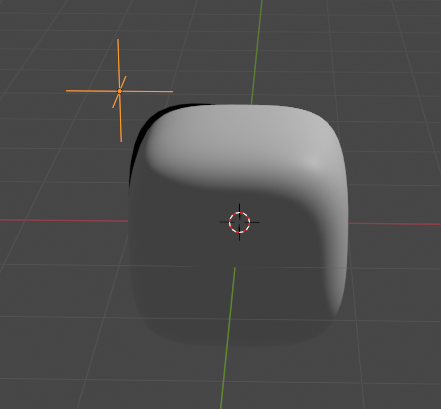
With more objects I would have more control over the line art in this example. However I can only use one object here. Using two modifiers doesn't work here.
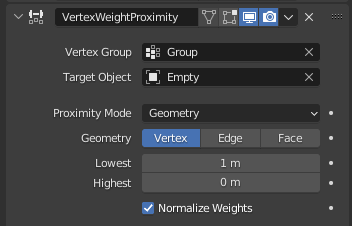
Currently the Vertex Weight Proximity modifier only can take one object:
Something that might help is that the LineArt modifier in a grease pencil object already has this feature:
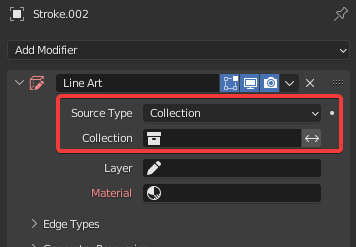
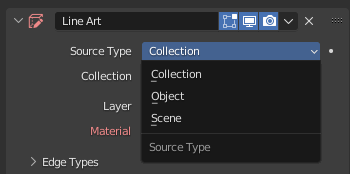
If we can somehow have the same feature in the Vertex Weight Proximity that would be awesome.
Here is the example .blend file shown in the video: drive.google.com/file/d/16ND1r16UZkPCO2E-YYObinN4SXneyxYh/view
Also here is an example of what it might look like with additional objects: drive.google.com/file/d/16QSVjmg2Yw_BRSlrh9ciDMlDD5vfUoun/view
2 Comments
"Using two modifiers doesn't work here."
This is not true. If you lower the "Global Influence" to be split between the multiple modifiers (such as 50/50 for two modifiers) and also check "Normalize Weights" on each modifier, you can get multiple modifiers to work.
This does not invalidate your proposal of course, just saying that part is inaccurate.
Maybe I'm just not using it correctly, but I couldn't get it to work correctly. Also it seems difficult to work with especially if you have 4-5 objects or even maybe 20 objects.
I did find a workaround as well with using "Vertex Weight Mix" modifier:
drive.google.com/file/d/16QSVjmg2Yw_BRSlrh9ciDMlDD5vfUoun/view
But same thing, tricky to work with more than a few objects at a time.