
set start frame & set end frame
Could be more flexible to set 'start' and 'end' frame if having buttons on timeline bar instead of hidden in playback menu.
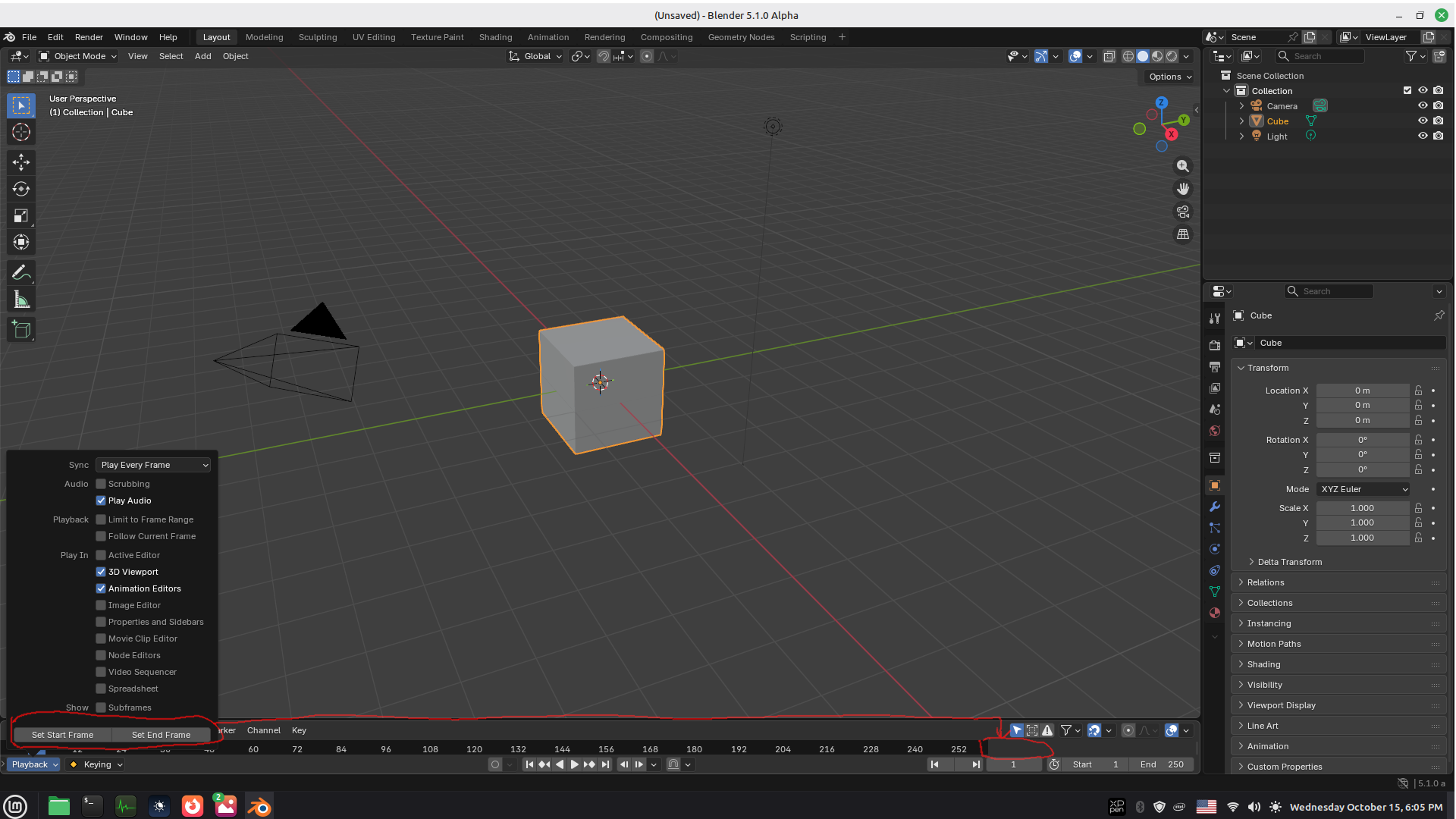
Could be more flexible to set 'start' and 'end' frame if having buttons on timeline bar instead of hidden in playback menu.
6 Comments
Why display such buttons constantly in there? You say it would add flexibility, but how?
That would use precious screen space for buttons you'd use only once in a while, while you already have frame range inputs that both tell you what the range is and lets you interact with them easily in multiple ways without requiring first to put the playhead where you want to set the frame start/end. That is something that brings flexibility.
And I doubt even the people who would use those buttons would also use them frequently instead of other means outside some specific tasks like video editing.
What could be interesting, however, is perhaps to be able to Right 🖱️ on the current frame input or the start/end frame inputs, and have operators in the contextual menu to set the start/end frames there:
better to remove those buttons if hidden unused or exists duplicates in many places. cleanup code can save precious memory to make blender faster for sure.
Why aren't you typing start/end frame numbers into the fields that are right there under your arrow? (Why are those 2 buttons even needed?)
just to make those 2 buttons more visible. i have been a lazy blender user that like to play with even blender 2.79 so i believe many more are lazy like me to type there or to find those 2 hidden button inside 'playback' menu and personally i just feel good when blender ui get intuitive.
i think those 2 buttons should be removed coz neither you or even lazy user like me doesnt use them. ( just to clean up unnecessary code would be much better at least.)
this all things needs a rework. the stuff that matters are not in the bar. they are hidden in the menus. oh man