
Redesign operation info in the Header
This proposal is about the info of the actual operation in the header, to make more easy to read and find information.
and change the actual layout
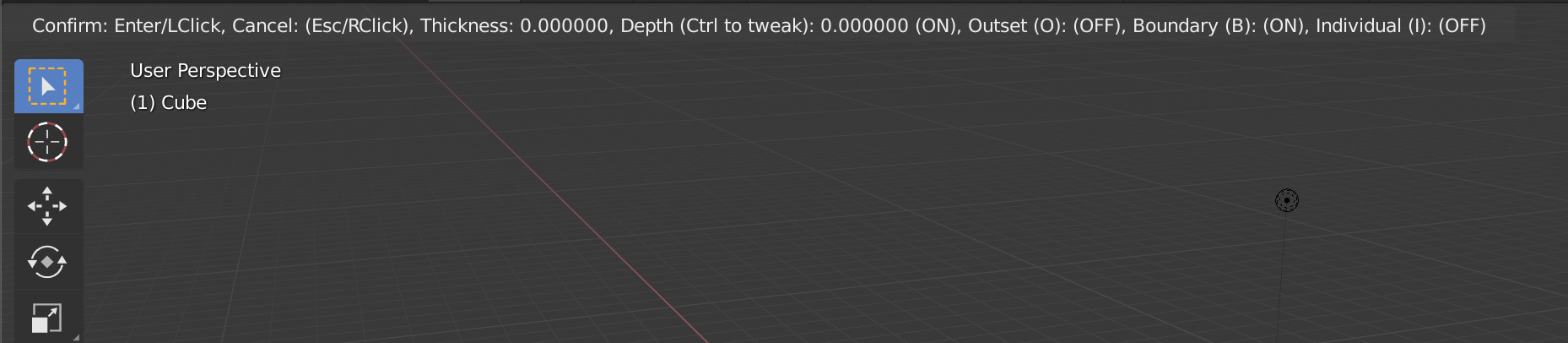
to this

or this (same version with colored info)

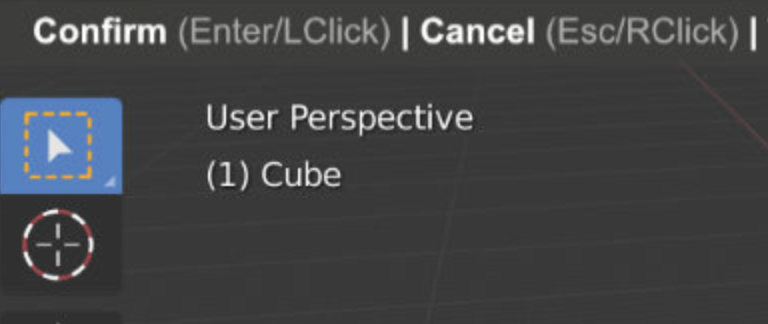
A vertical option could be like this

38 Comments
Also a good polycount statistics would be an amazing improvement.
* @fgosselin * Agreed! The statistics bar on the bottom right is so tiny and unreadable.
* @fgosselin * finally I thought Im the only one
* @fgosselin * i was going to say the same, the stats info could also benefit from something like this.
I like the idea of vertical layout, but i would decouple options from numbers
* @KickboxingBanana * I can't support a proposal so annoying for users.
* @KickboxingBanana * My problem with this proposal is that it takes way too much space and contrast, not to mention it would be jumpy on top of that. I'd like to get this very helpful information in case I need it but following this proposal, I'd feel like its too in my face about it and could distract me from what I was doing.
What I feel Alberto did well in his proposal is that the information is desaturated as to not take too much attention (regular font instead of bold, no backdrop), compact (try to compare the sizes between your proposal and say the Properties menu) and because of this; straight to the point.
Well that's just my take on it personally.
* @MizManFryingP *
* @KickboxingBanana *
I think its important to give a solid visualization of the concept rather than its general idea -- a good idea presented badly will always influence how people think about it for the worse.
As for the jumpy header, it can be quite irritating if you notice it, not to mention it takes away functionality by hiding the bar while you are preforming an action.
It's all cool, we're all out here brain storming; this is what this is all about.
I can't program this myself but you could try messing about in Photoshop. I just personally don't see the reason for it to be separated.
* @MizManFryingP *
I'm quite confused about hidden functionality. You can't move objects around and click on buttons at the same time.
Reason to decouple things is that if you are working on wide monitor all useful info somewhere on the left, and you must choose to look on numbers or polygons. My thought is to bring numbers closer to area where action happens. But again, it needs to be tested, i can't say for sure.
* @KickboxingBanana * That's true, but I feel like there are really important things on the bar that you could benefit from while say moving.
For example, what's the orientation mode? Is snapping on? What kind of snapping? What about proportional editing? etc.
* @MizManFryingP *
Those are options you turn on and off deliberately before an action and if not, current settings can be immediately observed from behavior of things under cursor.
I'm not saying menus shouldn't be available, i'm just saying that their hidden state never bothered me. And i think it's another topic.
* @KickboxingBanana * when you work hours on a heavy scene, you quickly forget what's on and off, and you don't want to do tests in such scenes.
* @-L0Lock- *
seems like we were talking about outdated builds, now those settings always there
they have plans for this ,they're going to move it to the viewport and combine it with the redo Panel which makes it much more nicer and less jumpy, William made a good proposal here developer.blender.org/T57712 ,
* @PK_GO * I don't like the actual proposal in that thread. Is a cool proposal but with few functionality, also that don't work with complex tools. It's a popup that could be annoying.
My proposal is only a cleanup of the actual system that could work well in the header or in a list inside the viewport.
* @Alberto * well it has to be in the viewport because it removes the jumpiness of the UI which is a must but if you go with your proposal that means the Redo Panel has to be removed or moved somewhere else maybe few pixels above the info bar ,that's why it should be combined in a smart way that works for both simple and complex tools, problem solved.
* @Alberto * Agreed with you 100% EDIT: Though PK_GO has a really good point too.
I think it should be in the viewport but not as jumpy and in your face as the proposal in the thread.
To me personally I'm sold on the vertical display. Seems compact, super readable and straight to the point.
I take this opportunity to recall my suggestion, I think it would be and is important to put the name of the current engine in the viewport. To know at all times which engine you have set. This also helps the video tutorials and see at a glance if you are using one engine or another.
I created my own addon for this, but I think that by default and with colors as in the alberto proposal can be much better and in natively mode. gumroad.com/l/UznDL
I like it! Personally I would avoid colour as it doesn’t play as well with theme changes as just using text colour with opacity differences. I Iike that you are highlighting the command more than shortcut - nice idea. I wouldn’t highlight the vertical pipe separator though.
I love the on-viewport info. Way more comfortable for the eye than making the effort to find the value you are looking for among a lot of info put together in a row in the status bar. It could be mixed with the operator panel.
Love the colours, that makes it even easier to read quickly.
IMHO the vertical overlay for such stats is the best option anyway. It's easier to scan through each line beginning and find the data you actually want to know instead of reading one big line and trying to jump parts of it (even though color schemes makes it easier too).
The keyboard shortcuts should go in the status bar, and the values themselves could be integrates with the operator panel - currently this information is duplicated
* @billrey * I don't think that obligates users to show all time the operator panel poping to see what they do is a good solution.
* @billrey * why can't we put both, the shortcuts/info bar in the status bar using this design....it happens now with the bevel which is very nice ..so even if we don't want to see anything flickering, then we can simply hide the status-bar and we'll have a clean polished viewport and a smooth UX :)
YES! This is awesome!!
I agree the tool should be inside the viewport as to not hide the top-bar, so the vertical version is my favorite
Can be realted blender.community/c/rightclickselect/v0hbbc/ Add Object (primitive) by dimensions with semicolon (x ; y; z) as D:[1.00; 2.0; 3.0]
I feel like, well this should probably be another topic. But unifying tools so we can actually CANCEL most any operator, would also be good/maybe part of this. Right now it's very random. You can cancel things like Inset, but Extrude you cannot... which is very confusing/annoying for new users. Leaving overlapped geo and they don't know why.
An option of changing the font size and hiding excessive information should be there too, please. Not everyone want's to clutter their viewport while working with too much info.
I like the horizontal with the Pipes, clean and easier to read.
How about show info follow mouse point ?
/// emm can't paste image on here ? ///
great I imagine something similar for the Statistics in the bottom right corner. Using a tad more formated text with bits of color will be better visible the number of faces, vertices and memoray usage etc. Can you make a mockup and a suggestion for this too !
I absolutely love the vertical one, this way there is no more flickering on the header is replaced with the info! A lot less awkward.
However I must add that the hotkey information has been put on the bottom and I think that is a good place for it.
I have update the proposal with other vertical layout.
i also agree with that, where it sit right now is hidden, its not clear we are in modal
Ah ~! I have considered it .
I like colored version.
What about color shortcut key ?
Most of new users don't notice shortcut on status bar .
some users don't or no need to remember shortcut , just find quickly shortcut if it's colored .
* @Steve Yang * Could be, but that is a different proposal.