
Properties Layout
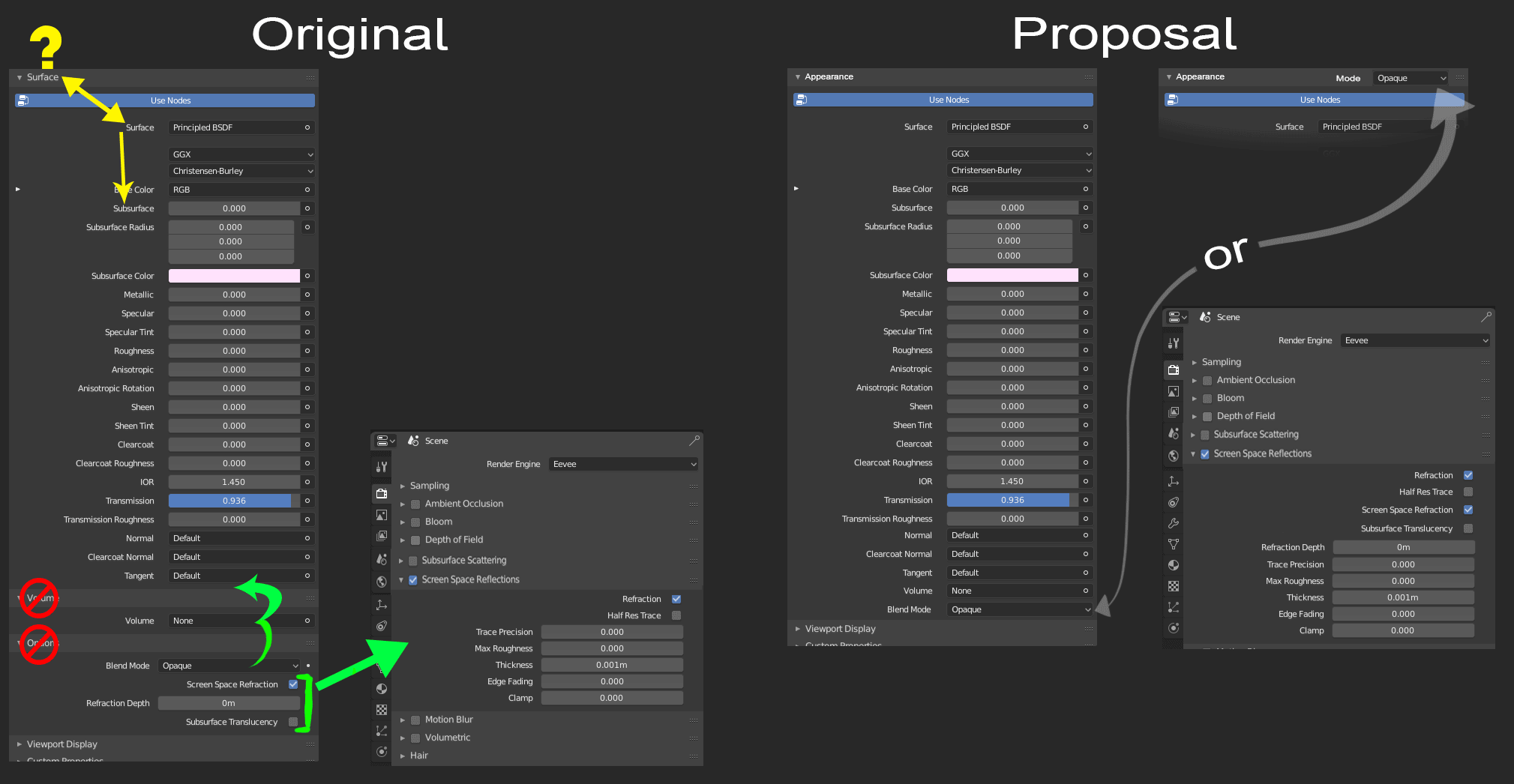
There is a bit of a maze involved in trying to get refractions to work in Eevee so I moved things around a little bit as my image shows.
-
It is a bit redundant and ironic that this drop down is named Surface when it holds Surface and Subsurface as an option. It might be worth changing the drop-down title to appearance?
-
This would let volume join in the drop-down since it is technically the same idea as Subsurface, which makes the thing look cleaner and it is also just kind of strange not being in there since the drop down only shows up when “Use Nodes” is active, being in the surface dropdown.
-
I would consider moving Blend Mode to“Surface/Appearance”. Since it affects the entire material, I could see it at the very top, similar to how Photoshop and Substance do it, but for clean and consistency sake maybe just at the very bottom.
-
Finally, I moved Screen Space Refractions (and the following options) under the Render tab’s Screen Space Reflections, because it goes hand and hand with the Refractions check box. (This feature just feels hidden under the Options tab because of the name “Options” is very vague to the point it feels unrelated. Also, it doesn’t belong under the Materials tab in my opinion, because these aren't the type of features you would want to change from material to material, but instead the entire scene to gain performance.)
I know this isn’t the most exciting of proposals but Blender does real-time refractions better than Zbrush, Maya, and Unity so I wanted to polish up this gem so it is a little more accessible for newcomers. Let me know what you think and thanks for reading.
0 Comments