
Menu Switch: Implementing "Menu IDs" to support multiple switches with the same input (including with different value types)
The new Menu Switch is super useful, but at the moment this is one big problem which restricts its use cases a lot:
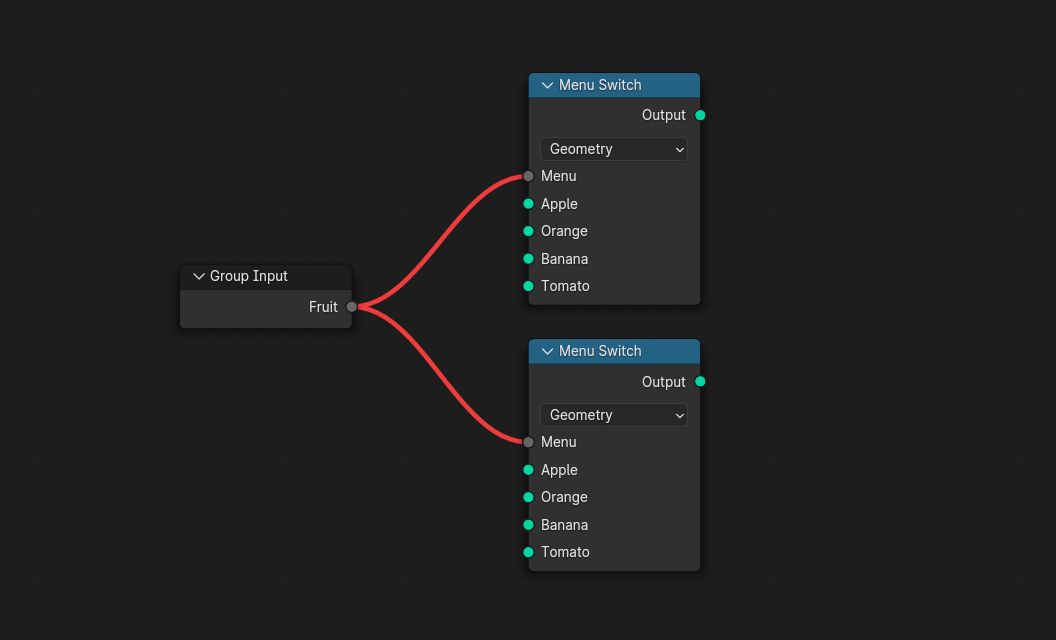
If there is more than one Menu Switch using the same Group Input menu, they both/all break.
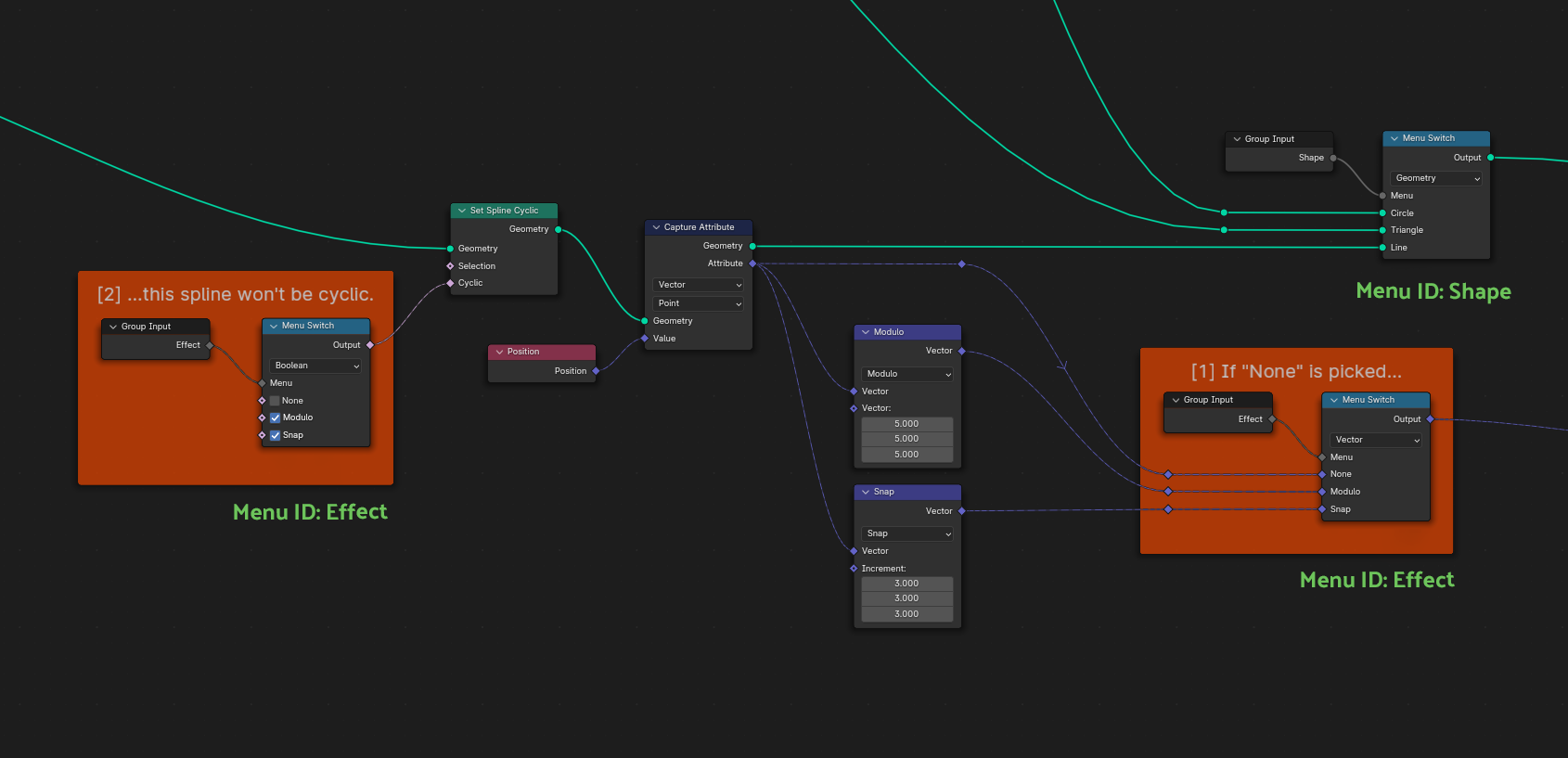
Example: The situation above wouldn't work. It's a illustration of a practical case I experienced, where I needed a Menu Switch to influence more than one place in the node tree.
My proposal to fix this is to implement a new thing called "Menu ID". I illustrated in the image above how each Menu Switch has one set to it. (There they have the same name as the Group Input menu but it's just for practicality - they would be independent from it (or not, it's up to the devs).
The essential is that Menu Switches of the same Menu ID would all share the same menu items and could be used with even different value types (vector, boolean, float, etc...) without conflicting.
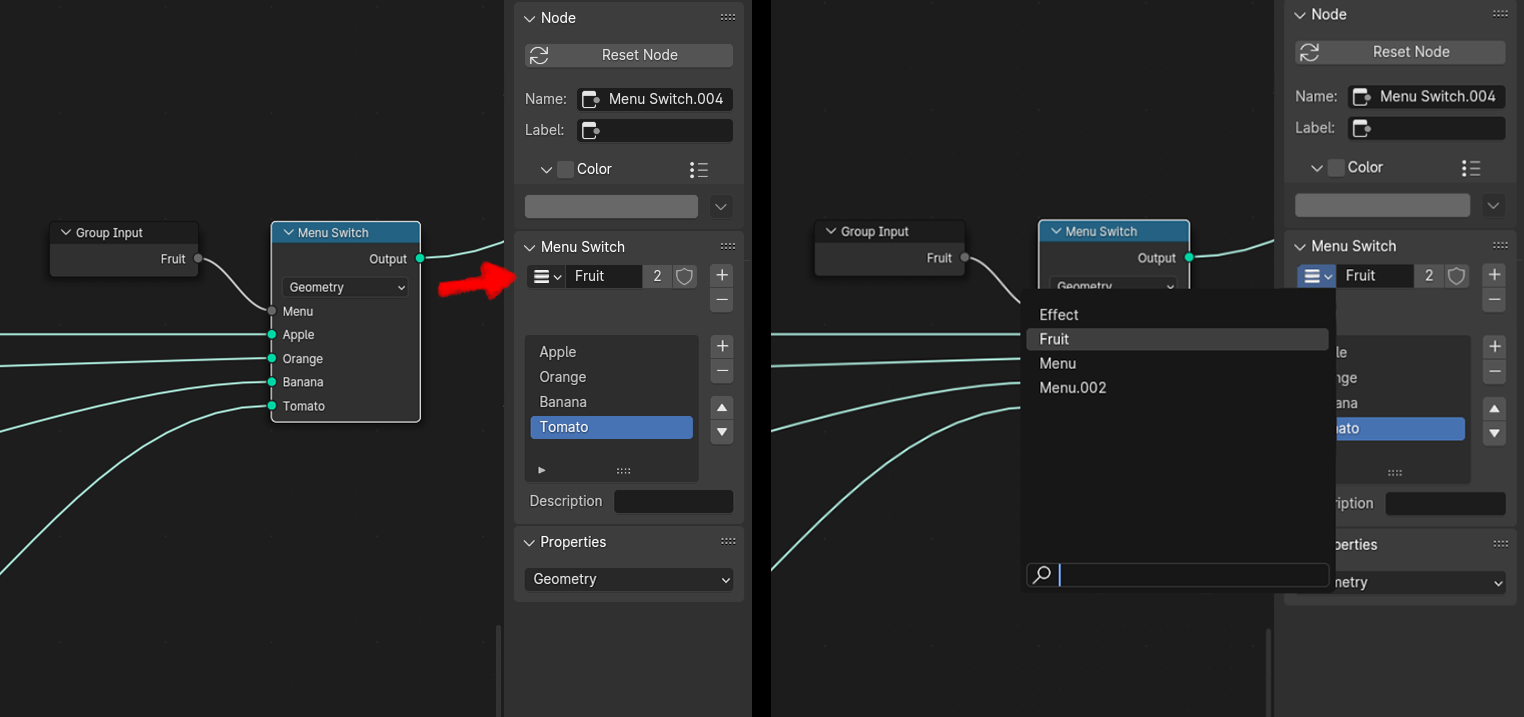
What would change for the user is that instead of immediately starting typing the menu items in the N Panel, first you would need to select from this new drop-menu which Menu ID you wanna assign to the active menu switch, or create a new one. You could also delete IDs, check how many menu switches are users of that data (ID) and assign fake-users, just like the typical Blender thing.
NOTE: But I realized these last two are aspects of global data in Blender (materias, node groups...), and since menu switches are not global but specific of the trees they're in - or you don't implement these buttons, or you make this a special case with different behaviours (maybe only restricted to the menu switches inside this node tree) - but it would be useful regardless to being able to see how many menu switches are making use of the same ID.
About the behaviour of the nodes, when changing the Menu ID of a menu switch I'm thinking two things that could happen when the items are swapped:
- All of the connected sockets are cut;
- Or they are kept in the order they were if there's space (I prefer this one)
"Menu IDs" being the solution for this multi-use limitation is, like I referred, just a proposal - this could be it, or anything else.
The goal is, ultimately, to add support for the multi-use of the same Menu Switch around the node tree with different value types, so that we can give use to the full potential of this new list selecting node.
4 Comments
Need this.
For those still waiting for a fix for this from the Blender Devs the workaround for now is to add the menu switch and get it all setup the way you want and then put it inside a node group. This will let you use multiple menu switch nodes connected to the same input.
I've already started a working implementation of that idea ^^: projects.blender.org/blender/blender/pulls/147922
Unfortunatly it is in hold state, because the Blender Fundation have a "Rainbow Socket" implementation in the backstage which should deal with that wind of workflow. But I don't know what the current state of the rainbow socket ... :/
Absolutely need something like this. Or add a "Dynamic" (or "read-only") checkbox to the 'Menu Switch Node'. When it's in "non-dynamic" or "read-only" mode, it expects an input from a 'Group Socket Input' of type 'Menu' and it copies its options from the associated 'Menu Switch Node'. In that way, we can connect this 'Group Socket Input' to multiple "read-only" 'Menu Switch Nodes' and only one that is "dynamic" or not "read-only". Additionally, add the possibility to define the menu options on the 'Group Socket Input' level instead, i.e. "dynamic" checkbox on the 'Group Socket Input' of type 'Menu'...