
New method for Image Texture node projection
When using image textures, we often face the tile repetition issue. So we have to make the texture seamless with external apps, or make a texture coordinates scrambling nodetree, or just discard UV and go for box mapping which has that cool blend option that blends the texture in the three projection axis...
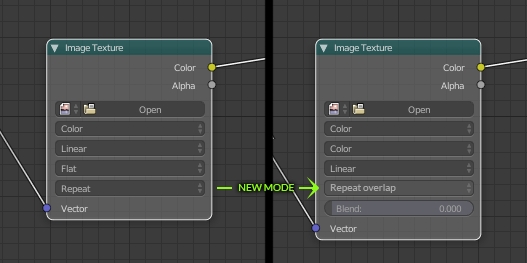
But often what we need is just to avoid the clear straight tile seam, a matter of few pixels. Being the "blend" code already in there for box mapping, I thought that a new method could be put into the Image Texture node: Repeat overlap!
What it does is to repeat the texture (as repeat method does) but overlapping the tiles and blending just that much. A blend (or overlap) factor would tell how far the tiles should overlap.
5 Comments
This is absolutely doable with a node group. I think maybe Blender could come with a few default node groups for these kinds of utilities. Could be a call for content!
@Josephbburg: How would you do it with nodes???
in GIMP there is only one button that will make any image seamless. Just one button. Just one single button. One. You should not put effort and waste time on routine. You need to press one button
in GIMP there is only one button that will make any image seamless
Kind of like when we use the box projection. But not only for box projection. \o/