
Edge Loop Select
I think I requested this before but all I got was but why or something close to it.
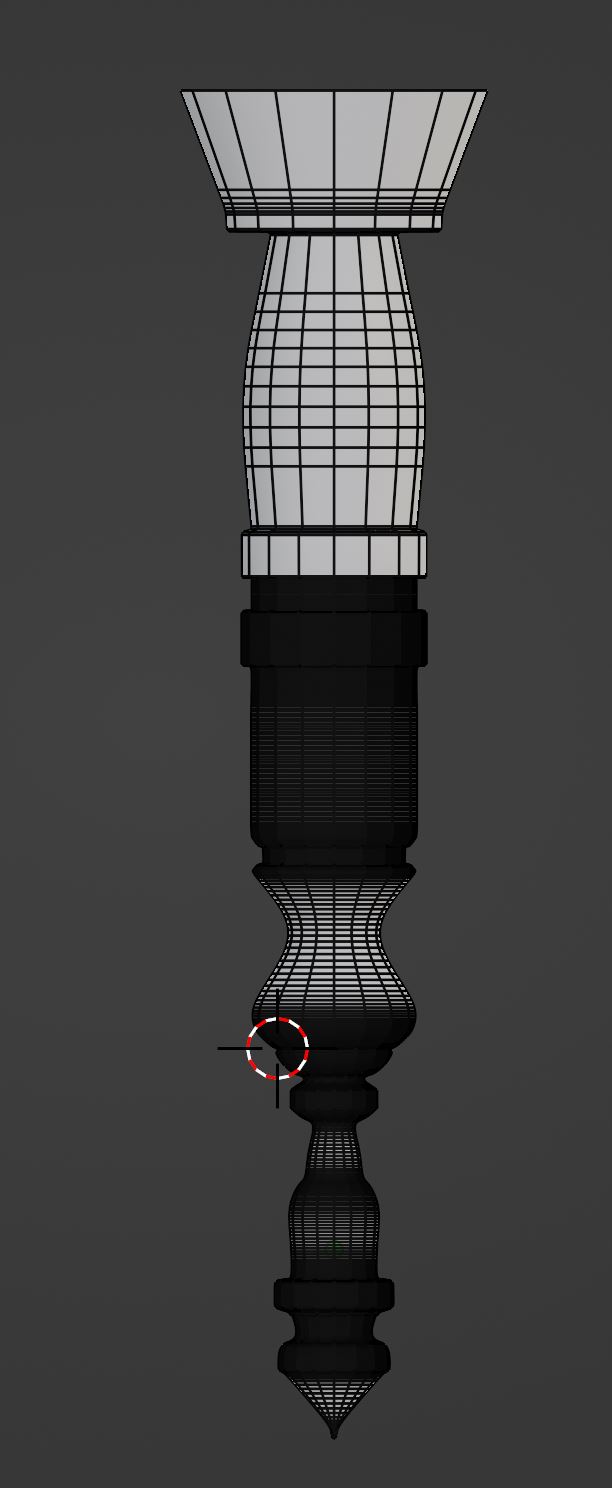
Edge Loop Select repeat next, checker edge loop select, edge loop select paint select, edge loop select within marque tool, etc. Why one is to lower polys. How do I get into this scenario you may ask. One is curve, spin to make something. I need it when well one to have less memory taken up but also when working on games useless polys being deleted is a sorta thing. Why is very useful is saving bloody time doing it. Take this image. I cleaned the top up so far but I have a lot to go. I had to use somewhat high resolution with a nicely detailed curve to hold edges and keep detail before conversion.
I think adding this in with repeat selection pattern would be very useful i.e. you select a face on say this cylinder then you move two over and select the third one, hit the repeat shortcut and it continues to select every third and so on. It is doable I have seen it and done it in other software that was made from python.
6 Comments
sounds like you're describing something that blender already has: media.giphy.com/media/9tC2OwOrP6f2X4pwHJ/giphy.mp4
I have been googling this since forever what the heck is it called.
Seriously I am the worst at googling as obvious.
It looks like it requires a sample from the gif I want it where I can just select like 5 edges, hit a button and convert it to loop selection. Is that doable with what you show?
yep, here's where it is in the menu- i just have it mapped to a hotkey: i.imgur.com/QJ8uoNl.png
What the bleeding hell? Weird. Works good enough. Still the paint edge loop selection could be useful as well. Not everything I wrote was wrong, just 90 percent lol. Thanks. I just assumed that just selected one ring like the short cut I have does. Googling it did nothing for me. Really need a way of telling people this method works more so than just it staring at me laughing, mocking. Well thanks will find something else that I dunno that is.
In case you didn't know:
That will give you the option to decrease polycount from geometry like the one shown above pretty easily. I use that all the time. Ctrl - Plus and Ctrl - Minus are also useful to simply grow or shrink the current selection.
And unlike Maya if a poly loop is hidden then the Linked selection stops there and doesn't pass through the hidden polys by default. Very useful to quickly mask off things, as well.
Map that to your quick menu or a shortcut and you're good to go. For example I have Mapped Ctrl-Mousewheel to grow and shrink the current selection. Super Handy. :)