
Control the deformation of Curve Modifier
hello , since Curve Modifier are use a lot with array modifier i think there's a few changes that will make it better , Curve Modifier are always make deformation in the mesh and distortion that make hard to work especially for architecture project ,
for example ;
this arch are get twisted and get deformation on z axis while the X axis is the actual deformation axis i chose in curve modifier
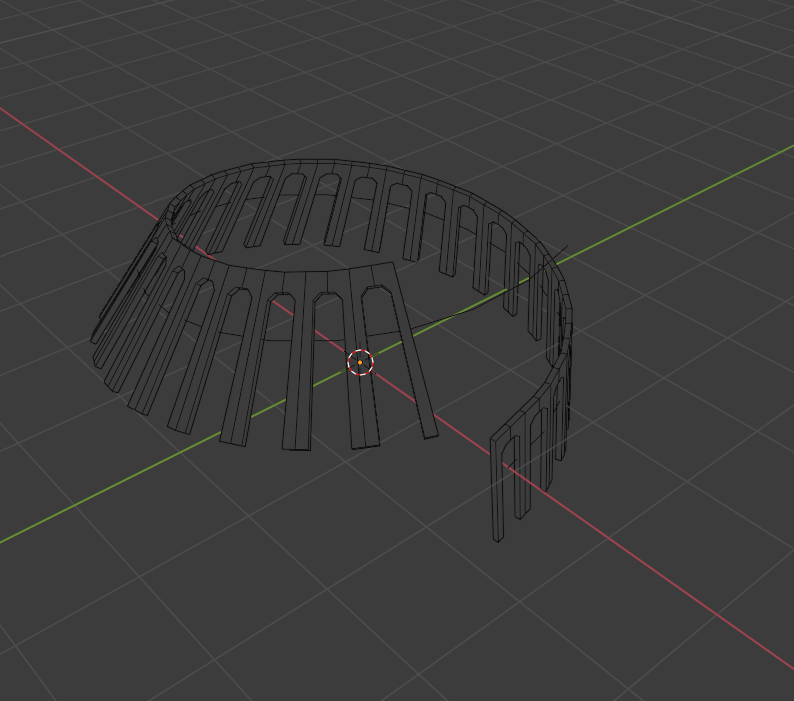
i was think that maybe because the Twist Method so i change it to Z-Up , and that what i get
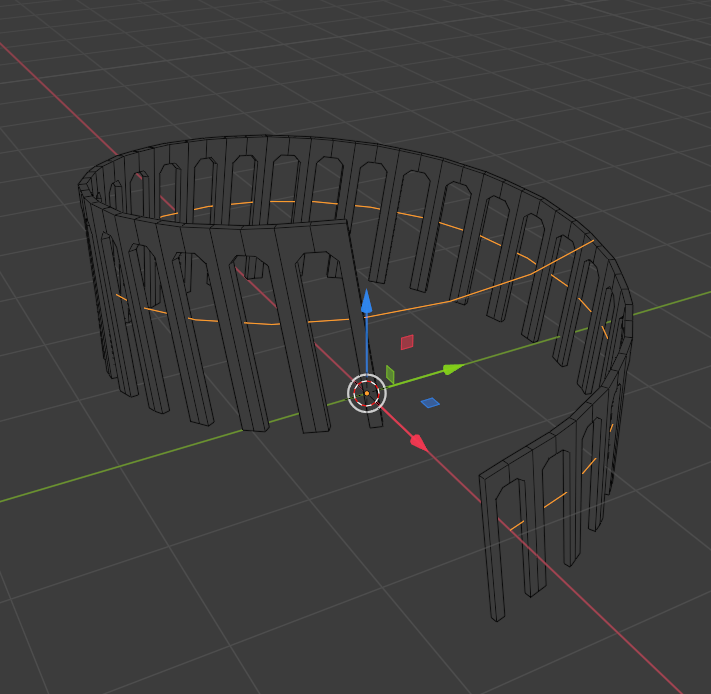
its better but still the arch are slanted ,
i use Tangent Method ;
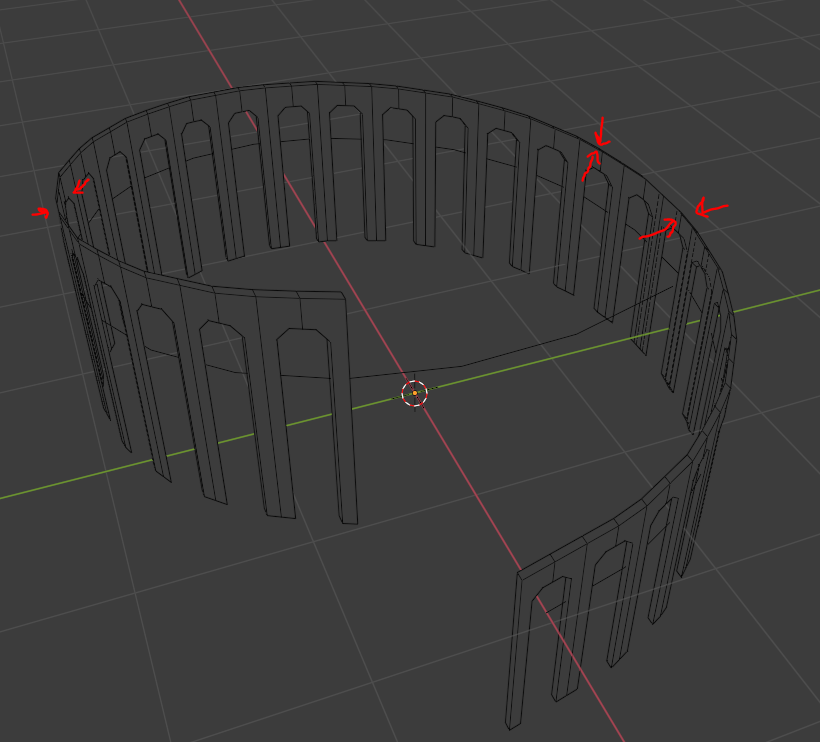
and actually that fix the main problem but it make worst problem by distorting the mesh that indict by red arrows .
the way that i found is by using a plane and array it on curve ( tangent method ) then use Surface Deform Modifier for the object , better explain here ;
blenderartists.org/t/controlling-deformation-axes-when-repeating-along-a-curve/1119872
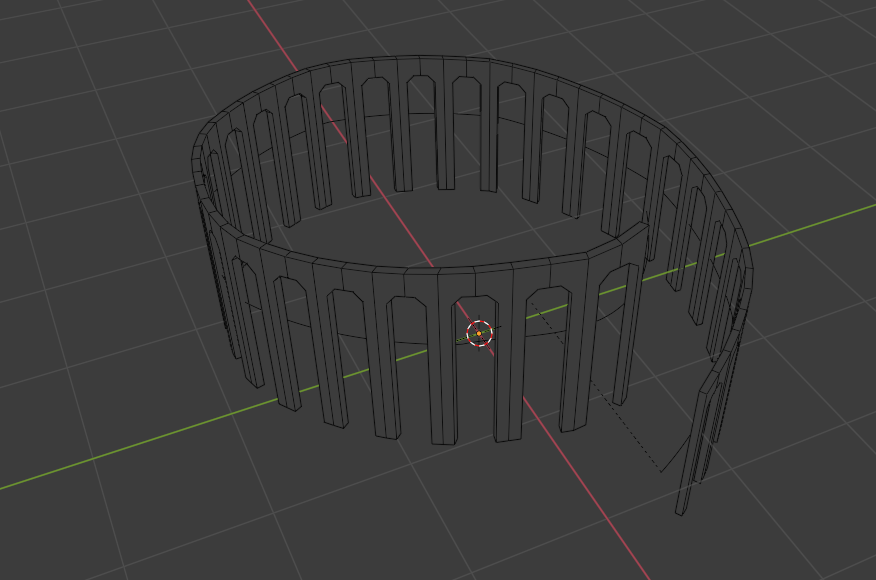
that actually what i want but the problem it's a bit destructive and unpractical because if i want change something in the mesh or change number of arrays i should bend it and hide curve modifier and display it again every time which pretty annoying
so my idea is if i can change the secondary deformation That happen in Y and Z not just main axis X , That will be very helpful ,
sorry to be long i wish i describe the problem very will , and Thanks .
1 Comment
Yes that always happens to me it would very helpful if they solve this problem