
Ability to harden vertices with the subdivision modifier
There is a feature I use a lot that allows me to "harden" the edge of a model that has the subdivision modifier applied to it. To do that, I select the desired edge and press "shift" + "e" and then dragging the mouse. This allows for direct control of the resulting model by controlling the interpolation between the subdivided model and the original mesh.
This is very handy to quickly realize complex geometry.
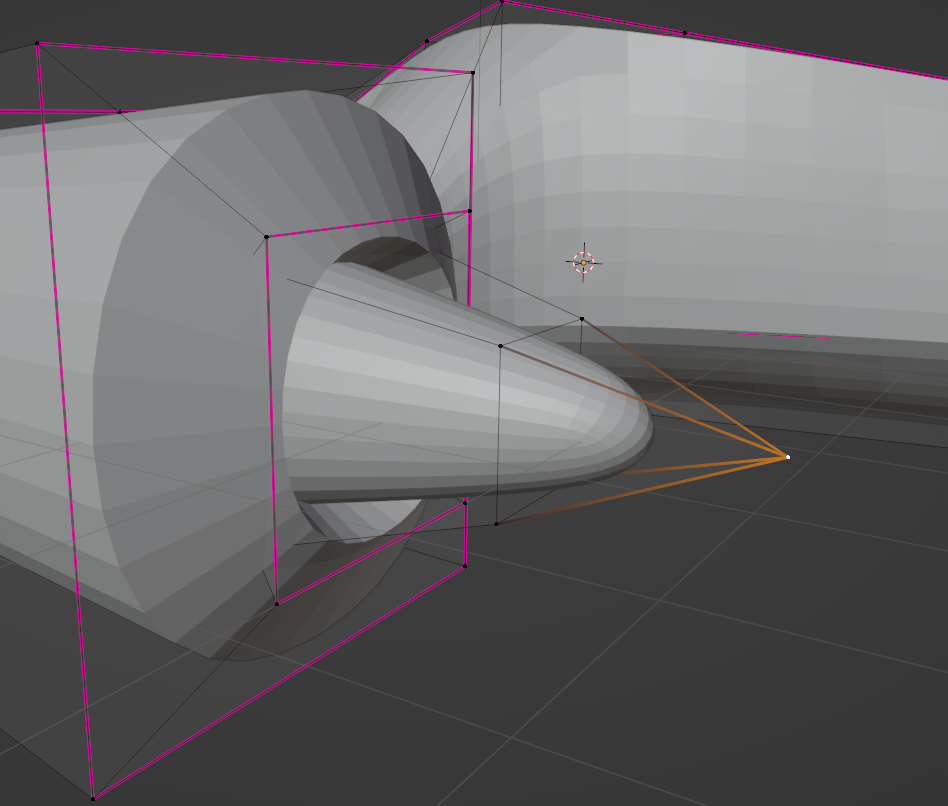
However, this feature is not available for vertices and simply hardening the surrounding edges leaves clearly unintended results.
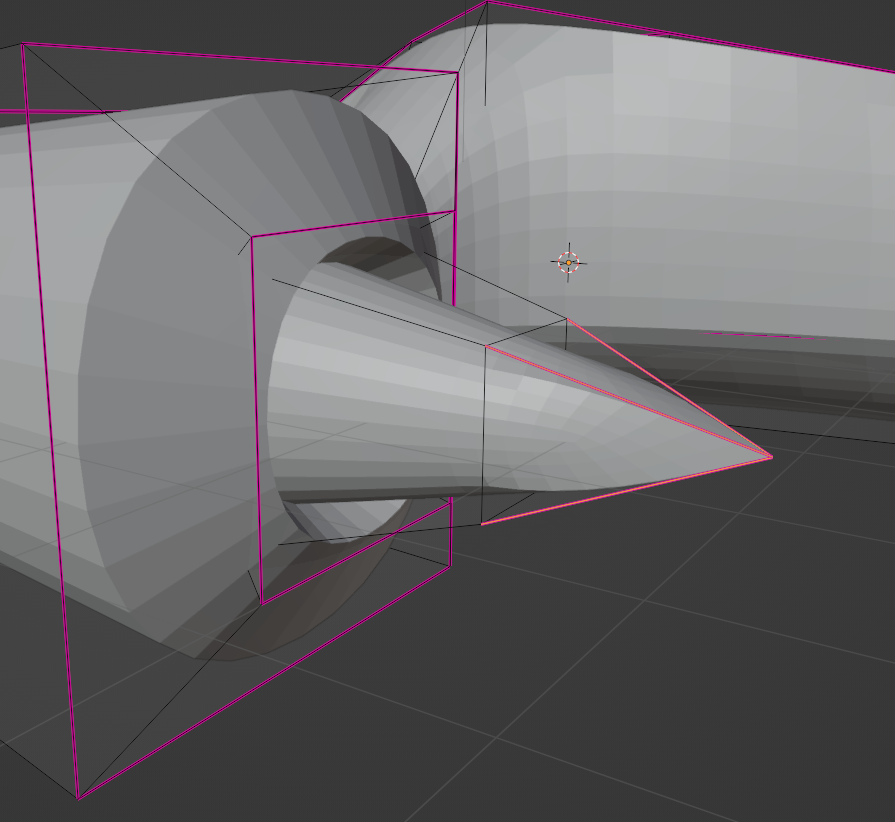 You end up having to find a "manual" workaround, disrupting the otherwise seamless flow of this type of modelling.
Therefore, my request is to add this ability to the same "shift" + "e" shortcut. Though I know the "e" stands for edge, I think this is a reasonable tradeoff to maximize usability, in particular since "shift" + "v" is already used for edge-sliding of vertices.
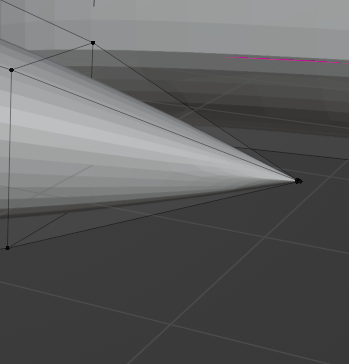
The end result should look something like this, though cleaner since I just beveled this particular vertex a bit.
Thank you for your time and work.
3 Comments
Marking this as Done. It's already implemented in Blender 3.1 beta .
Good to know, thanks
You mean Vertex creasing? It sould be available in 3.1 ( wiki.blender.org/wiki/Reference/Release_Notes/3.1/Modeling )