
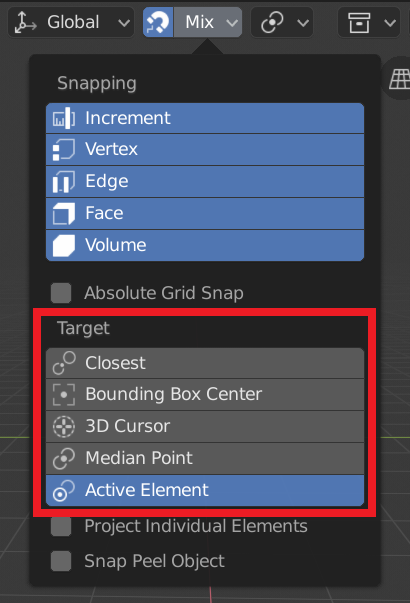
Replace the Snap Target "Center" to "Cursor" and "Bounding Box Center".
In my opinion, "Cursor" is the best of the targets, because with the current possibility of dragging the cursor in blender2.8, it is possible to use the same one, for example, as a base point to move with.
But currently to use the "Cursor" as Target, you first have to choose the "Center" option and then choose the Pivot Point as "Cursor".
This prevents you from using a different Pivot Point.
So to make it easier for beginners to understand and give independence to Target Cursor and Pivot Point, I propose to replace the Snap Target "Center" with "Cursor" and "Bounding Box Center".
1 Comment
Hi
See my Modo-Me add-on for easy center + axis management.
blenderartists.org/t/modo-me-modo-like-action-centers-in-blender-smart-action-centers-and-axis-management