
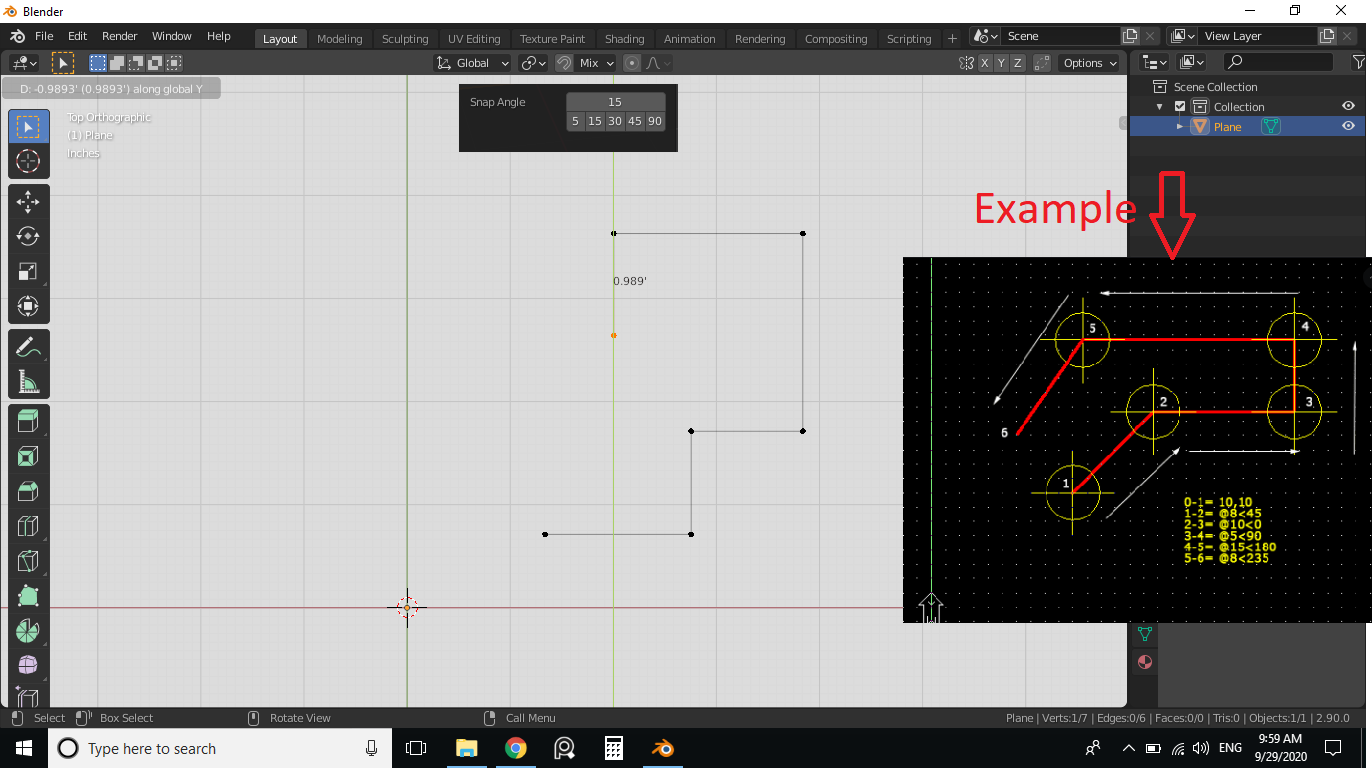
Ortho mode/Polar mode to move in a particular angle (15, 30, 45, 90).
just like snap toggle, we can have a toggle for ortho mode. and there is no need to write code for this. For example, we move any object by pressing the "G" key and lock the axis by holding down MMB. but if we make a toggle button which by default it constrains the movement then it will be super helpful. Benefits of it-
- very easy to move in one direction (especially for archviz).
2.Combine with Snap option it will really help workflow faster. 3.we can make extrusion very fast for walls as they are usually drawn in x, y directions. and if we enable snap too then any floor plan will take couple extrusion of walls to make in a minute only.
10 Comments
I see some videos of Boxcutter (Blender addon) where the feature called angle increment serve this purpose, then why not blender can make this and set it to as an option in snap toggle.
G, then shift z to exclude z axis movement when moving.
* @qwertquart * I know blender for years and this simple function is well known to me, what I was asking is, enable movement in X or Y direction just like any CAD software (Ortho mode). See this video for more understanding. youtube.com/watch
* @mrajendra2150 * In my opinion, using the MMB is faster to enter ortho mode than typing ortho because it's two clicks vs. >6 keystrokes. I guess I could see an advantage to just clicking MMB once to enter ortho mode because it's less clicking, but I'm still a fan of the current ortho mode. Less clicks is better, I guess.
* @qwertquart * In actual ortho mode (Just like in any CAD software) you dont have to click a single button l, also an advanced infereincing engine guide you in the direction. Any cad user can feel that....
* @mrajendra2150 * That's cool. In my opinion, any way we can reduce clicks, to complete a command, is a good thing. An ortho mode would be nice.
* @qwertquart * This way blender will fulfill all the need of Precision modelling and BIM package. with that simple concept Autodesk revit is rocking. Actually I think a whole community for architects and designer who need precision should be formed to discuss the whole need of architecture, we can assign blender guru as the admin for that community as he is an experienced blender artist.
you can also try the "advanced transforms" addon it might do what you are looking for here
I mean the movement of my object in one particular direction based on the view angle and my cursor movement. I mean I don't have to press X Y or Z key. it will help me faster modelling. you can better understand this if you used sketchup earlier. it helps in precision modelling a lot... Also all CAD software use "Ortho Mode" for this.
Just press shift+z after g, s, r to move, scale, rotate respectively on the x-y plane.