
Keying sets efficiency and layout
Hi all,
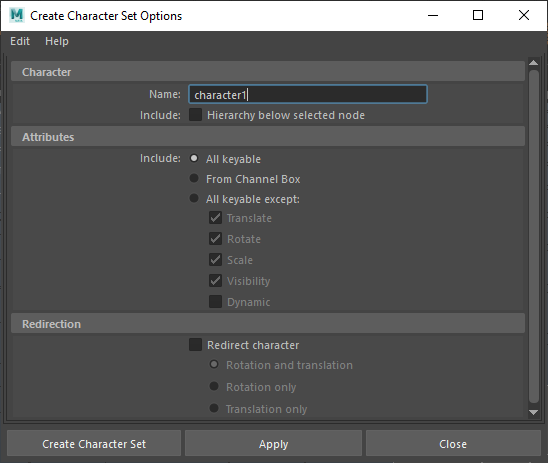
Blender has Keying Sets, which are the same as Maya's Character Sets. After being a long time Maya user, those sets became really helpful in improving efficiency during animation and they were really easy to set up.
In Maya, you would go the Channel Box, which is like Blender's Item>Transform menu. You can either just select the objects and then bring up a dialog box to select which properties types are added to your set OR select one or more items, then drag select the properties in the channel box and add to the character set too.
Maybe I just don't understand Blender well enough yet, but it seems like you have to go to each object and add each set of properties individually - really inefficient. Also, I think it would make more sense in the UI if Paths was instead Objects or Target ID-Block in the Keying set, then for each object you could have a sub section of their Data Paths.
7 Comments
{attachment maya_0IHP04cnVepng}{attachment blender_ypQfdYcO7rpng}
While it might certainly be nice to have a faster way to bulk-add a bunch of properties to a keying set, I have a deep-seated loathing for the Channel Box workflow and would definitely not like to see movement of Blender's rigging and animation paradigms in that direction.
* @Jason van Gumster * There's plenty that irritates me with Maya too, but what don't you like about it exactly? It's not the only way to get properties into the sets though, you can also use the Character Set Editor and both are a lot faster than Blender's current workflow. Let's say a basic rig has 12 controllers, so if you were to only include Position, Rotation and Scale for each controller in the Keying Set, you would have to do the same process 36 times! But most rigs aren't basic and have a stack of custom properties too. I guess for now, I could just use a script to batch through all selected controllers.
* @etufo2 * As a rigger, I would go ahead and make that custom keying set for my animator, probably using a script to pre-populate it. As an animator, I'm more lazy, so I'm more likely to use the Available keying set, though I may occasionally use the Whole Character or Whole Character (Selected bones only) keying sets.
That said, it would be pretty easy to write an add-on that allows you to select channels in the Dope Sheet and build a keying set from that. That's probably the approach I'd most be in favor of using.
* @Jason van Gumster * I'm a one man show on tight deadlines, so I'm all down for laziness, I mean efficiency XD I found quite an old script over here that does the basics: blenderartists.org/t/script-add-selected-bones-to-a-new-keying-set/611175 This sort of thing is obviously not on anyone's priority list, so I'll stick with the presets for now. Thanks for the input Jason.
* @etufo2 * Would you prefer doing just bones from the 3D Viewport, or something from the Dope Sheet, as I described?
* @Jason van Gumster * Dope Sheet would be better I think.