
Simple Deform (Bend) Modifier - Does not work as expected
Hello!
There have been some bug reports regarding the Bend Modifier not acting as expected. They were all closed as invalid and said to post/report it here as a request.
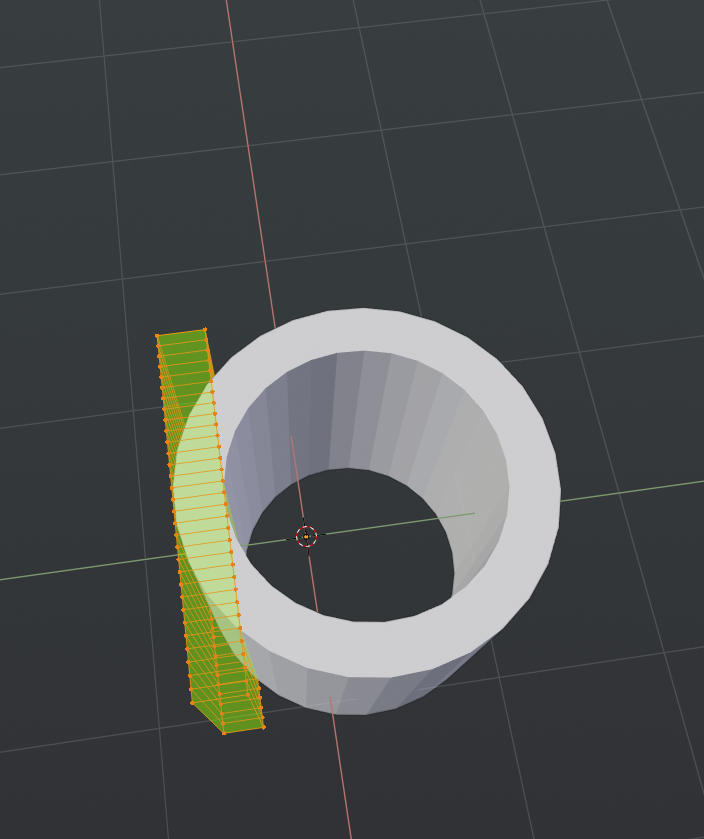
Basically, as a new user/existing user, the current "Bend" Modifier doesn't make sense to me/others. Currently if you try to change the Bend XYZ Axis, it seems to not bend as expected and only work properly if you rotate the object itself or use an empty/object.
This is especially confusing to new users, or people coming from 3DS Max as myself. I would expect if you chose Y Axis, it would bend /deform on that axis. I would NOT expect to have to rotate the object/use another object to bend properly.
So my proposal/others proposal, is to make it more like 3DS Max, and let you bend by changing the XYZ Axis, and not have to do weird workarounds otherwise.
It would also be nice to have an option to change the Bend Position in the modifier, without using an empty. Some kind of internal "empty" or matrix/point to bend around. Alot of 3DS Max modifiers offer this as well.
6 Comments
This deformer really needs to get more intuitive and less complex to work with.
A way to display the object which way it is going to bend could be also great here like a wireframe cage maybe like C4D does? Some controllers on the viewport itself for tweaking the "Limits" Could also be great.
Here's how I usually do it in Maya: imgur.com/a/k2IEXiY
Thank you
The Simple Deform, Bend is one modifier I try to avoid at all costs but if you need to tame it: blender.community/c/today/QXdbbc/
* @Ge Ro * Thank you. That helps a little bit, but still pretty bad, IMO. So confusing. New user is never going to understand that. I hope they can fix this/make more idiot proof in the future. Bend via Local Axis or World Axis options or something, ON the actual axis you pick.
* @Ge Ro * Wow that really helped, but it also shows that the "Working Axis" is something that should be an option in the modifier, just like we have in constraints etc. when bi-normals/bi-axes are ambiguous.
from my experience, only the "simple deform" addon (paid) makes this modifier behaves in an expected way. It simply shows you a rotation gizmo, and by simply rotating the gizmo on whatever axis, you get a deformation in that axis, without any funny business.
I believe that such Modifier interactivity such as the one found in "Simple Deform" and "HardOps" addons needs to be implemented in Vanilla Blender.
Agreed! Please work on the "Simple Deform" modifier. It is not intuitive and needs a re-design. It even says this in the Blender help documents.