
Highlight Relations for selected bones
Please highlight the relations of the selected bones... pleaseeee pleaseeeee!!!!!! <3 Like this:

I could be a viewport preference, u can turn on.
Why do I need this?
https://www.loom.com/embed/f91e030a3e974a2b9742ec6d50c54baa
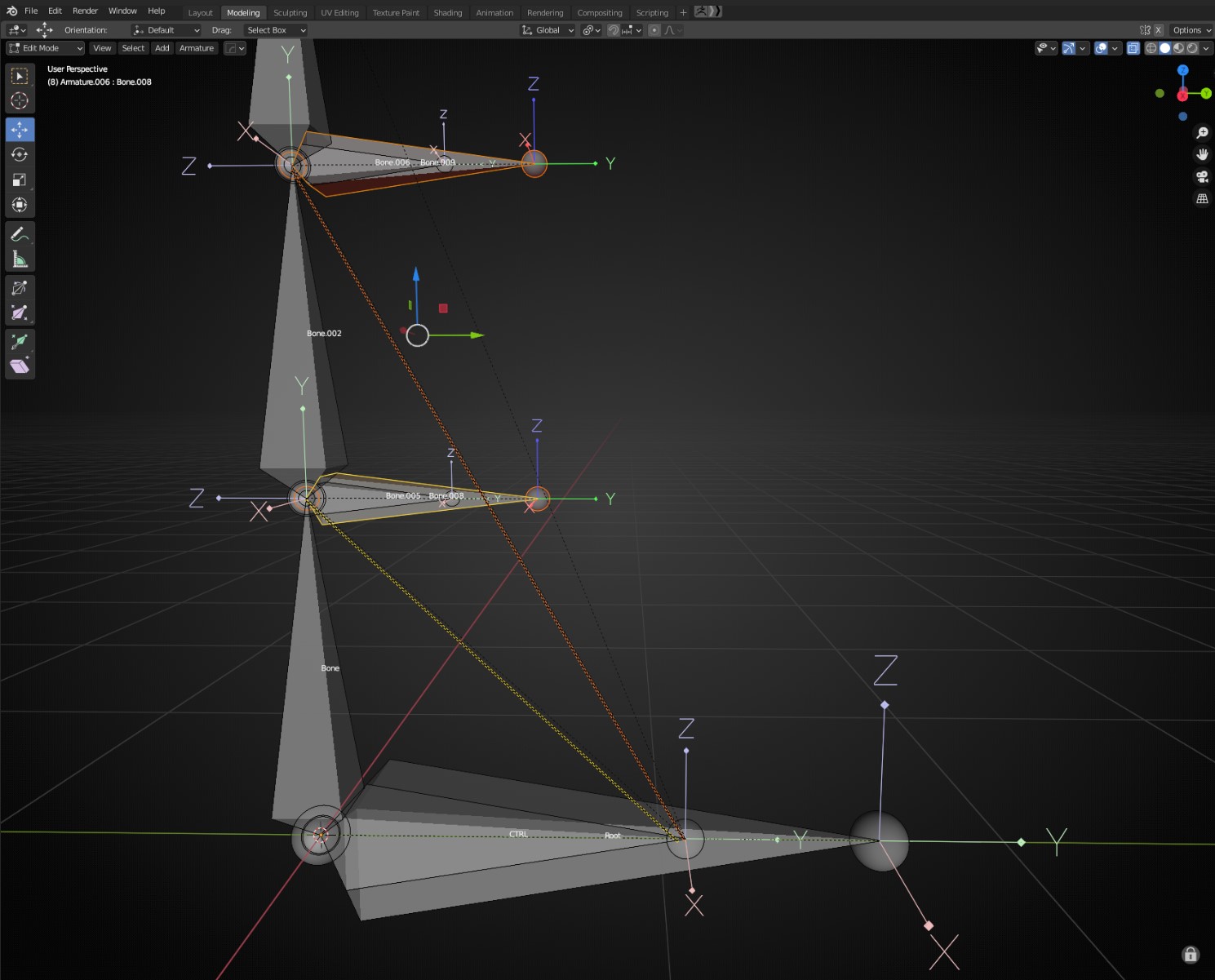
When Developing Armature mechanism, there are cases when many bones tails falls in the same location. In these cases U cannot tell visually which a bones are they parented to.
Example: Can u tell the Bone Relaitons on this image.

Furthermore, u cannot tell what's the nature of relation (Connected, Offsetted)
Why is the outliner and "relations" panel not sufficient?
Few of the main reasons:
When u have many (Lot-lot) bones it's far more efficient to take a look on area of the screen where u are working then looking up the the Outliner, open and close. Further more,, the Outliner does not tell u anything about the nature of relations (Connected, Offsetted)
Why just bones? Why not all objects?
Good question. U are right it would be nice to have for objects too. The reason why It haven't came in my mind is that I do not use too many parenting while modelling, only when developing armatures. Though I think it would highly beneficial, to see the relations when u are using relations for objects too. <3
Would it help to also visualize the direction of the relationship, with arrows or something?
For objects yes... though for bones the direction is obvious because its goes always from head to tail. In cases of Objects, there is no such a simple way to tell it. It could be optional.
2 Comments
Elaborate?
Why do you need this?
Why is the outliner and "relations" panel not sufficient? Why just bones?
Why not all objects?
Would it help to also visualize the direction of the relationship, with arrows or something?
* @jtxt * Hey Sir... I've elaborated on it. Explained everything in detail, even made a video. If u have any further question please ask it.