
Sculpt mesh filter as modifier
Would it be possible to have the sculpt mesh filter as new modifiers, this would allow non-destructive workflow.

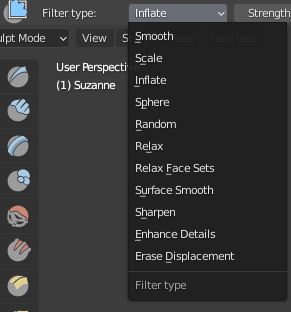
Would it be possible to have the sculpt mesh filter as new modifiers, this would allow non-destructive workflow.
9 Comments
+1 we need this, although I agree with thinsoldier that inflate is a bad example!
I want SHARPEN.
Use case: Add a Remesh Modifier, then add a sharpen modifier to crisp it up non-destructively.
I can see smooth being useful too, and there may be arguments for the rest, but Sharpen is the one I'd use.
(Maybe add it to the Remesh Modifier?)
Your example video looks identical to the existing displace modifier.
Maybe use one of the other sculpt mode specific features as your example.
I don't see how this would work as modifiers are applied after the base mesh.
However I am interested to see how something like sculp layers ( create3dart.com/zbrush-sculpt-layers/ ) can be applied for non-destructive sculpt workflow.
* @muhuk * why wouldn't it work ? you set a value like 2 and it deform the mesh from the base mesh like a displace , lattice or simple deform would do.
* @yoann softyoda * Yeah I have no idea what muhuk is talking about.
* @yoann softyoda * sure. But you wouldn't be able to sculpt on top of it. Perhaps you're not interested in that. I would be. Have you seen the link I posted?
* @muhuk * I don't understand where this would block the user from sculpt the original base mesh ? I have seen the link posted, and it looks a lot like what I thought (in more complicated, but it's the same thing)
* @yoann softyoda * it would not block the user from sculpting the base mesh. What I meant by on top of it was changes that can be applied after the effect of modifier.
Then, no, just like almost any other modified doesn't allow to edit changed that get AFTER the modifier get things done (just like you can't edit a mesh that have a wave or displace modifier without applying the wave or displace modifier to modify the result of the modifier in sculpt or edit mode)