
Edge Slide Tool - Upgrade
Hello, I want to discuss this little but very useful tool "Edge Slide". I think it need to be improved.
PROBLEM of current "Edge Slide" tool:
- you can't slide with Duplicate and repeat selected edge/s shape along sliding way (I think it the most lack feature in this tool)
- slide on specific value
SOLUTION
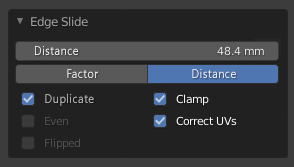
a little mock-up
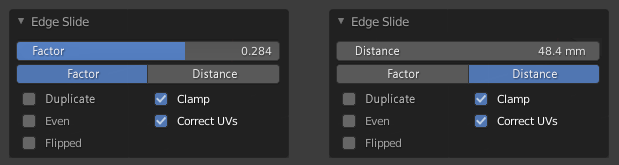
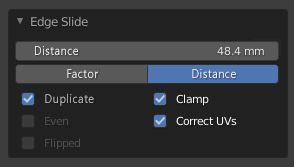
DESCRIPTION of new elements:
- Distance - slide edge/s on specific value from -infinity to 0 on the left side, from 0 to infinity on the right side
- Duplicate - duplicate selected edge/s on factor from -1 to 0 on the left side, from 0 to 1 on the right side or distance (values above).
- when Duplicate checkbox is active, checkboxes Even and Flipped are disabled because we duplicate specific selected edge/s on Factor or Distance and want to repeat current selected edge/s shape (otherwise it's another Loop Cut and Slide)
- if checkbox Clamp is active we can only slide with duplicate on distance to the next loop, as it works now
My current workaround it's a bevel edge loop with specific value, with profile 1 and segments 2, and then delete unwanted loop on the left or right side. It's so long and inconvenient. And if its a manifold loop you cant bevel it this way...
One more mock-up and new feature Slide Proportional.
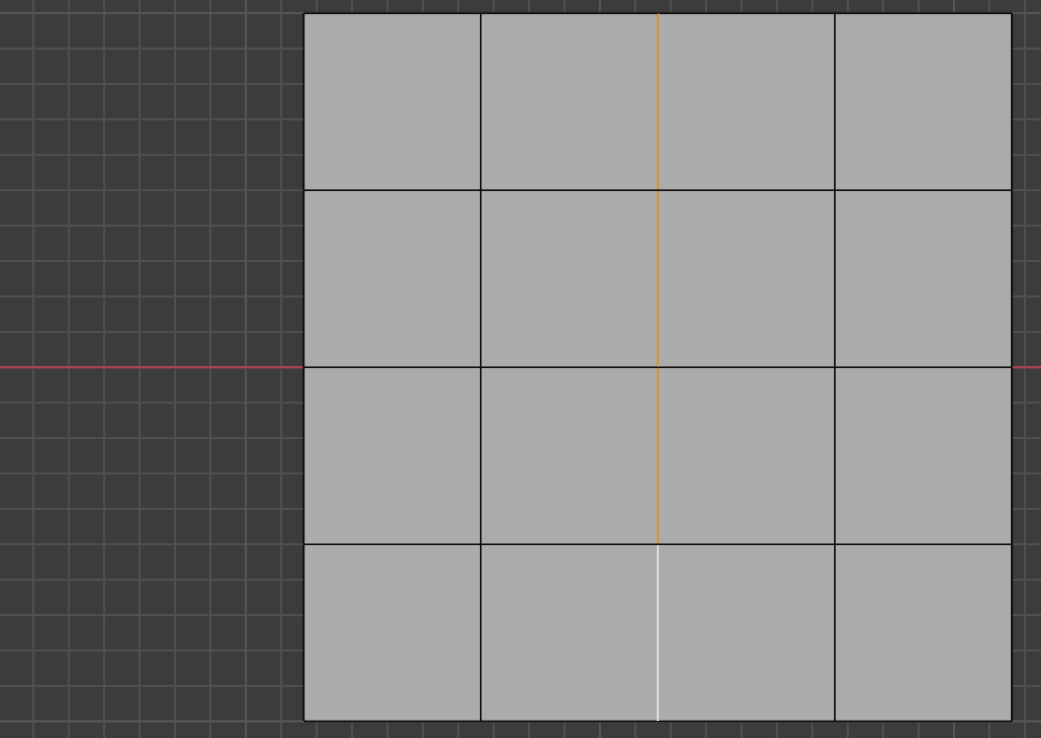
Original edge:
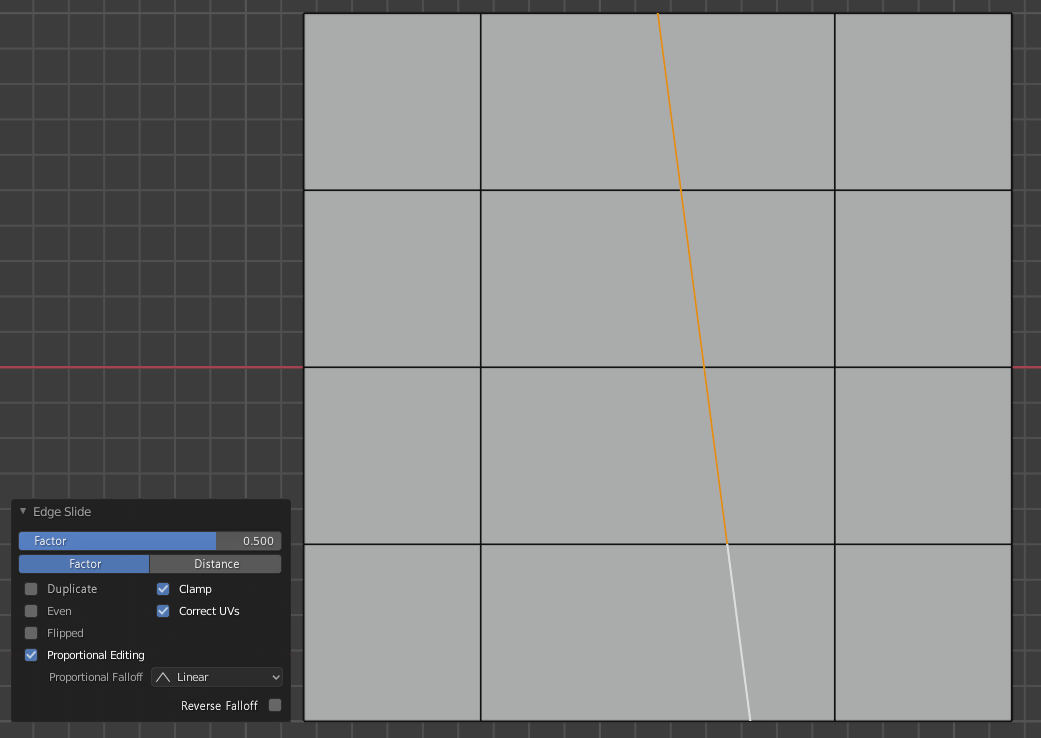
 Slide with Factor and Proportional Editing:
 Slide with Factor, Duplicate and Proportional Editing:
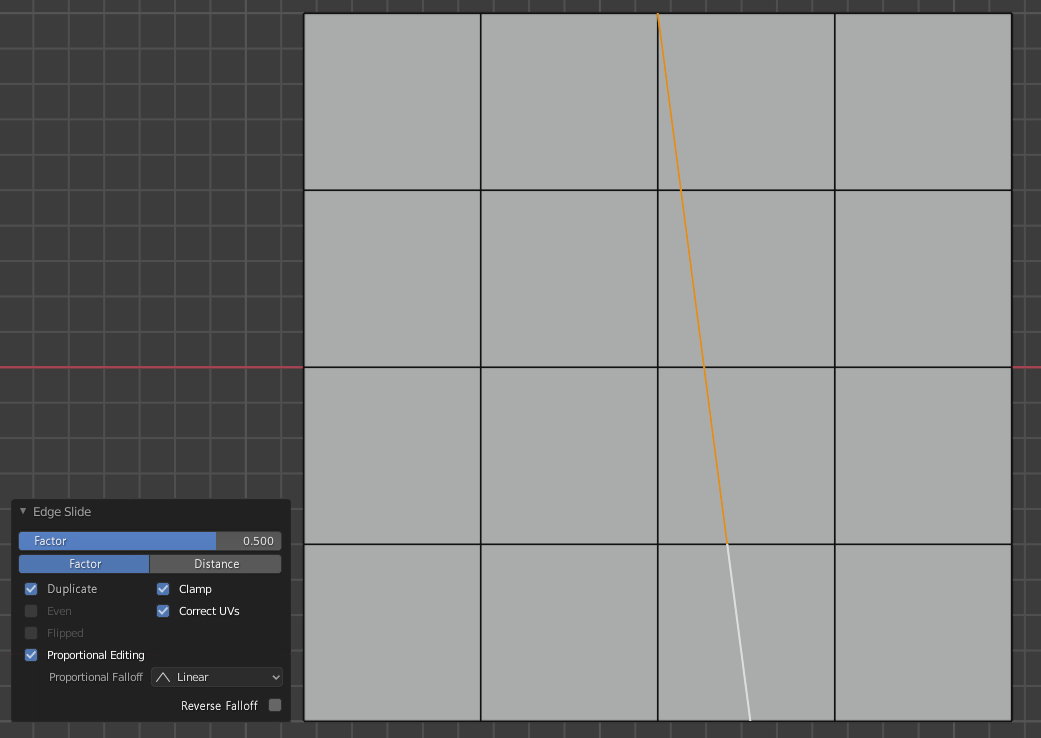 Start-point
is the Active selected element (in this case active edge at the bottom), End-point is the last point in selected loop.
Reverse Falloff
- changing falloff direction for some cases if you don't want to click-define new Active selected element.
Start-point
is the Active selected element (in this case active edge at the bottom), End-point is the last point in selected loop.
Reverse Falloff
- changing falloff direction for some cases if you don't want to click-define new Active selected element.
If closed loop is selected then Start-point is the Active selected element , End-point is the farthest point from Active selected element in selected loop.
Discuss here too devtalk topic
10 Comments
Distance value alternative to factor +1.
Duplication can be done by Rip operator
Alt + Vor vertex menu -> Rip. Select edges >Alt + V( side depend from mouse location + right click to not move) > now slide.* @IIIFGIII * if we could still somehow slide by specific value... not factor -1 to 1. But this all workaround, unnecessary actions and not all newbiews can think as pro-blender users. It's all about usability, I'm care that Blender become more user friendly.
* @Eugene D * We are not shooting down your proposal. We read your proposal. We agree. We upvote. Then we give a friendly workaround you can use to help you live with the daily nightmare of not having this feature while you wait several years for the developers to eventually add your proposed feature.
* @thinsoldier * I'm agree with you, no agro, I know that this can be even not seen by developers at all
I didn't notice what vertex / edge slide don't support proportional editing before... That definitely should be a thing.
Added more feature request - Edge Slide with Proportional Editing
Slide tool upgrades is an old dream lol... blender.community/c/rightclickselect/QDbbbc/
* @TheRedWaxPolice * Yeah, I also found you here Slide edge with clone option I think it need to be moved in one thread, so I probably add this two links in devtalk topic and you add too if you find any similar to this.
* @TheRedWaxPolice * That looks amazing! I really hope they add this...is it worth posting again? Just today I was asking for edge slide improvements - to slide two edges away from eachother
* @yogisemail2020 * I miss this too (from Modo). My current workaround its Ctrl+R (add loop in between where I want to slide two edges away from each other) and then Bevel Edge loop with Percent, profile 0.5 and Segments 0