
More faster way to adjust overall brightness and contrast of world environment and viewport objects (Real time and final output)
Hello guys. Is there a way to easily adjust the overall brightness and contrast of the world and objects in the viewport and final render output?
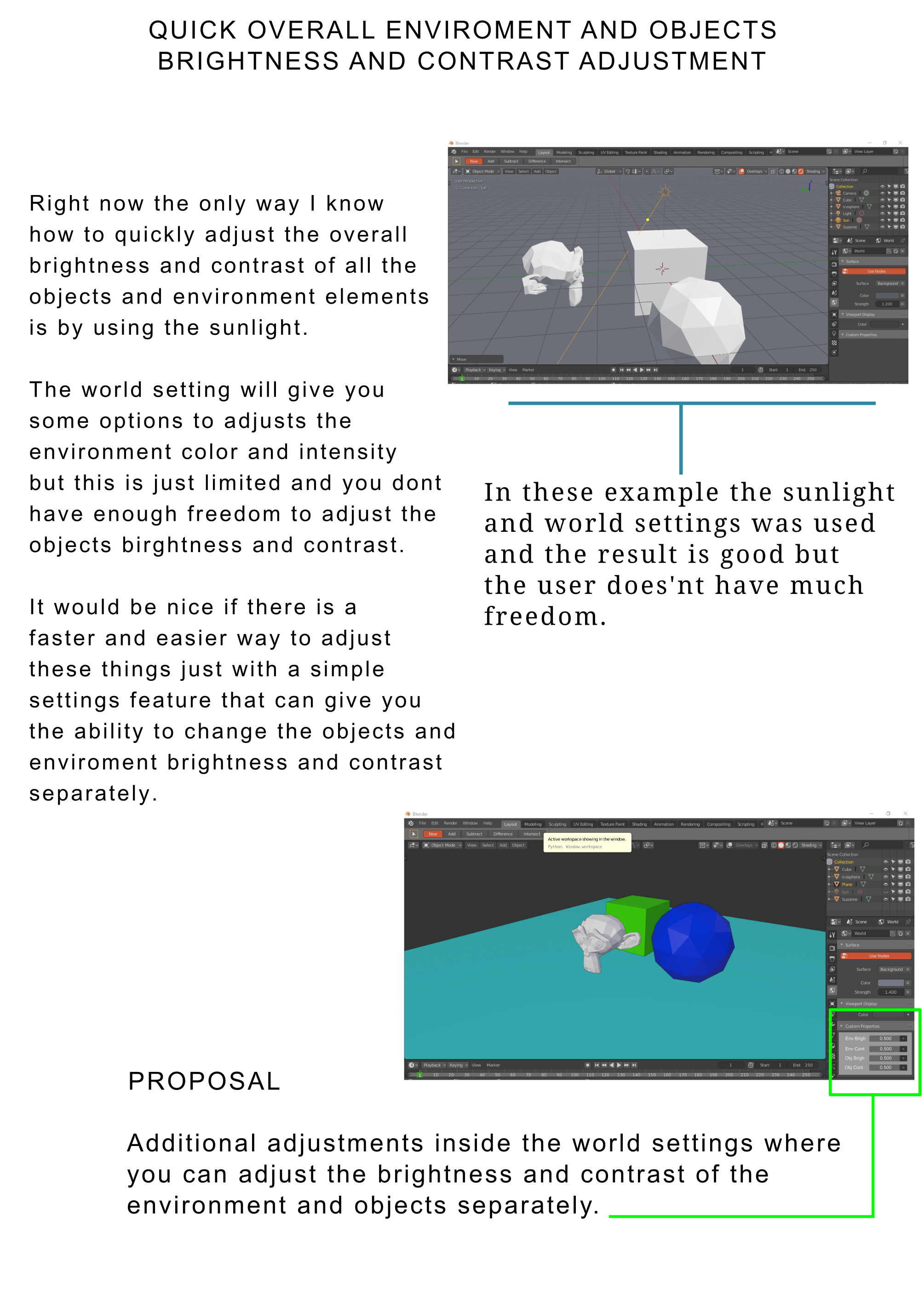
If it is still not available, it would be nice to have it as a part of world settings adjustments. There are times when you feel like the whole material and world output seems to be so bright and you just want to adjust it entirely with jist the use of some simple brightness and contrast sliders in contrast to the option of going around object to object.
This will be a nice way to make a fast adjustment of your entire projects brightness and contrast.
Thanks.
6 Comments
found the solution here: blender.stackexchange.com/questions/207158/eevee-viewport-exposure-different-in-layout-configurations
I agree. everything in blender looks shitty and dull ever since they went to pbr materials. texture painting is a pain since you can't tell what the real color of anything is due to it being darker. Even the "Flat" viewport lighting option fucks this up. just a simple "viewport exposure" slider would be a godsend.
You've specified the problem, but you haven't really provided a clear solution to the problem. It's not enough to say it should be faster or easier. What specific changes would you suggest that would be faster and easier than the current way?
* @Jason van Gumster * I am not sure if this will be helpful but I will post an image presentation.
For that you can use the Color Management panel in the Render Settings (Exposure for Brightness). If you want exact controll, click "Use Curves" at the bottom of it and expand the panel to adjust the RGB Curves.
* @Simon Storl-Schulke * I have tried it, it does a decent job but doesn't give you enough freedom to adjust the brightness and contrast of the overall environment and objects in the real time viewport output.