
Simple solution for Lighting and Depth Perception issues while using Matcaps
Hi!
One of the biggest hurdles of sculpting I find is trying to get a good feel for depth as I'm sculpting using Matcaps.
As you know, a Matcap's highlight areas move with the view on the model, giving the impression like its physically attached to the camera with an offset (e.g. phone flashlight).
However because these are highlights from an implied light source with no actual world-position, the 'lit' areas on models will always have the same brightness the same no matter how far they are from the source, which is more or less the view itself.
That's why I believe it would be very beneficial if Blender could have a viewport Fog Shader , that could be adjusted to simulate the light attenuation from the frontally-lit Matcaps, and as a result give a better feel for depth when working with Matcaps.
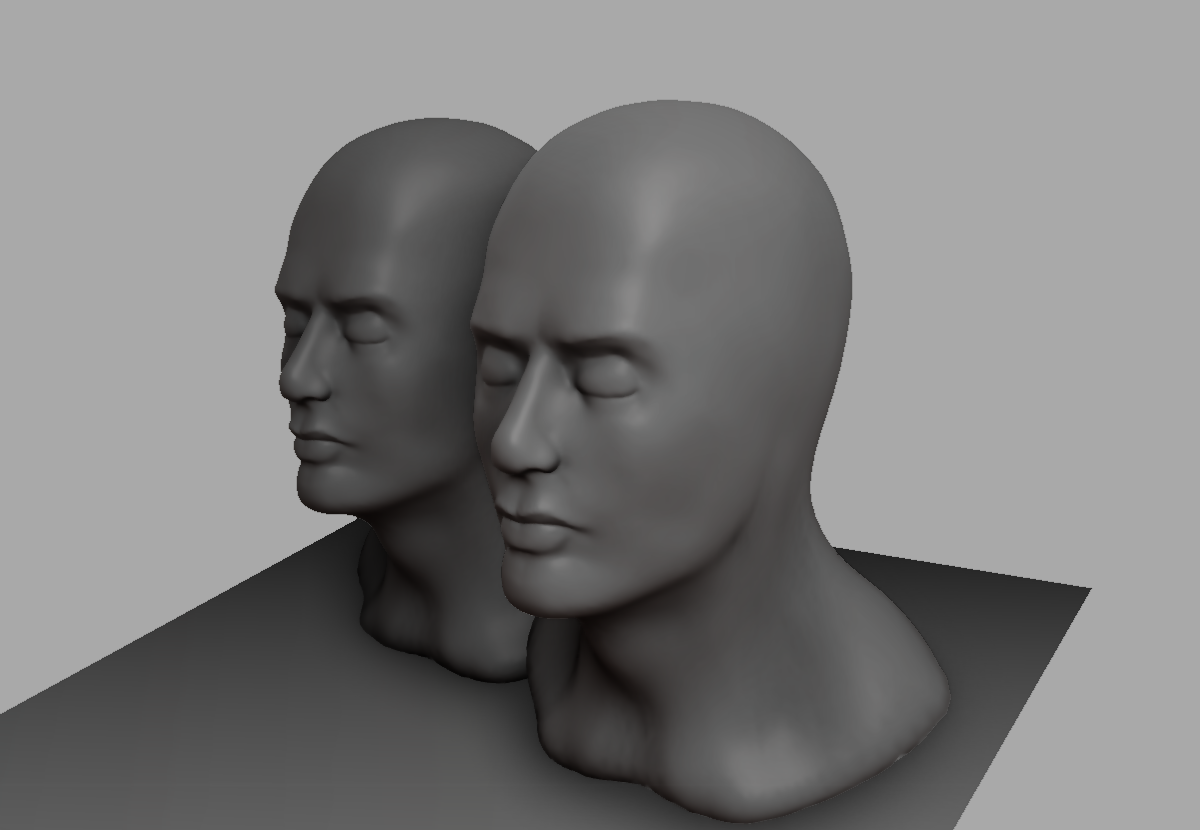
Here is a comparison I made of the effect using Reshade on Sculptris (Reshade sadly doesn't work with Blender):
Matcap Only

Matcap + Fog

Additionally, using a modified SSAO method with a wide sample radius can convincingly approximate the penumbra of the front-facing light source in the Matcap. As a result:
Fog + SSAO(MXAO):

2 Comments
this would actually be really nice, and probably easy if you just use the depth buffer for the fog display.
In Softimage this was a viewport thing you could toggle. It would be nice to have depth fog as a toggle also within matcaps.