
Tablet Pressure : minimum value and pressure curves
Currently, curve painting is the only area of Blender where we can set a minimum radius for the tablet pressure and no area in blender has pressure curves. Tablet drivers and apps such as linuxwacom's allow you to set a threshold for the munimum pressure but that's definitely not a good alternative for many reasons :
- this threshold defines which minimum pressure invokes the click, so your brush strokes break as soon as you don't press hard enough
- it affects every brush parameters at the same time (radius, strength, jitter)
- if you want a high minimum pressure, then you have to press hard to click on any button.
Minimum value threshold properties inside Blender would solve all these problems already, as they wouldn't affect the click-invoking and could be per brush property. But better than that, pressure curves would give maximum control over your brush strokes.
To me, the best way to implement it in the interface and avoid UI clutter would be this way :
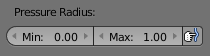
- Once you enable tablet pressure, a simple 0 to 1 slider for the minimum value as well as a check box to enable pressure curves would appear. And only if you enable pressure curves, the curve would appear, making the "Min threshold" slider disappear since it would become useless.
Here's a picture to illustrate it :

1 Comment
Texture paints still has no radius pressure curve. Grease pencil has the functionality. That being said, there is lots of functionality missing with brushes in texture paint. Like changing contrast and how the texture mask interacts with different pressure.