
Auto Perspective improvement. Forced plane view, saving previous status
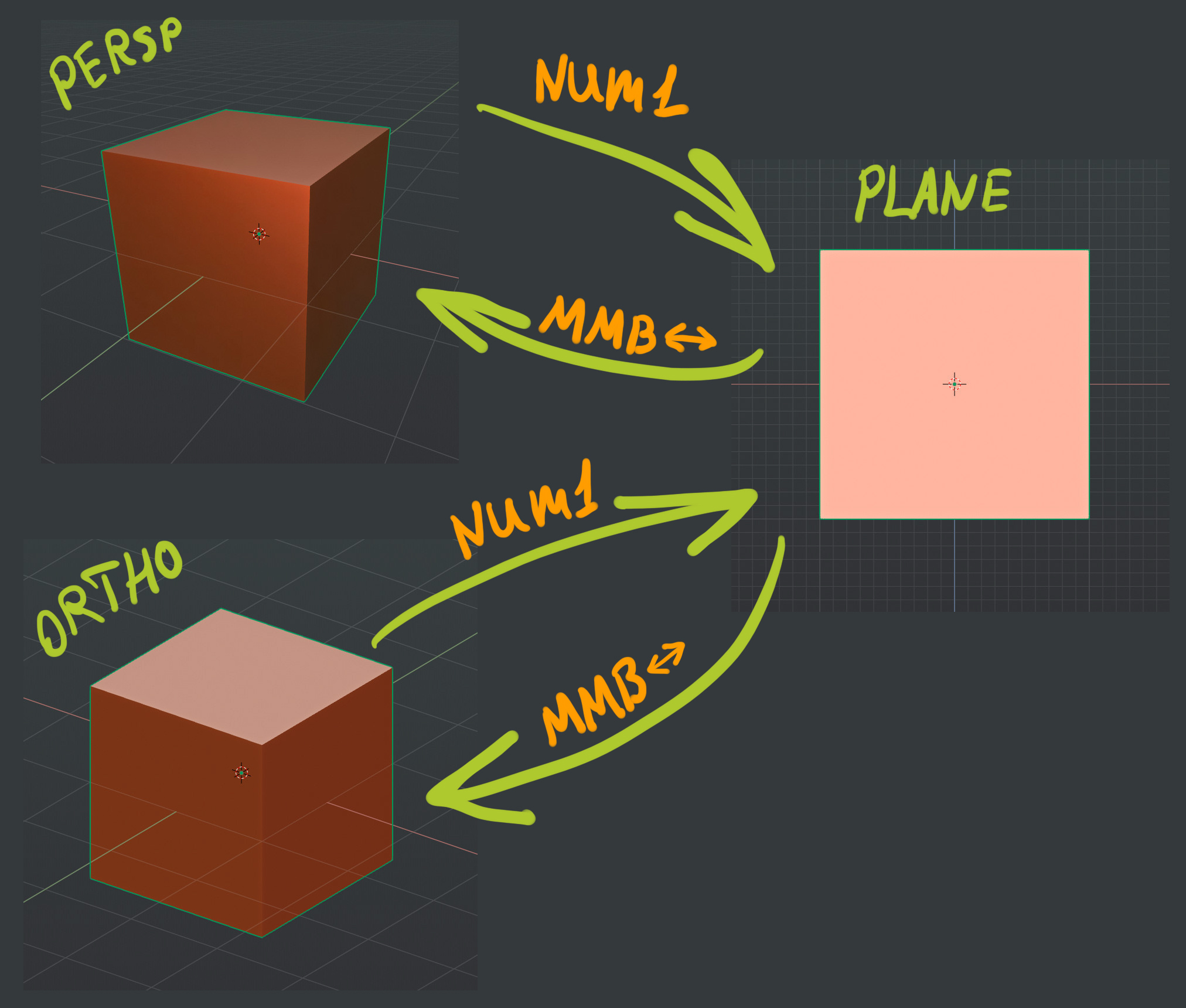
From my point of view the best behavior would be like this (forced ortho/flat planes):
- Force plain projection for numpad keys (front, right etc) no matter what perspective mode for free navigation chosen
- Remember previous state of free navigation.
So plane view is always ortho, and free navigation is always the same, as I switched in before going plane-view.
Now, If I enable autoperspective, then switch to ortho for navigation, then to plane view and rotate with mouse, I will return not to ortho but to perspective. It is annoying. If I disable autoperspective, and moving with perspective mode, I will get non-planar sideviews for Numkeys and need to press 5 each time for side view, or navigate with ortho-perspective permanently.
Do you use sideviews with perspective mode often? Do you use quad-view? What do you think about such option and this situation?
6 Comments
As long as I can keep auto perspective turned off, I'll be happy.
* @Jason van Gumster * do you use nonplanar sideviews? or ortho for all? or switching manually between perspective and planar views with 2 buttons and 2 buttons back? like 1 5 and drag 5?
* @ Vyacheslav * I typically work in Perspective for most of what I do (and yes, I do actually use non-ortho side views). On the occasion that I need a flat orthographic view, I want to do so on purpose.
* @Jason van Gumster * Ok. so for you it would be preferable to have persp navigation, persp sideviews, 5 for entering plane vew and autopersp after return to persp from plane view… hmm… I need to think, how can it be made. May be as separated forcing. Like force or not plane views when you press 1/3 and force or not to switch back to perspective.
* @ Vyacheslav * No. For me it would be preferable to simply enable and disable ortho as needed (pressing <kbd>Numpad 5</kbd> in the current system)... after all, most of the time my hand is already at the Numpad, so pressing a second number isn't a big deal.
* @Jason van Gumster * okay, i see.