
Pop-up windows pinning
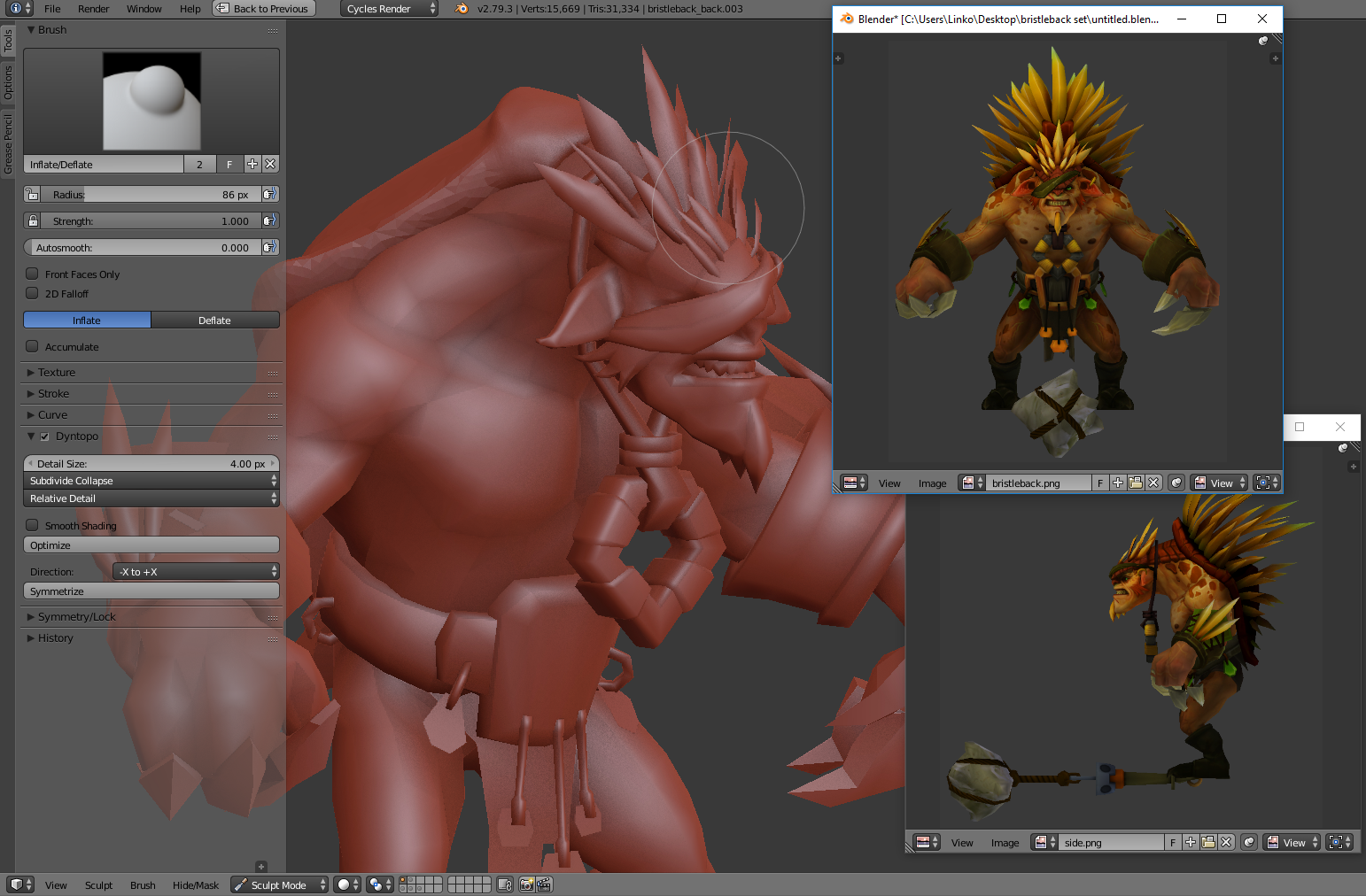
Currently the pop-up windows are a bit useless if you don't have multiple monitors because the active window hide the other windows. I suggest to add an option on pop-up windows to be able to pin them.
This can be very useful to keep image references while modeling or sculpting in fullscreen.
6 Comments
I know that you want it as a feature in Blender, but while its not a real thing you can use PureRef. It works in with any software, it's really powerfull and free! I aways use it when I need multiple references. youtube.com/watch (video showing features) pureref.com/
@Marco Aurélio Mineiro Coutinho: love pureref. Kuadro too
This feature would be very good I had also sujerido this in another post before seeing your
why not just split the viewport rather than pop out windows?
@Josh Strawbridge: probably because a "floating" window is more flexible in some cases (like the one in the picture), you can put it anyware above your workspace withous dividing it again and waisting space.
@loic.dautry: it's just personal workflow preference then. (nothing wrong with that)
it'd just bug me to have to always move the floating windows out of the way.
i'm playing devils advocate now but i don't see how splitting your view is a waste of space when the space is used for your references. or how it's worse than your suggestion when in the example above you've still got a large portion of the work viewport blocked by your floating windows.
if you split the viewport vertically and the new one horizontally you can still open both of your reference images in a very similar view to the one you have used as an example of pop out windows. you can also then just slide the one side of the work/modeling viewport that is shared with the two reference images to maximize your space without having to move two windows if you need that space. granted that would work much better if the images auto resized with the size of the UV/Image editor.
with that caveat though you could just set up the references and just shift+space the working/3d viewport back and forth depending on when you need to see your refs or when you feel the need more working room.