
"Try to select objects in Wireframe Mode" Challenge!
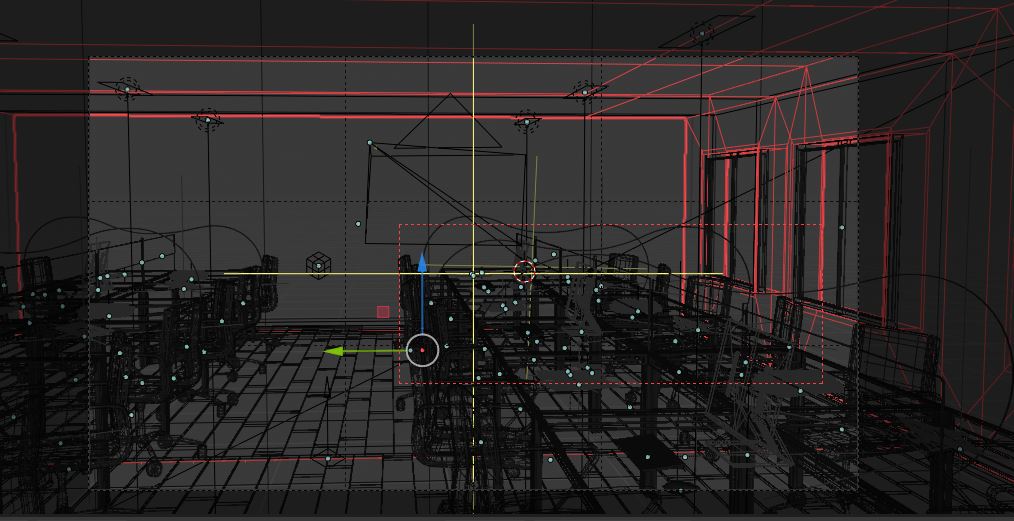
Hi, I don't know why this is happening, but in Blender 2.82a I can't select objects in wireframe mode. Looking around and testing things, I've been able to narrow down the search to the toggle visibility of all origins (in the overlays pannel). With the option checked (Origins (all)) at least I can select the origin and the object is selected, but if I have hundreds of objects, I click and click and click and never selects the one I want.
So, my question is: How can I disable the selection of origins but the selection of a part of the object instead in wireframe mode? I can't find it anywhere.
Anyone knows how to change it?
Thank you.
Note: I have 2 computers at home rigth know. One from the office and the other is mine. It only happens in my Office PC, which doesn't have a dedicated graphics card, but an integrated intel UHD 630 instead. Is it possible that this selection is based on the graphics card?
1 Comment
RCS is not the place for bug reports ot issue question. Try developer.blender.org or stackexchange