
Correlation between 3d scene viewport display material colors and material list
Visual correlation between 3d viewport color and material list could be achieved anymore, since Use Nodes checkbox has been removed.
It creates workflow problems - for example, when you have to modify an imported joined model with ~30 concretes materials, all gray, but each for a specific purpose and placement to track it is hard to check/operate with materials assignment without visual correlation to material list.
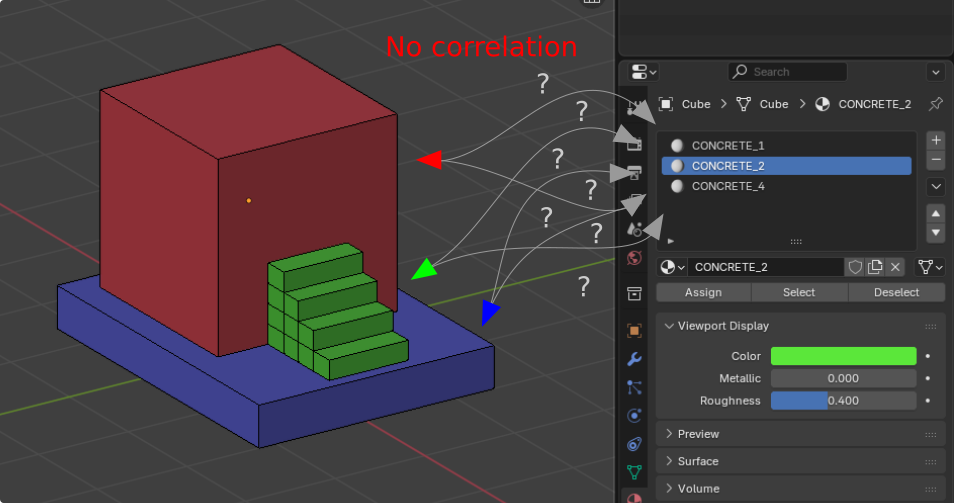
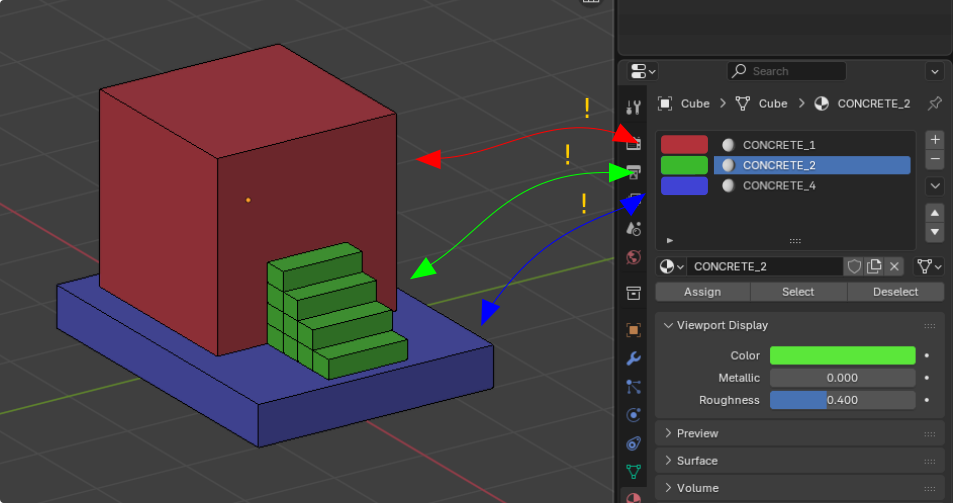
The proposal is to provide visual correlation between 3d scene and material list by adding optional viewport display colorpicker to material list:
6 Comments
i think this will be a better approach i.postimg.cc/WzzJ3Rnz/397beaef7184a3788dbde2fb1971e87b-1.png
Would like to mention the ability to mute shader color as possible solution
Originally there were the ability to expose viewport color to previews by switching Use nodes checkboxes globally, which allowed to reach the correlation between 3d viewport and material lists and see the assignment instead of guessing.
It is explicitly hard to manipulate scenes with ~3k materials without the ability of technical color being exposed to material previews or its substitution.
Weirdish I love it, feels like an addon tho :)
Color Icon can be set after Material Name,and it is too wide
Wide has bigger contact zone which allow to distinguish negligible color deviations better. On my screenshot where are only 3 materials, so the color scheme is explicitly contrast. Increasing number of materials will decrease the contrast between them which will require bigger swatches.