
Option to rotate global grid along object's rotation
That would be very helpful if there will be an option to rotate the global grid or even copy object rotation and use it for the grid. So new objects could be now snapped on the new global grid's rotation. Would be a super useful tool for the level design blockout process.
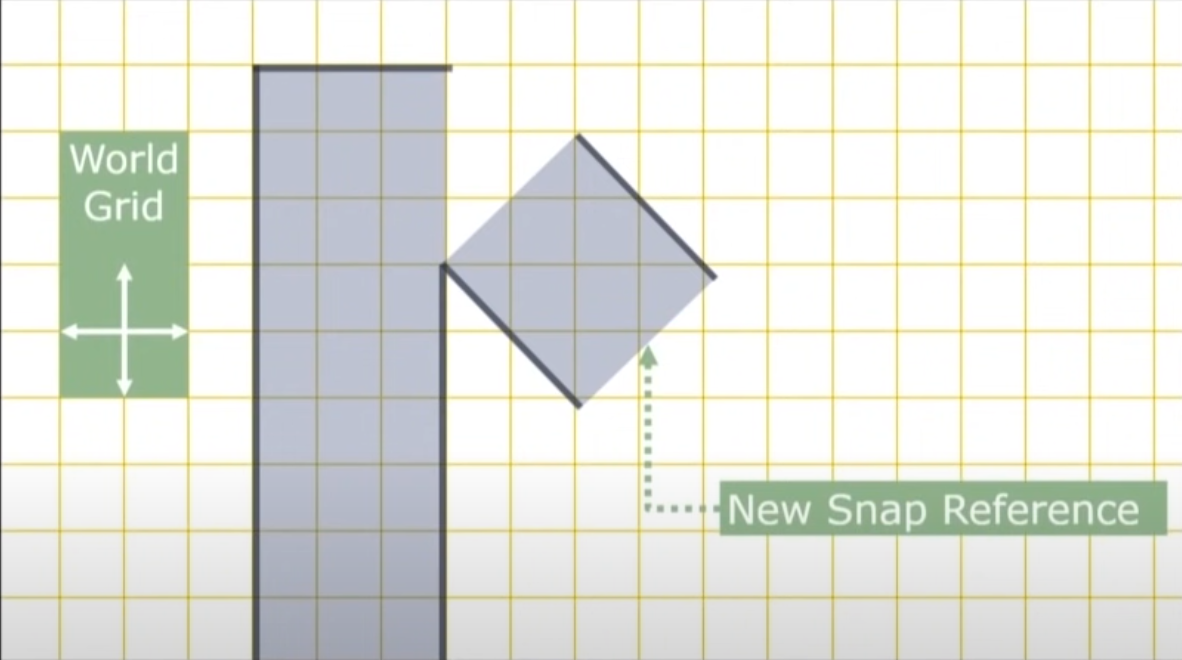
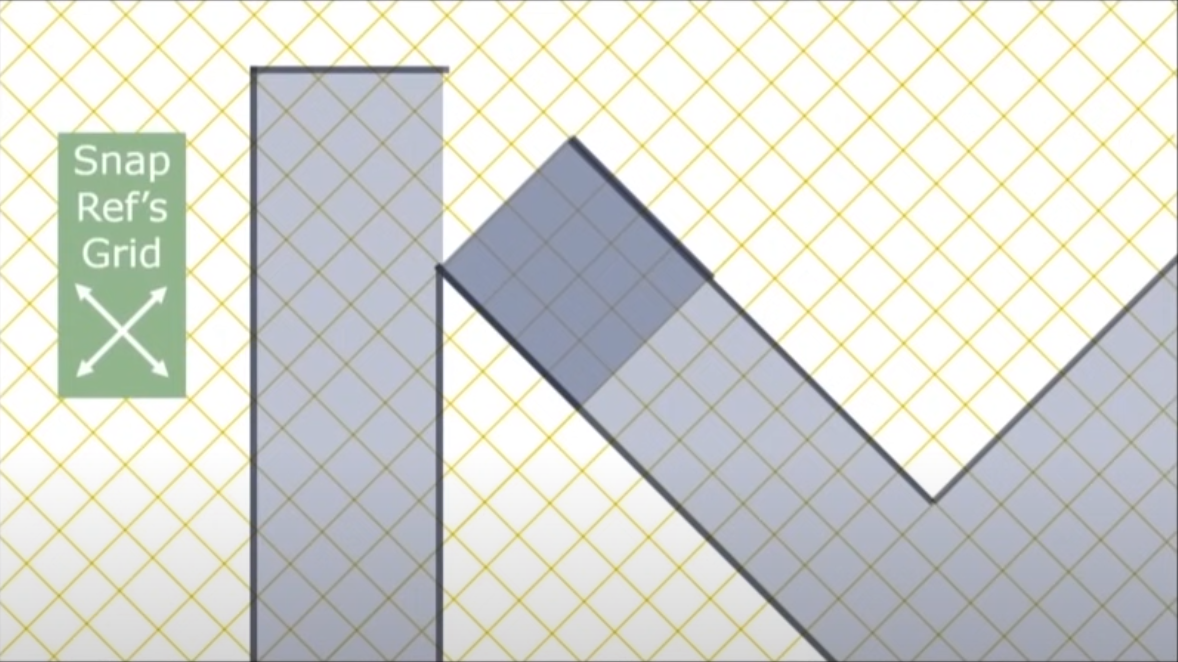
This video explains what the feature should do perfectly:
1 Comment
I think several other programs solve this with a concept called work-planes. You can select an edge or face on an existing object and create a new Transform Orientation and have all your move widget arrow align to that new orientation. You can make a plane and set it to wireframe and us it as a grid for snapping. Unfortunately getting the plane to rotate to exactly match the new orientation is not easy and adjusting the spacing of the faces on the plane to match the size of the real grid is not easy either :'(