
Bevel Twist Option
It would be great if there was a "Twist" parameter in the Bevel menu to twist a bevel object along the path of a curve.
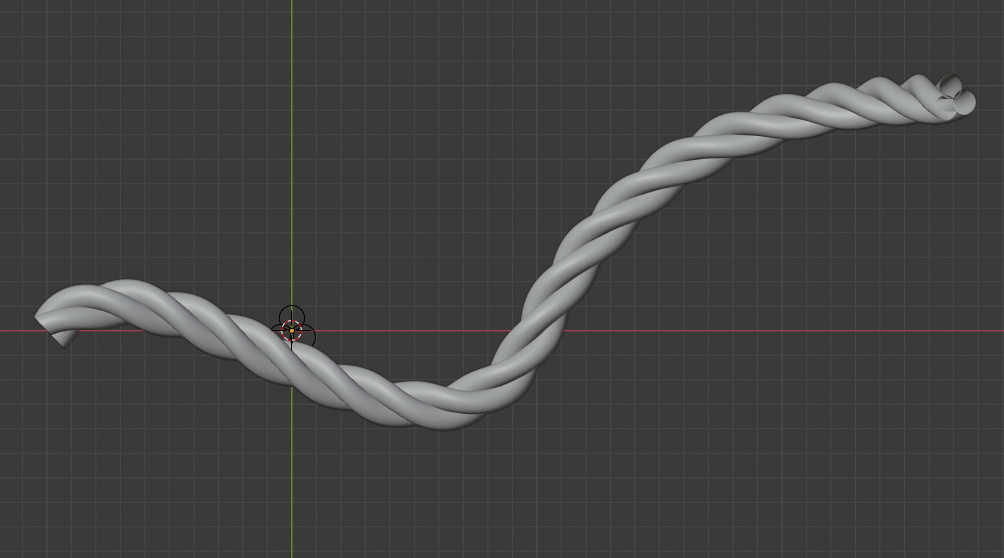
It would be great if there was a "Twist" parameter in the Bevel menu to twist a bevel object along the path of a curve.
3 Comments
When editing curve paths, you should be able to select vertices and go into the sidebar to edit twist. Currently, tilt is the only option and it can only twist between two vertices.
Obviously, you can use multiple modifiers to twist a rope, but just having a twist slider in the sidebar would save a lot of time and effort. You have to add the simple deform modifier with twist, adjust the settings, then add a curve modifier and fiddle with the origins & stuff. All that just to twist a rope.
The reason I'm suggesting a twist slider, rather than updating the tilt slider, is because you may want to tilt multiple vertices without twisting them.
Just add a deformation 'twist' modifier.
* @Cédric Lepiller * Thank you for your response Cedric! The simple deformation twist modifier is definitely useful, but what if you have a curve with disconnected splines? The Bevel menu handles this beautifully. A specific scenario I am encountering at the moment is having disconnected curves tiled onto a mesh object with the Tissue addon to create a knitted pattern. The bevel tool with a "Twist" would make it very simple to achieve a twisted yarn appearance.