
Solidify Modifier but along a local axis instead of a face normal + Cutoff distance
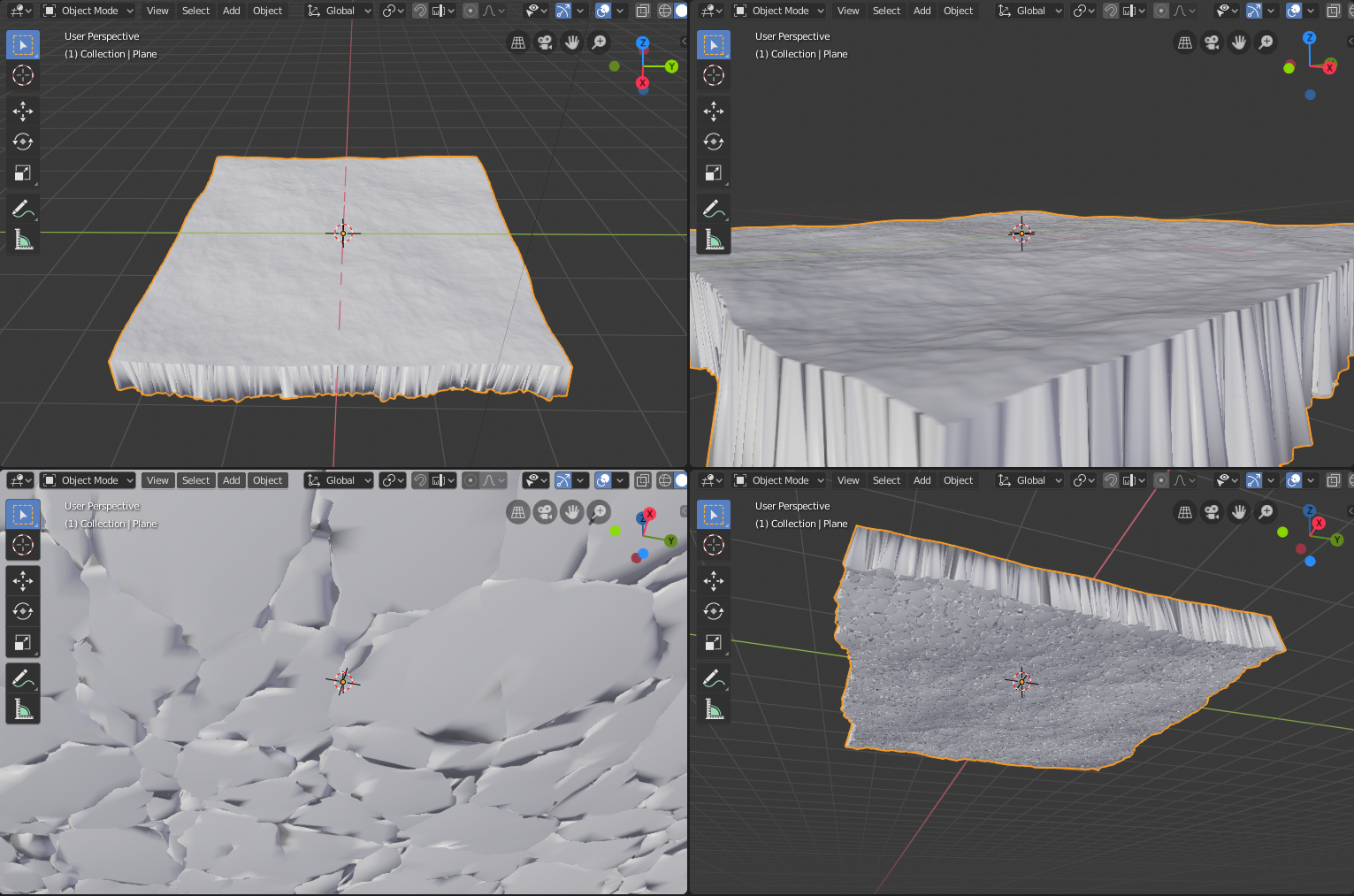
When I use the solidify modifier on, for example, an ocean modifier mesh, the varying face normals make each solidified extend off in a different direction. If the thickness is too high, they start to overlap. I suggest that an option is added to the Solidify Modifier to solidify along a local axis (X, Y, or Z) just like manual extrusion can do.
Bonus: Add an optional cutoff distance to solidify too (along the same local axis), so that the bottom of the solidified object is completely flat.
Note: The picture depicts the current problem after an ocean modifier is added followed by a solidify modifier with a high distance. The solution would have flat sides and a flat bottom, no overlapping geometry, etc.
7 Comments
I think the Everything Nodes project will make this sort of thing pretty easy to do. But it's still a ways off.
the thing here is that the adding a cutoff distance is even a greater suggestion pls include it in the title
very good suggestion. May I ask for the inclusions of some screen captures to illustrate this better for the others !
* @Orphydian * Done, and done. Thanks for taking interest in this!
Poor solidify modifier...
I'd like it if it gave the option to open up a transformation matrix actually! {attachment Matrixpng}
It is more like projection along normal. Agree, may be useful. But in case of such thick shapes I am not sure, that both areas must be identical. so it is better to use subdivided flat square, than solidify, then displacement{attachment 3431316jpg}