
Name the properties panel properly
Each tab in the properties panel should be named correctly. It should have
- The Icon
- What tab it is
When you hover over an icon it will tell you the name of the panel but beginners probably do not know this.
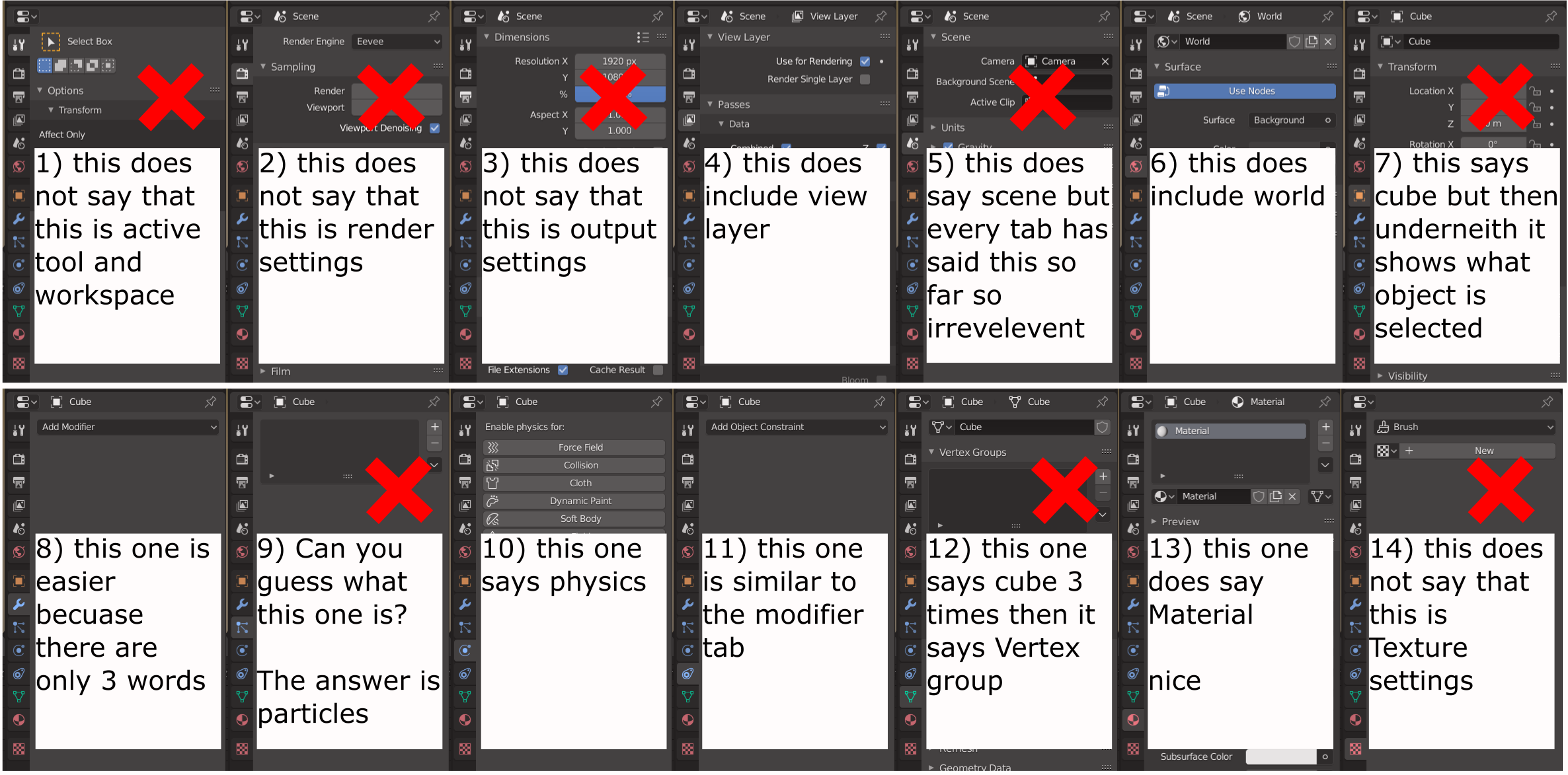 image link
ibb.co/Tcw8Sc7
image link
ibb.co/Tcw8Sc7
13 Comments
This is not some " incorrect " names or " not needed " something. Blend file can contain different scenes and data related to scene, same with view layers. This is scene/view layer indicators to keep things under control... This tab group contain properties related to scenes/view layers so you see scene/view layer names. In tabs with object properties you can see, as expected, object name. Then this " for beginners " case... Keep UI space row for tab name for what? For first/second time user go to this tab and then just UI space wasting for all entire time for this " no more beginner " user?
* @IIIFGIII * I have no idea what you just said... You can't even form a proper sentence. If this is not needed then why has it got so many likes?
* @BuZz Shiro * noobs....
* @BuZz Shiro * So many 13 at this moment? Another 13 who " ... have no idea what I just said... " . Good luck, keep writing.
Your #12 for example. The first cube is the name of the object. The 2nd cube is the name of the mesh data block currently being used. The 3rd cube is where you can choose to use a different mesh data block. Vertex group and everything else in there are sub-attributes of the mesh data block. All of these things are necessary. If you are new to Blender try using it heavily for a few more months before making proposals.
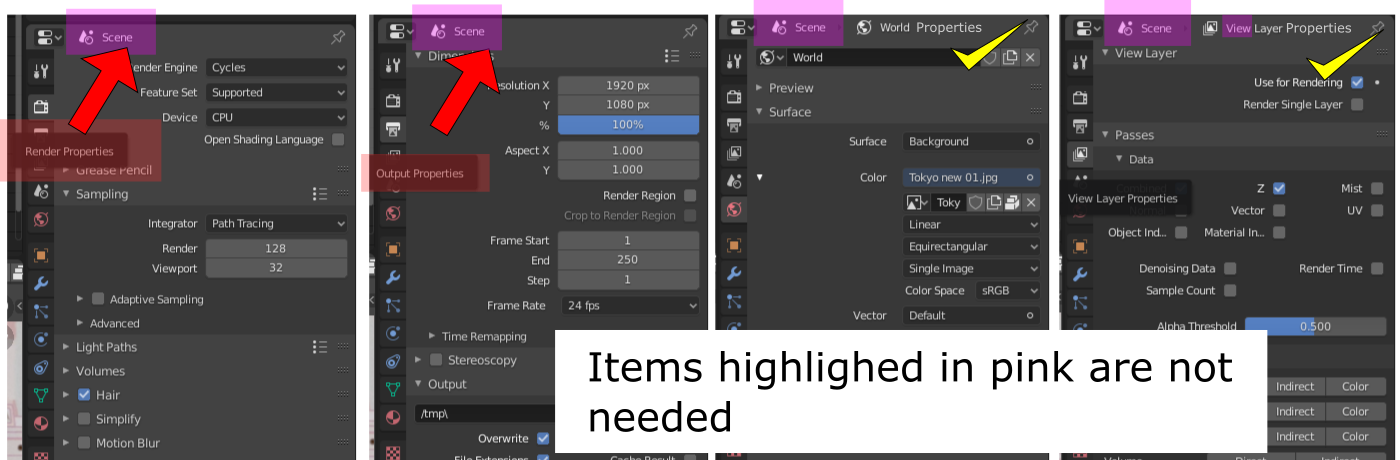
The items in pink are needed. The first 2 need the "2. What tab it is" to be added to them.
* @thinsoldier * I think that scene is not needed because there is no such thing as object render settings, object output settings or object world properties.
* @BuZz Shiro *
* @thinsoldier * Ok fair play I see your point but it says which scene and what layer you are using at the top so I think that repeating it is unneeded. Also you can see which world you are using in the first drop down box so I think that is not needed either.
* @BuZz Shiro * This screenshot is from an actual scene. I tend to keep this open on my 2nd monitor. I'll be doing something in one scene on one window and other things in another scene and going back and forth and I need to use the PIN icon to keep certain things always displayed in multiple property editors
* @BuZz Shiro * If you have few monitors, your main window can be with some 3D View maximized and Properties on second monitor, where you have no main window and this dropdown ... so showing this info right in Properties has sense.
Just because you newbie or not work with 2-3 monitors, or not hard use Blender - not mean that things are " not needed ". Just stop this bullshit discussion.
* @IIIFGIII * I have been using blender for about 7 years so I am not a newbie but you are correct I do not work with 2-3 monitors so I have not come across that before. Thank you for clearing that up for me.
This was just my opinion, my main point about this is having the panel named correctly, not for me but for beginners.
yeah, this a must, so simple yet its not htere