
Bevel Tool / Bevel Modifier unexpected result with Mark Sharp / Mark Seam options
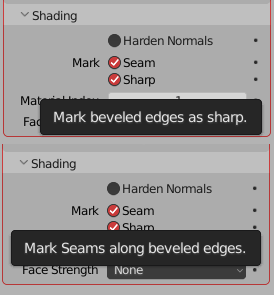
Picture #1: Current tooltips
Mark sharp and seam name and tooltip from bevel tool and modifier implies that it takes edges you give it (marked / unmarked - doesn't matter) and marks output with sharps / seams like this:
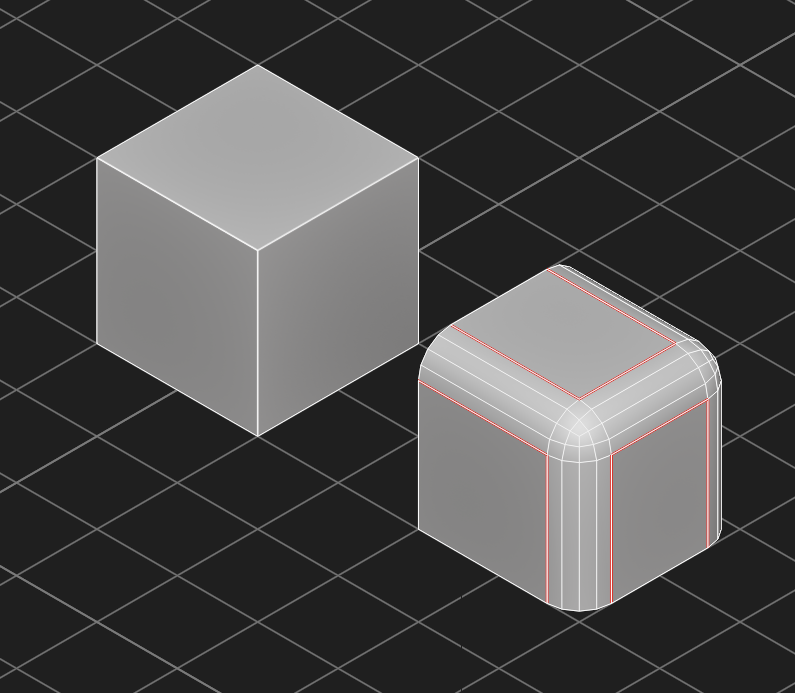
Picture #2: Left cube is input, right is output
But this not the case. It's actual purpose is specific case with propagation of already marked seams / sharps along unmarked edges like this:
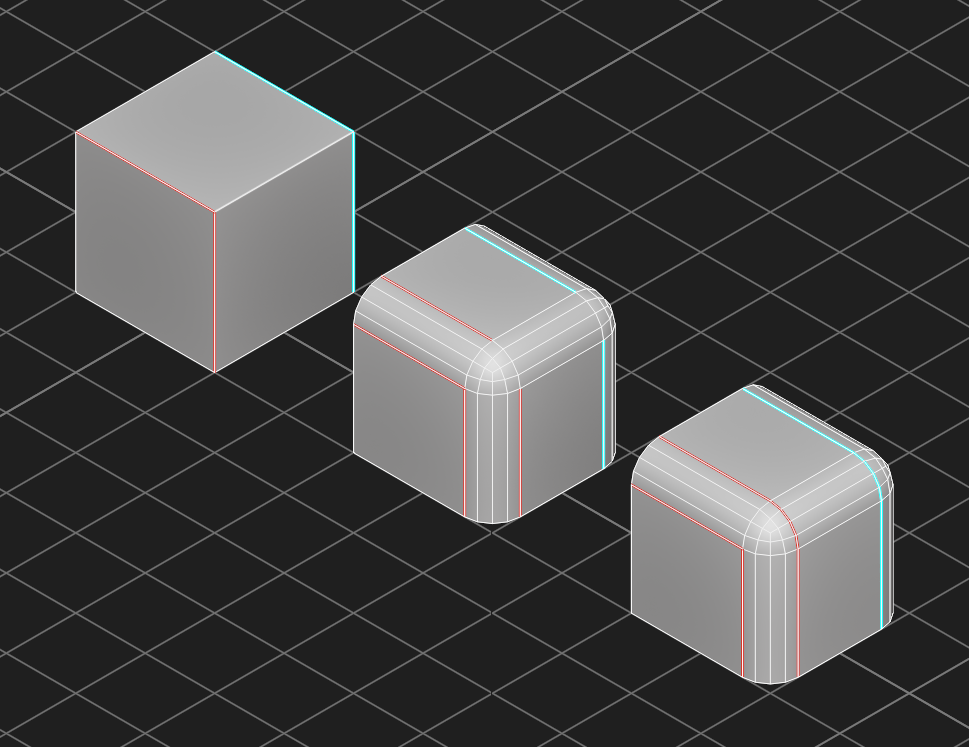
Picture #3: Right cube is with option of mark sharps / seams turned on and middle cube is result with default settings (turned off) - I would like to hear if anyone actually finds middle result useful
Reason for this confusion is probably already existing edit mode commands of mark sharp / seam:
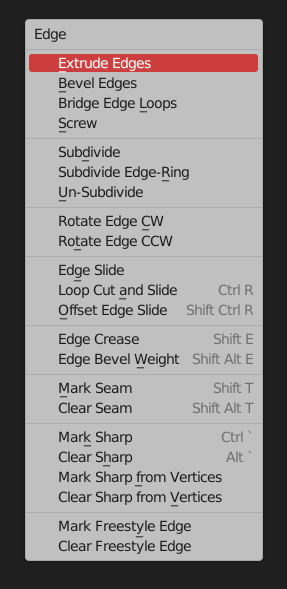
Picture #4: Edit mode edge commands
So my suggestion is to rename ambiguous "Mark" option to "Propagate along" (alternative names are welcome) and add new "Mark edges" that has same effect as edit mode mark sharp / seam and illustrated in picture #2:
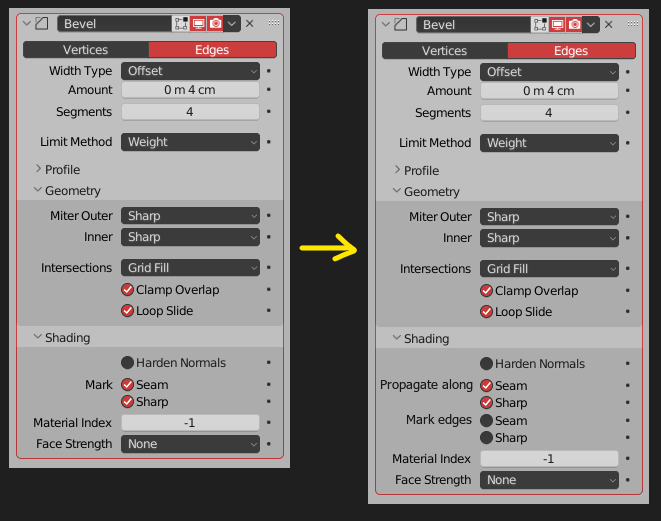
Picture #5: Bevel modifier suggestion
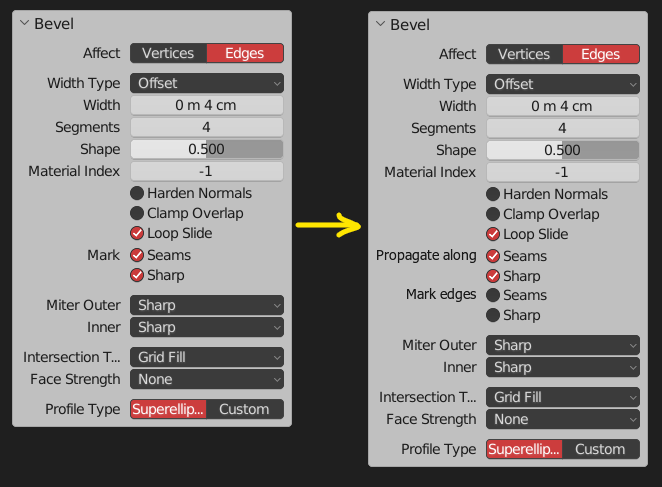
Picture #6: Bevel tool suggestion
You probably gonna say "bevel already has too many options" - and I honestly agree, I think Propagate along (old Mark) should be the default behaviour and not exposed to user (examples where this is not case welcome). That will open up space for new Mark Edges.
TL;DR: mark sharp / seam options in bevel tool / modifier are very different from edit mode mark sharp / seam commands and should be renamed. Optionally functionality that actually does that should be added under new name to avoid confusion.
0 Comments