
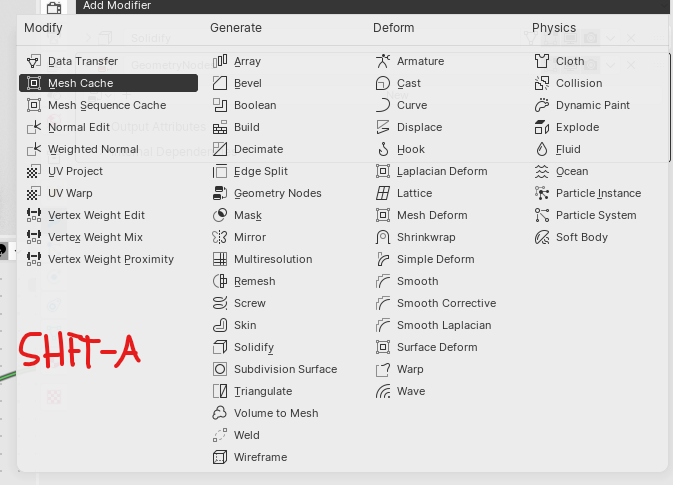
Add shift-a shortcut to open add modifier menu
I often use letter shortcuts to easily add a modifier instead of looking for it in the long list. e.g. G to add a geo nodes modifier to the selected object. This means my hands are on the keyboard. It would be a nice QoL addition to be able to open the add modifier menu from the keyboard as well. Similar to the add menu in the 3D viewport.
6 Comments
This was proposed at some point but unfortunately abandoned.
developer.blender.org/D8927
Hopefully it can be brought back into discussion, I miss this.
Marking this as Done, a while ago! :)
I'd love something similar to the Add Constraint menu with Ctrl Alt Shift C , which adds a constraint to the active object and uses the other selected objects as target of the constraint if it has the setting.
I like that idea, it would make a lot of sense, especially if the search feature is added too, so you could go Shift+a, S, geo [Enter] to get a geometry nodes modifier
hopefully it's considered, but it might be wasted effort if all of the modifiers will be ported to nodes anyways, who knows..
The search function would also be a great addition. But with my proposal you could even just go "shift-a", "G" and you'd have a geo node modifier. Ideally we'd be able to set custom letters for each modifier. But I know these single letter shortcuts for menus are currently auto generated so that might be more difficult to do.
yeah, I wish some of them were set manually based on how often they're used, because the order they're in makes the super obscure utility ones on the left get hotkeyed first, which aren't necessarily things you need to do unless you're messing with custom normals or advanced things