
Custom "Default Files"
Currently, it is possible to "Save Startup File", allowing you to preserve your entire file layout, including Workspaces at the top, and basically everything.
But since Blender is so versatile, users (including I) might not always want to start Blender on with the same layout all the time; well most of the time yes, but sometimes I'd like to open Blender and have the entire file to be setup in a specific way for a specific task.
This already exists: On the Slpashscreen, on the left, under the "New File" category, you can pick some tasks between 2D animation, VFX, storyboarding etc... These are exactly what I'm talking about, except they are made by the developpers, they are not defined by the users, there is only a few options, and above all, there is no way to add you own custom "Default files" to choose from in the Splashscreen.
For example, one user may use Blender firstly for 3D work, but also does some 2D Animation. He would setup his startup file to be ideal for his 3D work, but he might also want to change the Default layout when he clicks on "2D Animation" to fit better his needs for 2D animation than the default layout from Blender
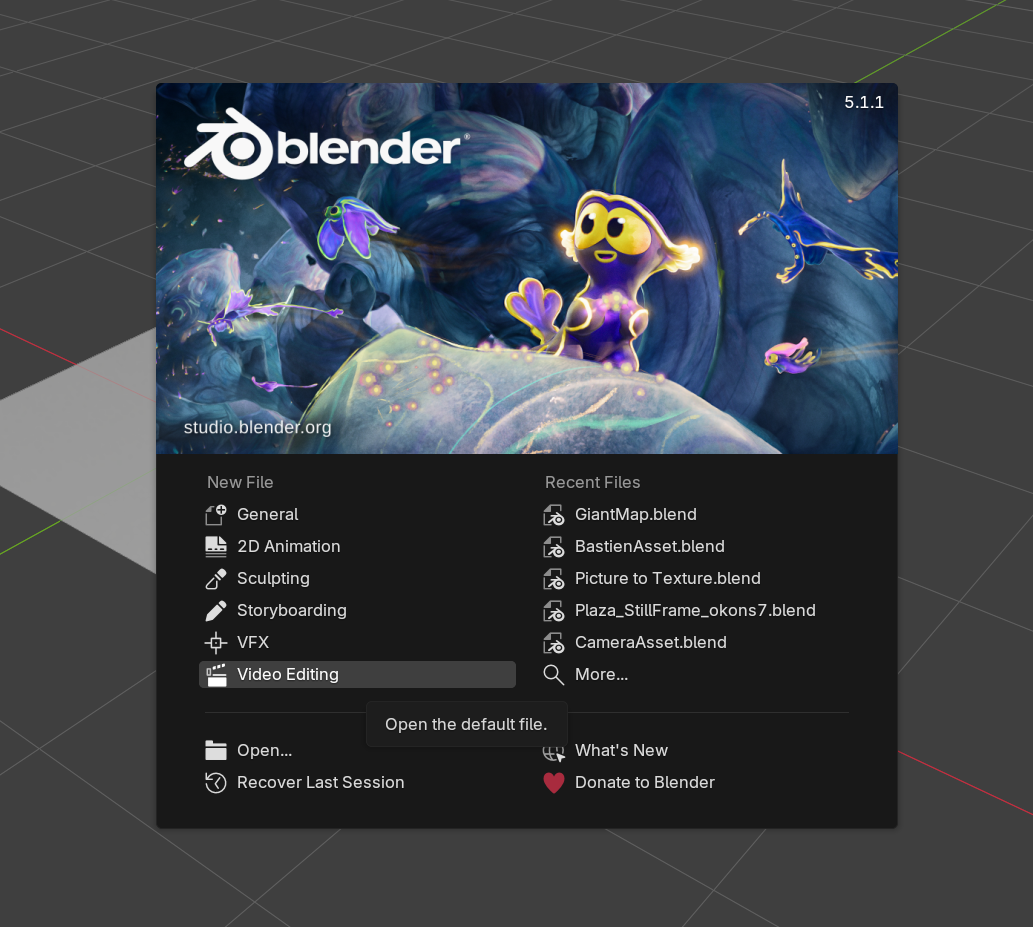
It turns out, if you look in the blender program files, you can find a folder including all the Default Files, and you can if you dare add your own! I tried it, and it works.
You can find them here (Version 5.1 for example) : C:\Program Files\Blender Foundation\Blender 5.1\5.1\scripts\startup\bl_app_templates_system
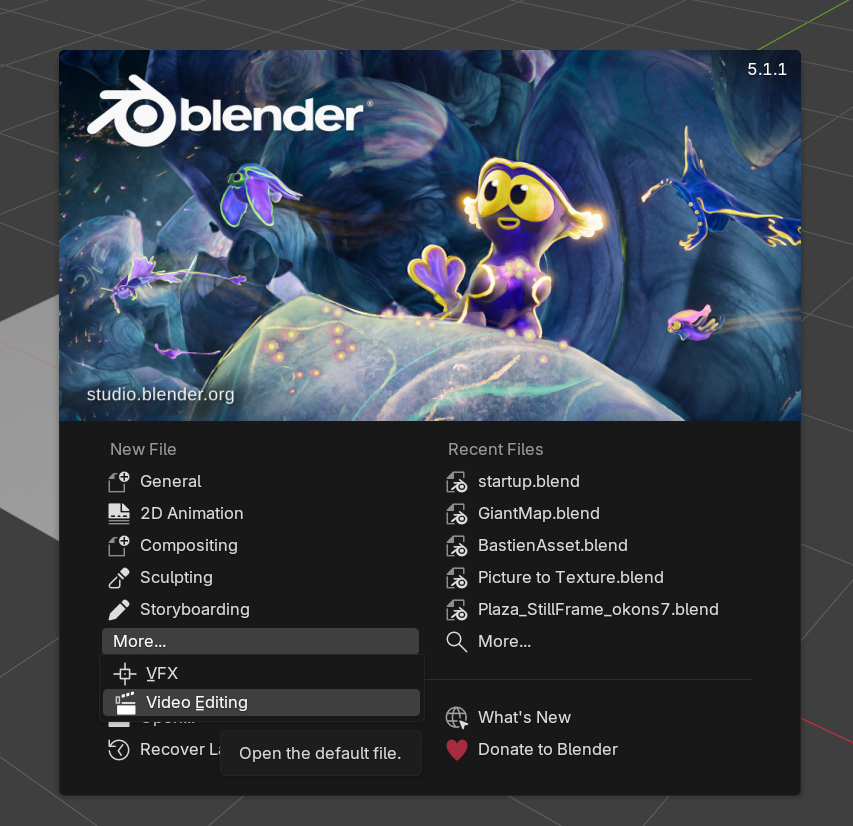
In this example on top, I added a "Compositing" default file. But you can rapidly see the issue: I had to manually add a file in the program folders, make sure it has the right name. It's even missing this " init.py " file from the other folders. This is also not a preference, meaning you would have to manually add those for every versions, and finally, the UI is not very ideal (because doing so adds this "More..." button which hides the pre-existing default files)
Yet, there is this "More" button, meaning it was probably intended to show more default files at some point ?
Here's my idea: Let the users setup a file the way they like, and under the same button to "Save Startup File", add an option to save a new Default File or Replace an existing Default File (like 2D Animation to echo with my initial example at the top of this post)

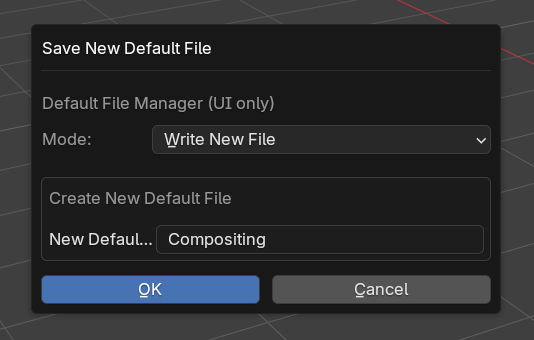
Then, on the splashscreen, you have this "More" button, but the pre-existing templates still show up first, and none are hidden. When you click on More, you would see the default files you saved previously and be able to pick one You could also obviously have the new default files appear when hitting "Files > New" or when hitting CTRL + N
There should probably also be an option to remove custom default files, maybe in the preferences tab, or a new "Manage Default Files" in the "Defaults" menu.
0 Comments