
String To Texture node
String To Texture node
Hello everyone, dear Blender developers.
At the moment, Blender 5.3 Alpha has support for string nodes in the shader editor, and there are even several ways to visualize a string - this is the "String To Curves" node for Geometry nodes and the "String To Image" node for Compositor, but I would like it to be possible to visualize a string using the String To node in the Shader editor. The texture that I want to offer you due to several problems (see image below).
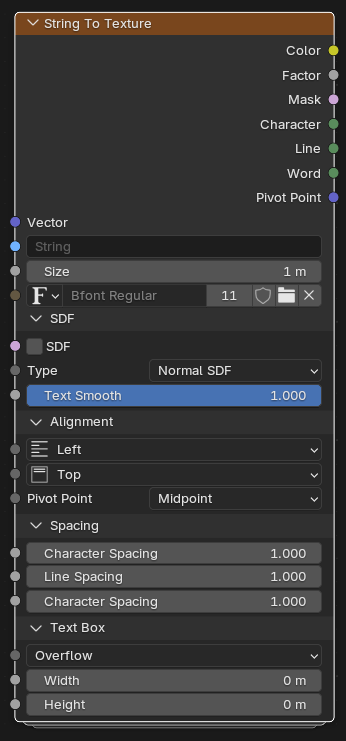 Problems that should be solved using the String To Texture node:
1)To add text to the shader editor as a texture, you will have to draw it in Blender in texturing mode or create a texture with text outside of Blender, especially keyboard input.;
2) The text from the Image Texture is always rasterized and this is even noticeable when zooming in or zooming in on the texture, and this may not suit you, you will have to adjust the image resolution several times.
Problems that should be solved using the String To Texture node:
1)To add text to the shader editor as a texture, you will have to draw it in Blender in texturing mode or create a texture with text outside of Blender, especially keyboard input.;
2) The text from the Image Texture is always rasterized and this is even noticeable when zooming in or zooming in on the texture, and this may not suit you, you will have to adjust the image resolution several times.
Using the String To Texture node, you can visualize vectorized text in the shader, as in many text editors, without having to draw a texture with text, both inside and outside of Blender, without loading the device's memory.
Application:
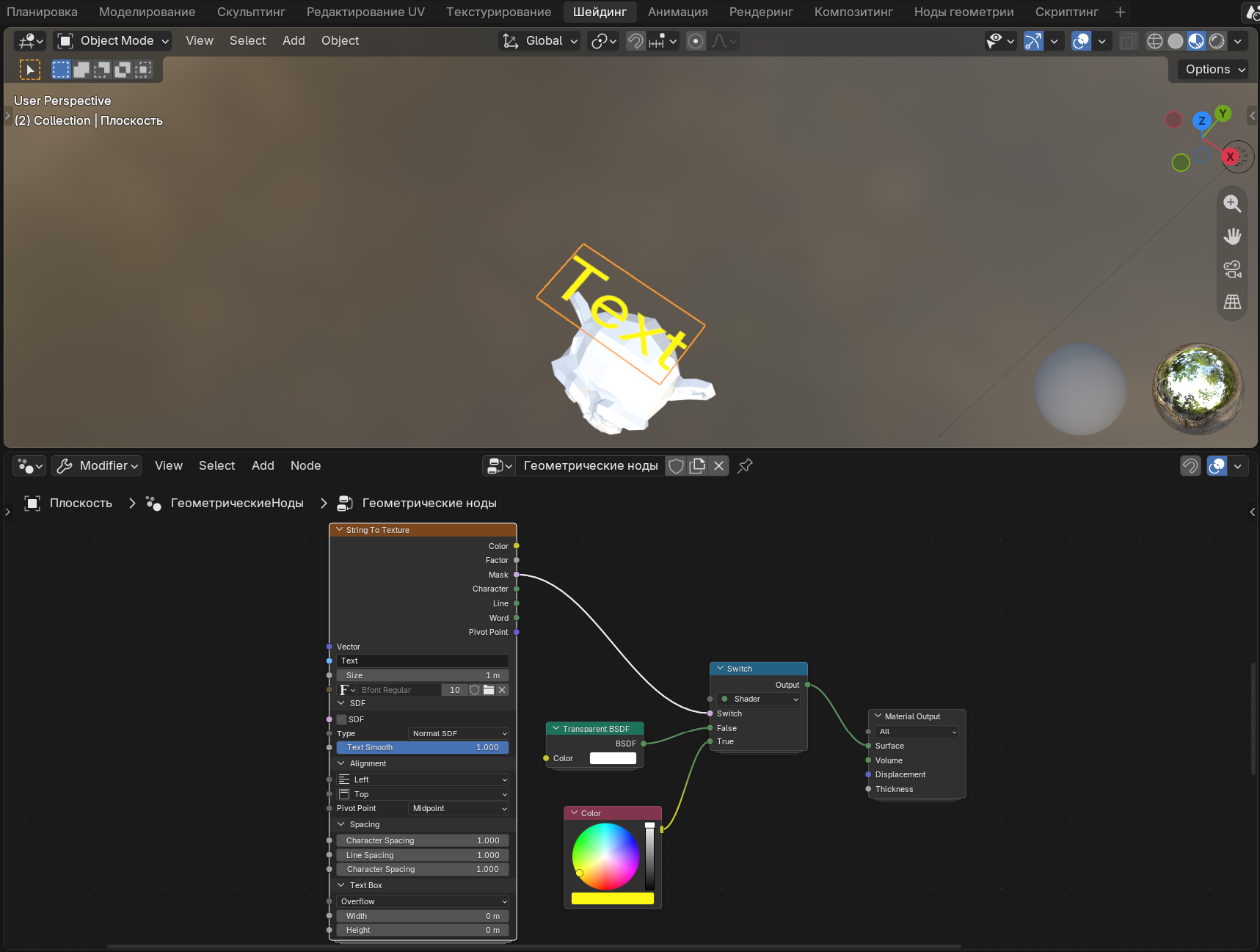
- Instead of using the String To Curves node from Geometry Nodes to display text in a viewport that contains more than one polygon and takes up more memory, you can use the String To Texture node to display text on a quadrilateral polygon (see image below).
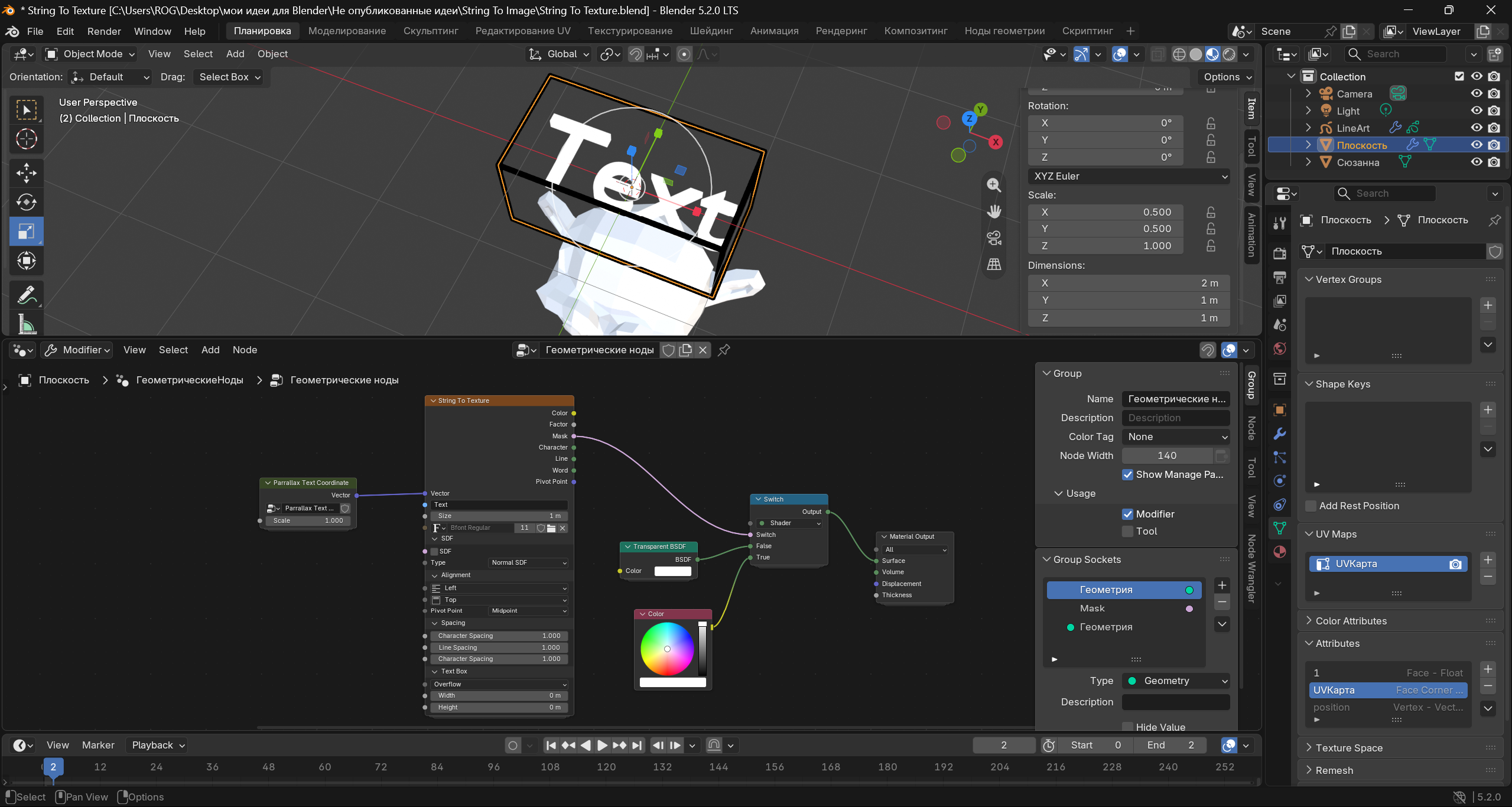
 To create a three-dimensional text, instead of the String To Curves node with extrusion, you can use a 3d parallelepiped model and apply a parallax shader with a String To Texture node(see image below).
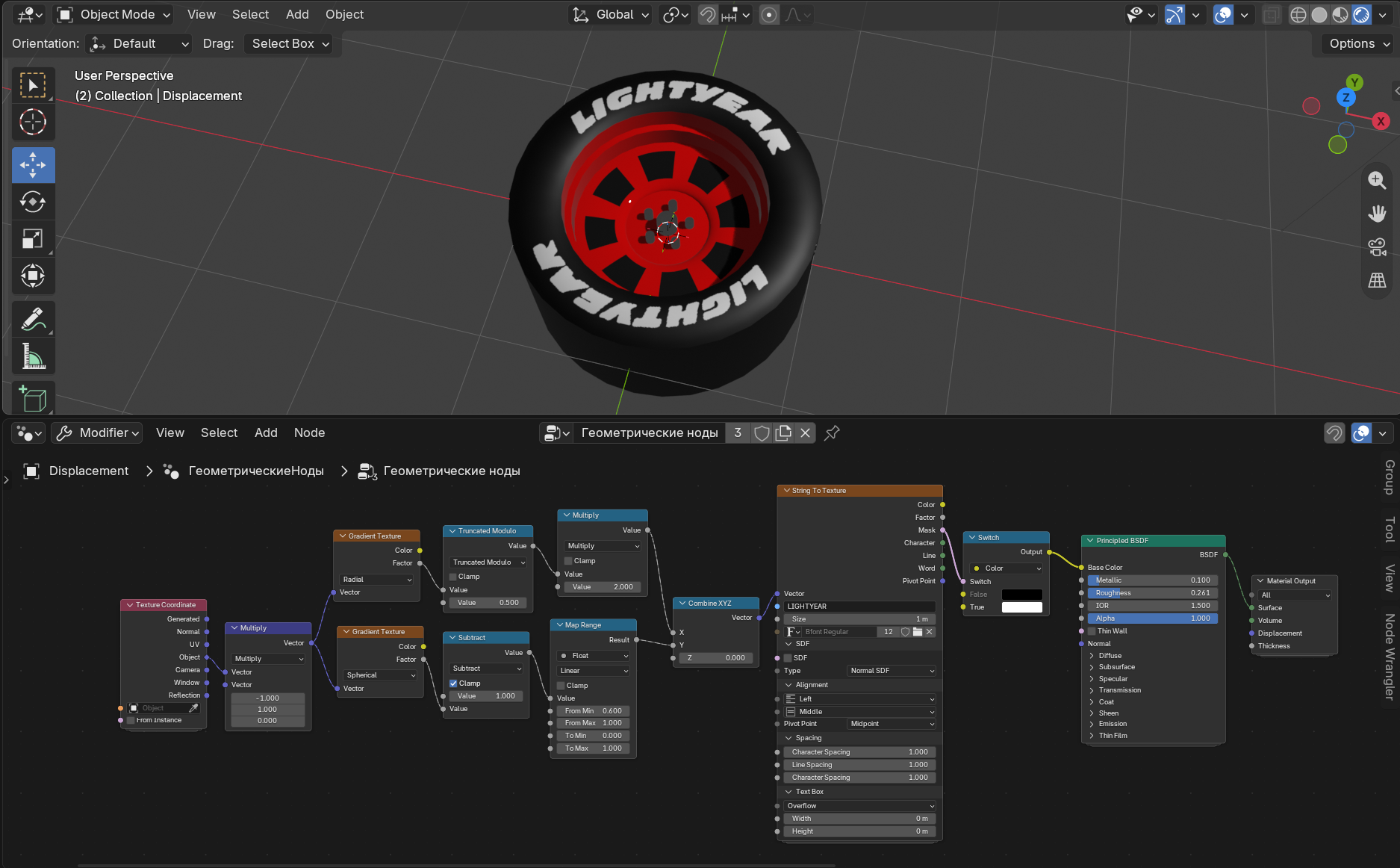
 2) Thanks to the input vector socket from String To Texture, you can, for example, create a radial inscription on a tire like the Lightyear McQueen from the cartoon Cars (see image below).
 3) The String To Texture node has a boolean input socket "SDF" and an SDF-type setup menu for creating text outlines (see image below)
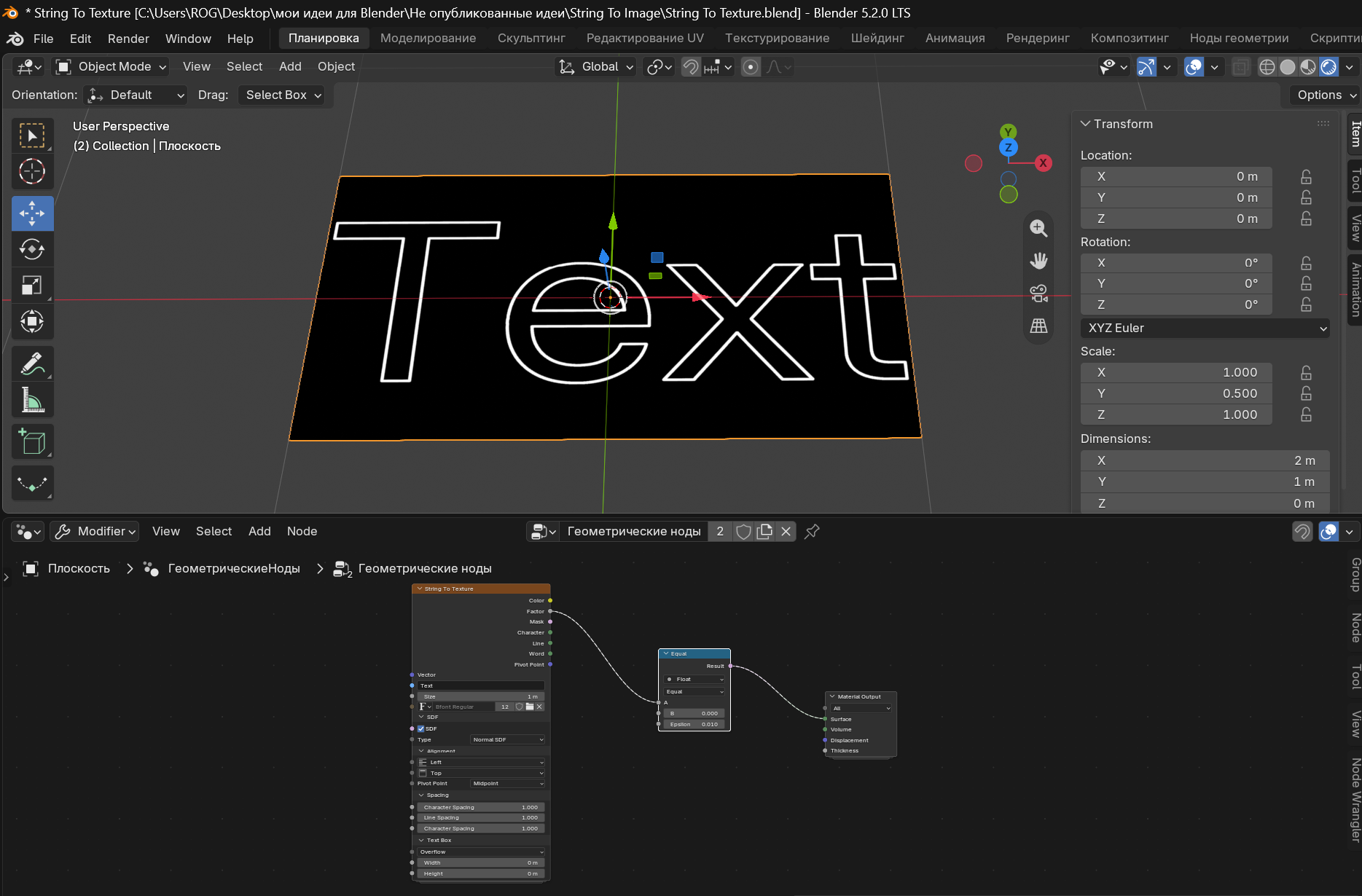 and for creating three-dimensional text on a surface, both using parallax (see image below)
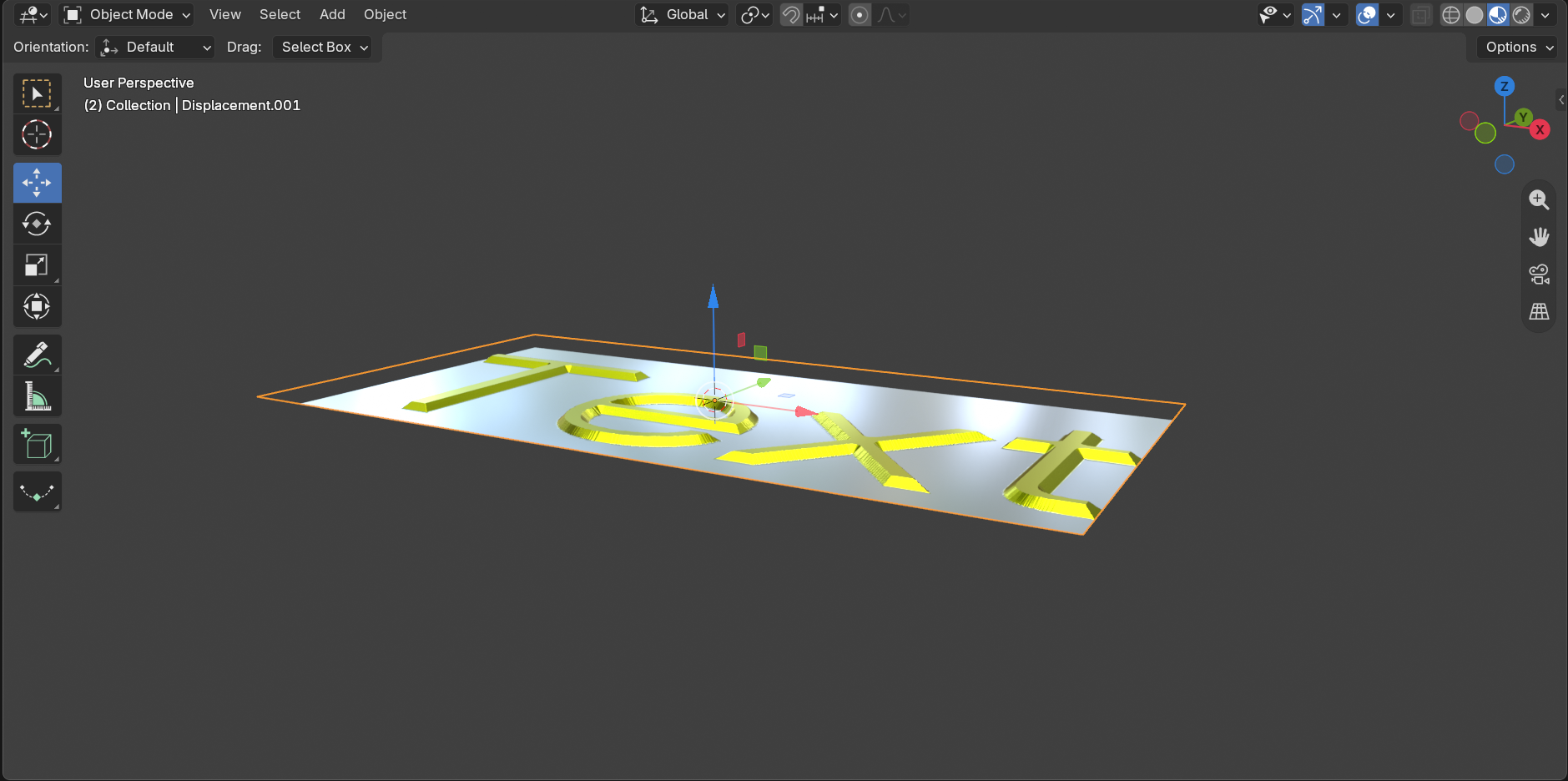 and Displacement (see image below).
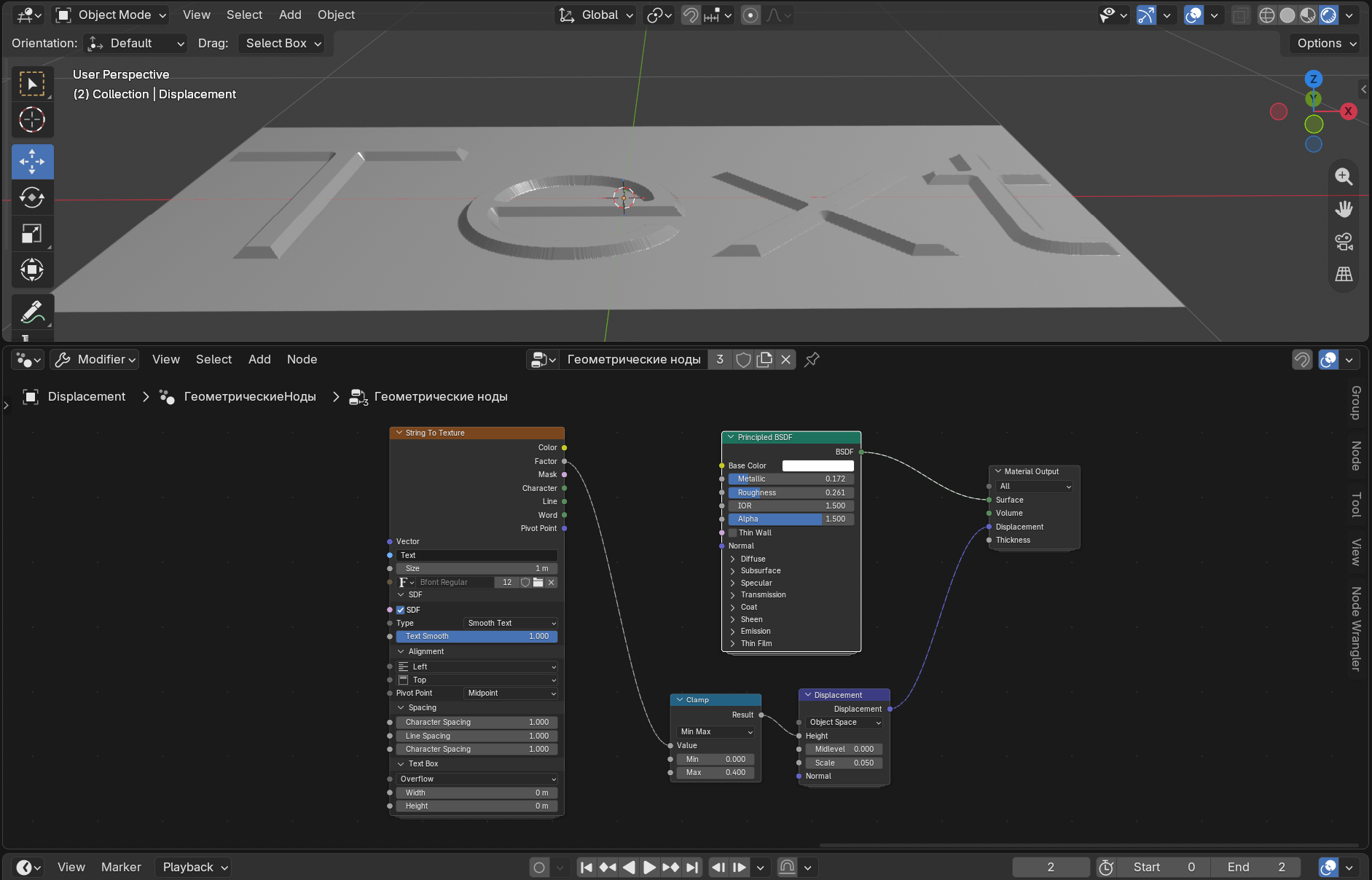 4) Using the Voronoi Texture node or Vector Map Range node and the String To Texture node, you can create pixelated images for a banner or signboard, as in Asian cities, including Japanese (see video attachment).
This is just a small part of the uses of the String To Texture node. If you have any other ideas among the readers of my idea for using this node, then write them in the comments, please.
4) Using the Voronoi Texture node or Vector Map Range node and the String To Texture node, you can create pixelated images for a banner or signboard, as in Asian cities, including Japanese (see video attachment).
This is just a small part of the uses of the String To Texture node. If you have any other ideas among the readers of my idea for using this node, then write them in the comments, please.
Thank you all for reading my post with the idea. I look forward to hearing your thoughts and feedback in the comments!
1 Comment
I wonder what the reaction will be from people who read my post with the idea of a String To Texture node?