
Proportional Scaling: "Lock" Feature
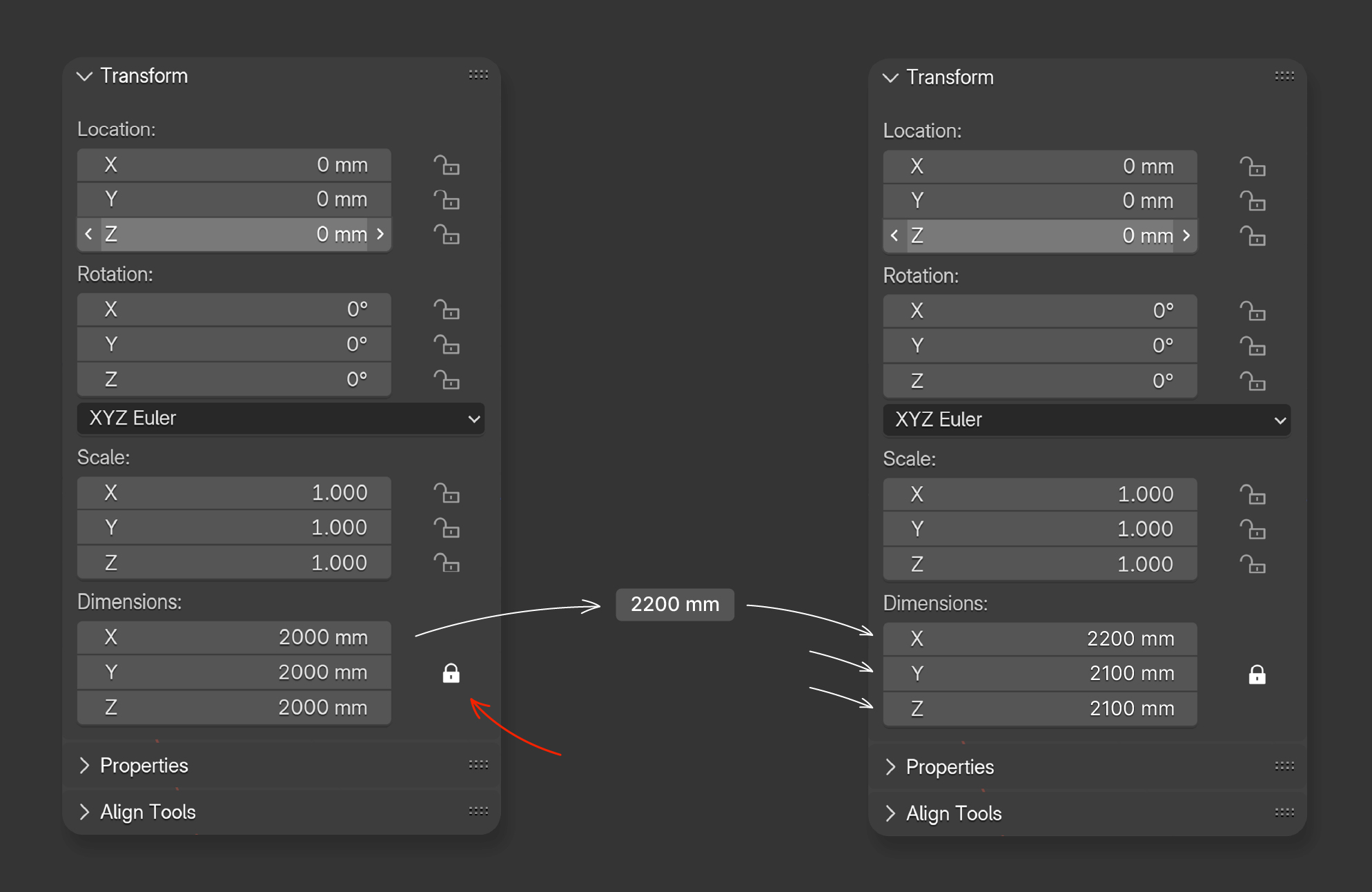
What’s the problem?
Currently, to achieve proportional scaling of an object to the desired dimensions in Blender, you need to press S and drag the mouse until the desired values appear in the transform panel.
So why do Adobe Photoshop, Adobe Illustrator, Figma, and other programs have the ability to proportionally scale objects by entering numerical values, but Blender does not?
Great idea!
Do you know your object needs to be 2200 mm wide? Great! Enter it, and the other dimensions will adjust automatically.
3 Comments
the feature already exists, but without the lock icon: in the side panel where you can enter the scale, click (and hold) lmb, drag the cursor along all properties you wish to scale uniformly, release the cursor by not holding lmb to get the input field or drag the cursor to the desired value. It works for all input fields with xyz, not just the scale.
I believe once known, the current implementation is more straightforward than the proposal.
Something like is very useful for hard surface modeling, specially for adjust scenarios and things in it.
It already exists. just not in the form your suggesting and not as straight forward as it should be.
There are 3 ways i can think of.
1st: Lock all the scale options. (the reason i say lock them is so you dont accidently hit S and scale.)
use dimentions Highlight all three dimension fields with your mouse by click dragging and drag your mouse, hold shift for finer movements.
2nd : Set your first dimension instead of using S, Go to the scale tool on the left side and open the second tool "scale by cage" and scale it.
3rd:
Press S and simply type the number you want for example 10 would = 20 m because it is 10x the size of the default cube: press enter
to get back to 2m of the default cube its S + 0.1 Press enter.
Lets say i want 31m cube,
I can either manually calulate that or i can quickly scale up to as close as i can check the scale box, then just use that rounded number to get to the desired size.
If you are looking to be more accurate than general 3d use, i also suggest taking a look at a few addons that are built around that kind of modeling, cad style plugins or 3rd party tools. any way i digress, thats how i do it.