
Show in File Explorer
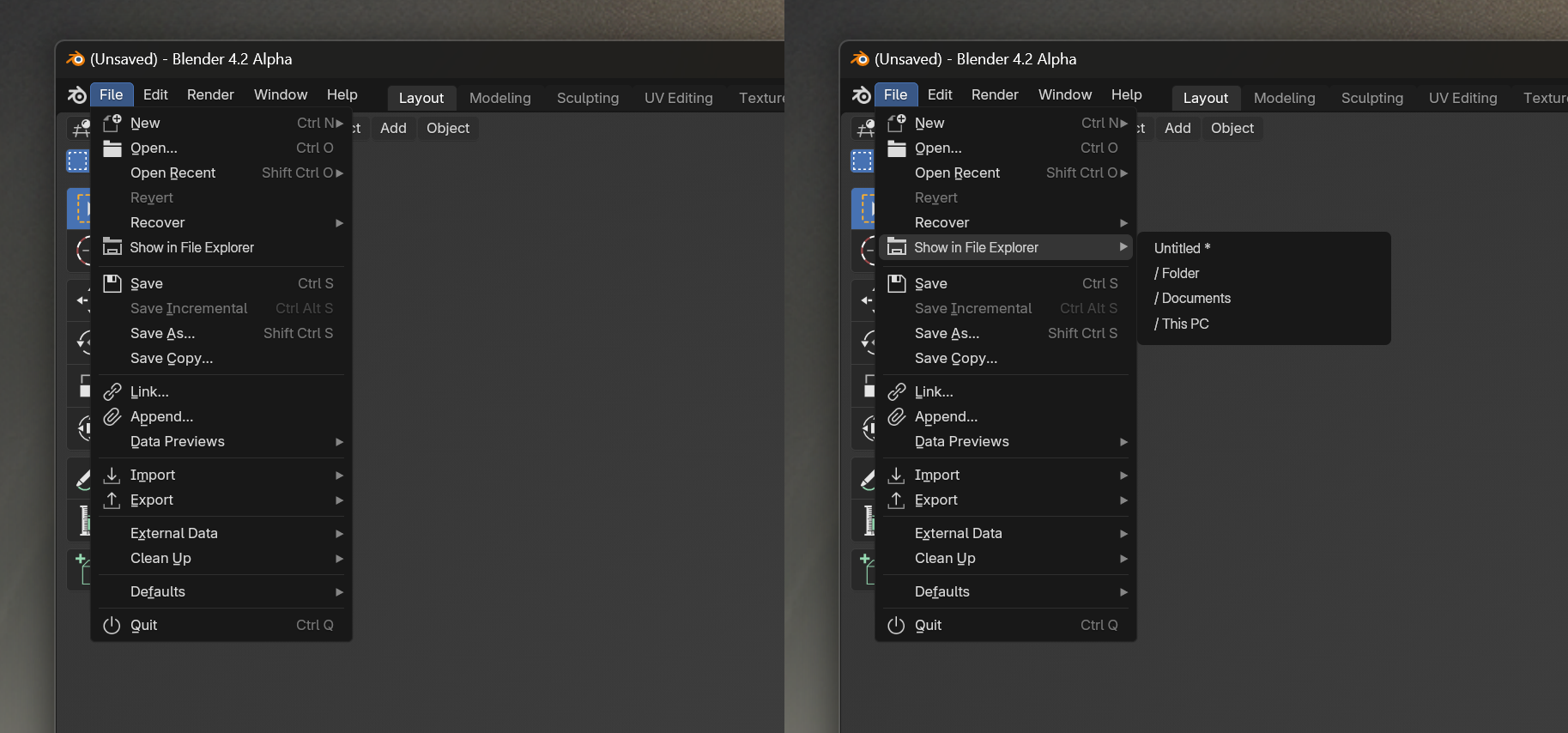
Add a menu item that would show location of file in system. This is a simple and important function. I think that such an option could be useful for many people. Two options: simple or more complicated. Please support this message, thank you very much!
8 Comments
They are just working on this functionality for recent files, so not exactly this but almost: projects.blender.org/blender/blender/pulls/119988
It should show the full path in the titlebar. This should happen for untitled as well.
is a good idea but at the same time, there are other solutions. Theres a program I use called "everything" that lets you search every file on your PC in split-seconds with ways to filter audio, folders, images, etc. I usually just open that up and type [filename] .blend and bam. Would do what you want it to do with more benefits as you can use it elsewhere
Oh my goodness, I've been dreaming about this for so long! On MAC this feature is there, but for PC this is an extremely important feature , especially when you make many different objects and need to share one of them.
Anyway, I hope we will be heard and please UPVOTE UPVOTE everyone.
Hello, everybody I don't know if it can helps, but I just released this feature as a free addon that you can find here : github.com/Ni-g-3l/blender-show-in-folder . Feel free to report bugs and ideas !
The location is written on top bar the moment its saved though, and you can write // to find the local file in the file browser (in blender)
I think a button would be better instead of using OCR to extract text from codebar (via powertoys) or asking gpt to write python script everytime on every computer i'm am.
When the file is saved it shows the location as part of the title, at least for Windows, not sure about Mac/Linux.
My (paid) addon kronos has a tool to open the current blend in the os file explorer and select it if you are interested in that. Windows and Mac is supported, Linux is not yet I have not tested. blendermarket.com/products/kronos
cglife.gumroad.com/l/kronos