
Edge extrude tool
There's still no edge extruding in Blender like in 3Ds Max. There's a great need to be able to regulate the bevel level when extruding the edge.

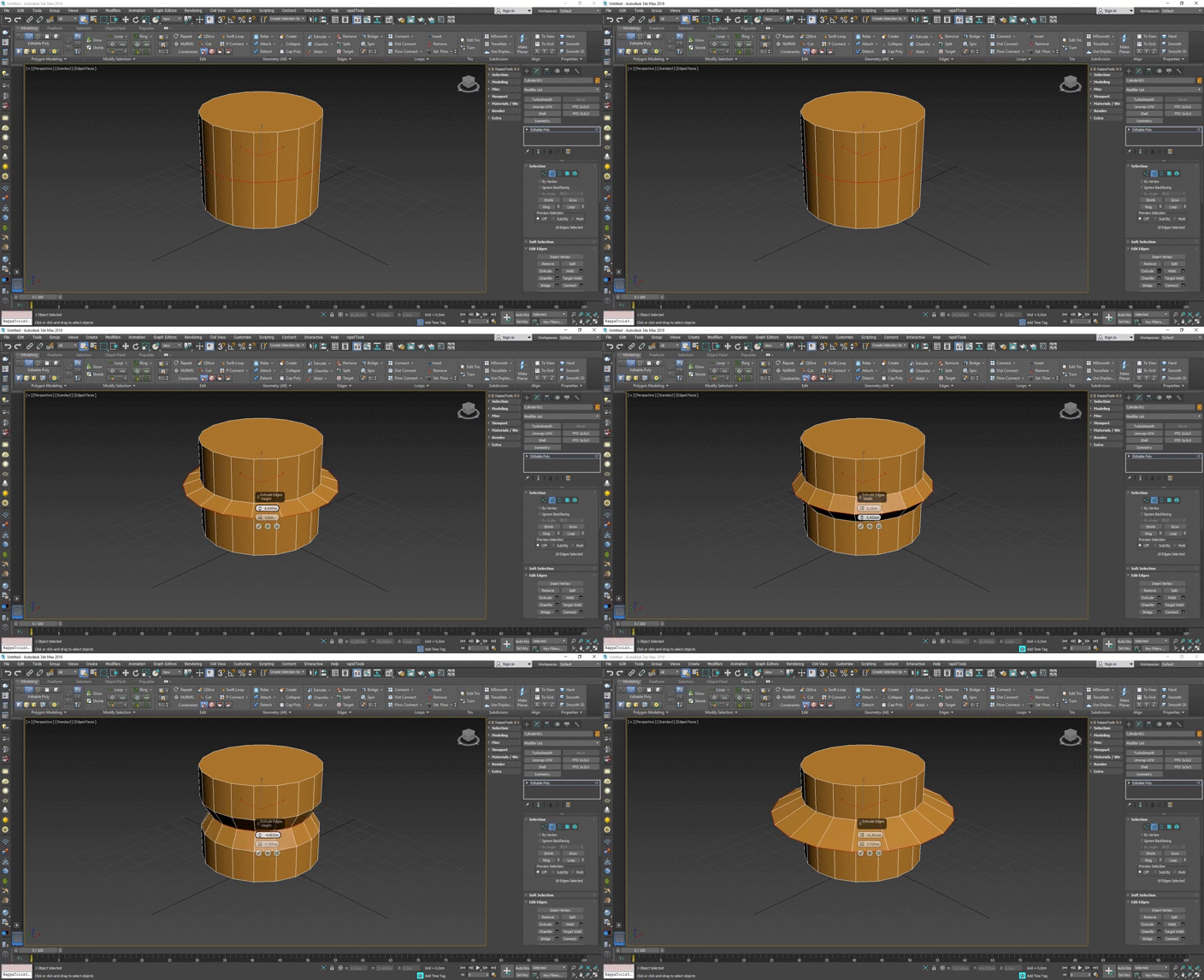
There's still no edge extruding in Blender like in 3Ds Max. There's a great need to be able to regulate the bevel level when extruding the edge.
16 Comments
* @IIIFGIII * All these steps can be implemented with a single operation. You have performed at least three operations
* @IIIFGIII * That's the problem, in 3Ds Max, all these steps are performed with a single function
* @Zorgos * 2 operations - bevel (Ctrl+B), shrink/flatten (Alt+S). From my practice - very rare case when it need to handle both in same time + I just show that it is not impossible.
From other side - then you have in Blender vertex slide option to adjust border. In Max after you done outer angled border impossible to move closer/farther because Max only option is local move and Max local orientation work as bad as shit....
* @IIIFGIII * This edge slide works very well in max with Scale +Edge constraint active but I don't understand how you do it in blender. Can you explain please? I can only slide in one direction not in a radial way. Edit: Nevermind, I was doing Vertex slide instead of Edge Slide
* @Ge Ro * Max scale with constraint - maybe yes, but only for shapes like on GIF, when you have some center. But it will work only " outside ", along existing edges, because it's not slide, just constraint. Blender slide work for any shape and it can go along " continued " edges.
It all - It's not for some battle. I'm not against. I just show that it possible in Blender. In two steps, mot one, but wit bonus of slide operator. Sometimes people suggest something because don't know how to do this ( me to.... ).
* @IIIFGIII *
I already requested this tool with a mocap demo blender.community/c/rightclickselect/cZdbbc/
You can replicate this result with a chain of operations. But I'd like to have this in one step and as a repeatable action.
* @Ge Ro * As a 30 year Max user. Coming to Blender I spent much time bending blender to work like Max. I used PME (Pie Menu Editor) addon. One of it's many tool is a Macro builder. Blender still can't match the Mesh tools Max hads but I'm so happy with Blender.
* @Ge Ro * I made a python script that automatically chains the operations the way it is shown in the first reply by IIIFGIII and combines them into one action that allows you to define the width and height similar to how it seems to work in Max. You can install it like any other add-on. The operators '3ds Extrude Edge' and '3ds Extrude Vertex' are found in edit mode in the 'Edit'/'Vertex' menu, by right-clicking, or in the edit tab in the n-panel. (I'm really new to python so I hope everything works for you as expected.) {attachment 3ds_extrude_edgezip}
* @lone_noel * Thanks, I dl, installed, and ran the 3ds Extrude Edge in 2.82.7 all when fine. I use RMB for PIE so I found the tool under N as you said. In edit mode, I selected a Planes Vert and hit your Vert button. The result was the corner of the plain was notched with 3 verts. Is that right? Your Edge tool in edit mode selecting a Planes Edge had no seeable effect.
* @othoap * Interesting. I have to admit I didn't consider using the operator on a plane. I tried to emulate the way it works in the first reply and how i saw the Extrude Edge function of 3ds Max work in a YouTube video . The operator is literally just the bevel operator and the the shrink/flatten operator chained together and there are some limitations to that. Here you can see how it should work: {attachment Bildschirmfoto_2020-04-29_um_231529png}
Notice that for the Edge operator to work on an edge they need the topology of an edge loop. So to apply it on the upper edge, you either need to apply an inset to the upper face first (as is the case with the cube) or the face needs to be a triangle fan like the top of the cylinder.
* @lone_noel * DoH, sorry will try that, thanks
This sounds like an addon
That UI next to the Cylinder is 3dsMax's "Caddy". I remember when it came out. People Hated it. I LOVE THE CADDY. Why would you want the tools spicificaly need for the primitive you just added right at your finger tips in that moment?