
Dimention / Scale for Selection In Edit Mode's Transform Menu
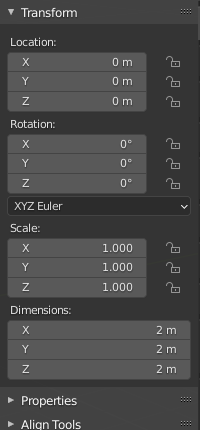
Add the ability to see the dimensions of a selected area of vertices/edges/faces and the ability to edit those dimensions. Similar to how the dimension tool works in the transform menu in object mode, but instead for edit mode. Basically an invisible bounding box that surrounds your selection that tells you the dimensions of that selected area and the ability to change / set that dimension to your choosing similar to how it works in object mode.
3 Comments
To clear this request up: Are you talking about relative or absolute dimensions? As you know, the mesh datablock you're editing may be contained by a scaled object, so the distinction is important. Otherwise, I'm in favour of this, I keep forgetting it's not in Edit Mode and then reaching for it.
* @michael knubben * I am assuming it would probably work by editing the absolute dimensions of your selection. I'm not so sure how the scale function would work which is why I focus more on the dimension's aspect of the function in the description. Pretty much it would work similar to how the Scale with S tool works but the ability to see its size/dimensions and set it to the precise size/dimensions you want.
* @michael knubben * In edit mode there's already a switch for local/global transforms:
{attachment blender_2020-10-20_17h08min19sjpg}
This could be used the same way with the current proposal. Although I think this would feet better as a new active tool that's basically a lattice, which would actually display the bounding box on the selection, show additional controls on corners & stuff like that.