
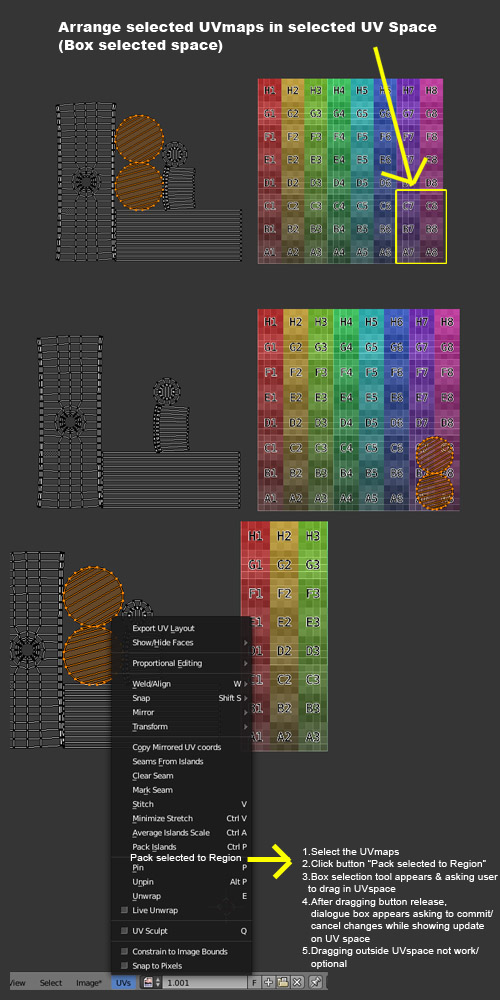
UV Editor - Arrangement of UVs inside UV space
- Select the UVmaps of objects.
2.Click "Pack selected to Region" 3.Box selection tool appears, asking user to drag region in UV space. 4.After mouse drag release, objects got packed within that selected/dragged region. 5.Dialogue box appears asking for Commit/Cancel changes.
Dragging outside UV space shall be constrained/allowed. Automatic UV packing based on gaps/volume of UV space like other pro plugins will also greatly helpful. imgur.com/DHAFd5q
5 Comments
Check Packmaster , not sure if it work in free edition , you can download demo and check.
feature for even lasso selection will be much useful.
packmaster seems more complex. some simple solution like 'arranging inside square selection' inside blender will be handy
i do such things with packmaster and polygon with cutted holes)
Maybe it could be a modal operator that lets you select the area after you run Pack Selected to Region. Or having an opportunity to adjust the area in an Undo panel?