
Full multi editing capabilities
I'd like to propose the implementation of multi editing capabilities not also for the modeling/UV part but also for other menu such as curve editor (i.e. put the same modifier on mutiple curves or objects and edit it simoultaneusly), material/node editor (i.e. if the selected materials are the same, edit them with the same values at the same time) and everything else.
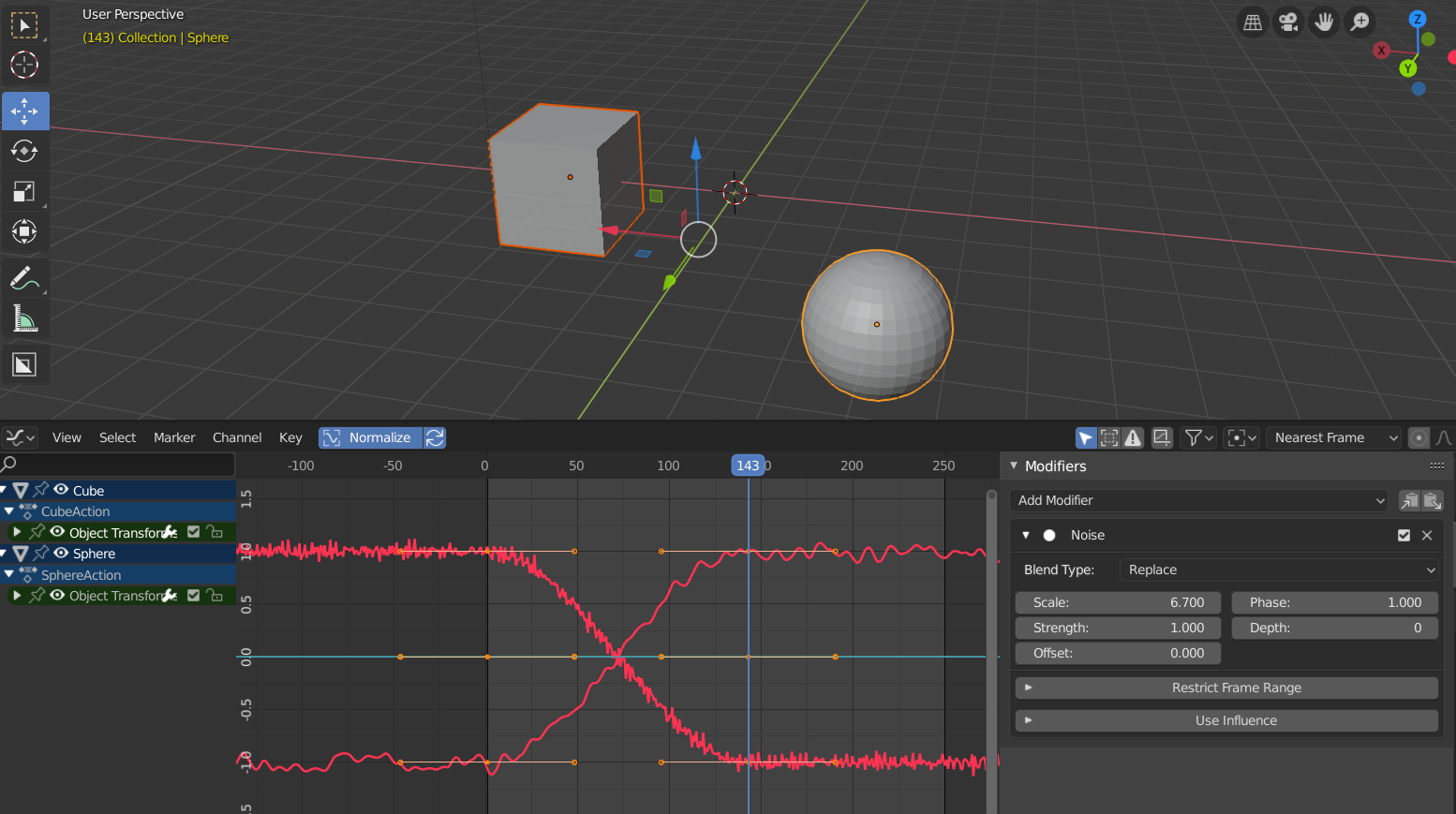
I'm also attaching a screenshot of an example of the situation at the moment: i've created a sphere and a cube, i've animated their translation and put a noise modifier to both of them. I would like to modify the noise parameters of both at the same time with the same values but now i can edit just one modifier and copy/paste it to the other.
What i'd like to have is the capability of change both at the same time by selecting them and change the values at the same time like the Unity inspector in which, if two or more objects have the same component attached to, is possible to edit them in this way. I hope i've been clear, i think it the concept is more simple than my explaination :)
This editing feature, as i said previewsly, could be implemented in every other panel (i.e. selecting two object with the same modifier let the user edit both the modifiers at once with the same parameters or selecting two object with the same shader let the user modify the materials at the same time).
Thanks
5 Comments
To show how what you're proposing doesn't differ from features that Blender already has, it would be best if you included a mock-up that shows specifically how your suggested feature would work.
* @Jason van Gumster *
I don't know how to make a mock-up because the screen would be the same as now; what i would like to have is the chance to select two objects and edit their parameters at once. Anyway, i've attached in my original post a screenshot of the actual situation and some more explainations :)
* @alessandro.mocchetti * This is already possible for most properties. Just hold <kbd>Alt</kbd> when you change a value.
* @Jason van Gumster * I know. Correct me if i'm wrong but the mentioned modifiers on the animation curves are one example of something that can not be multi edited in any way.
* @alessandro.mocchetti * Ah... modifiers on Graph Editor curves. I see where you're getting at now. It certainly would be good to extend that feature there. Slightly different functionality from the programming side of things, I think, but from a user interface perspective, things should definitely work the same way.