
Image preview inside the viewer node (Makes zooming in and out of image faster)
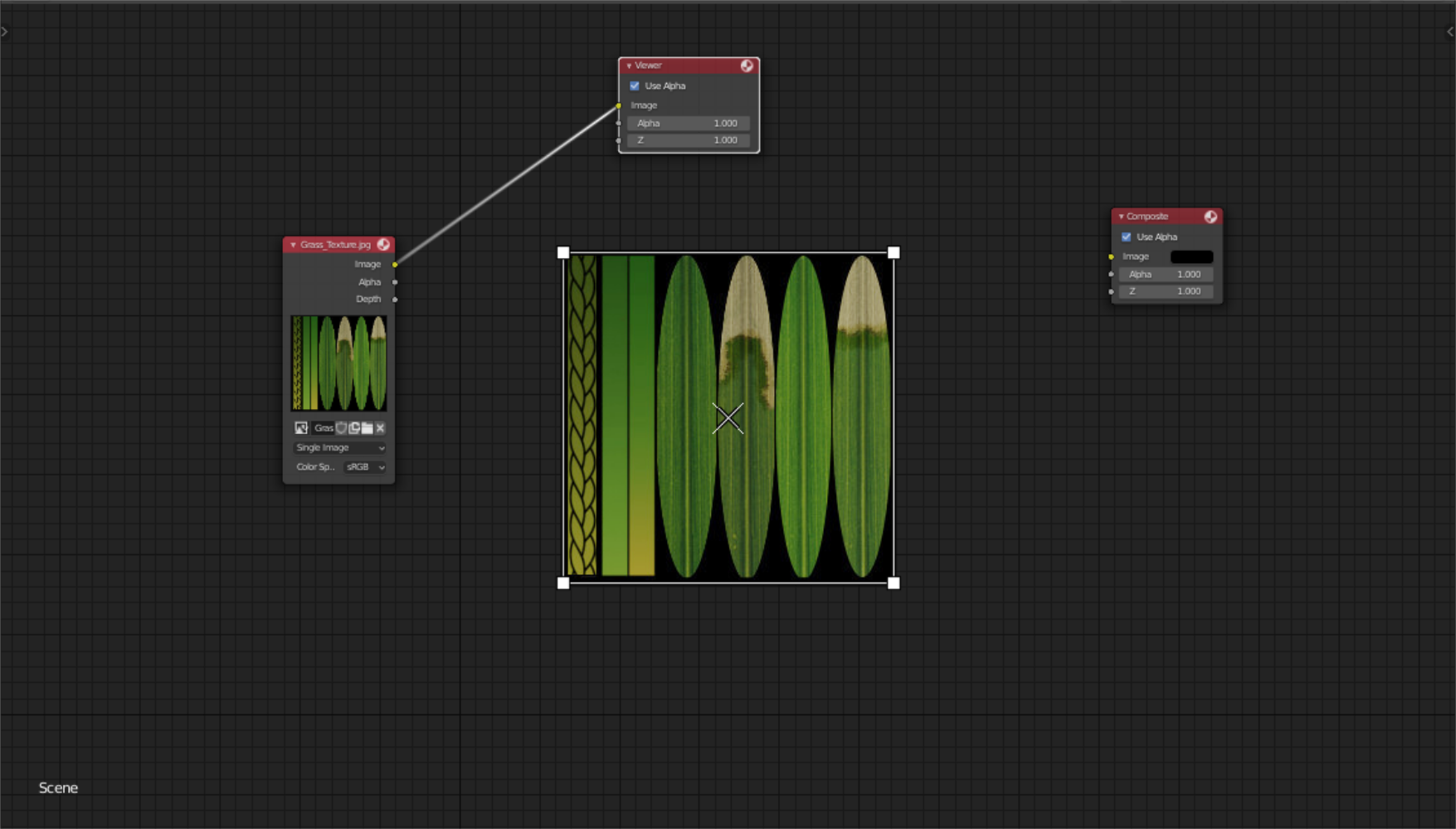
Hello guys I would like to propose a feature that would allow the user to view an image using the viewer node.
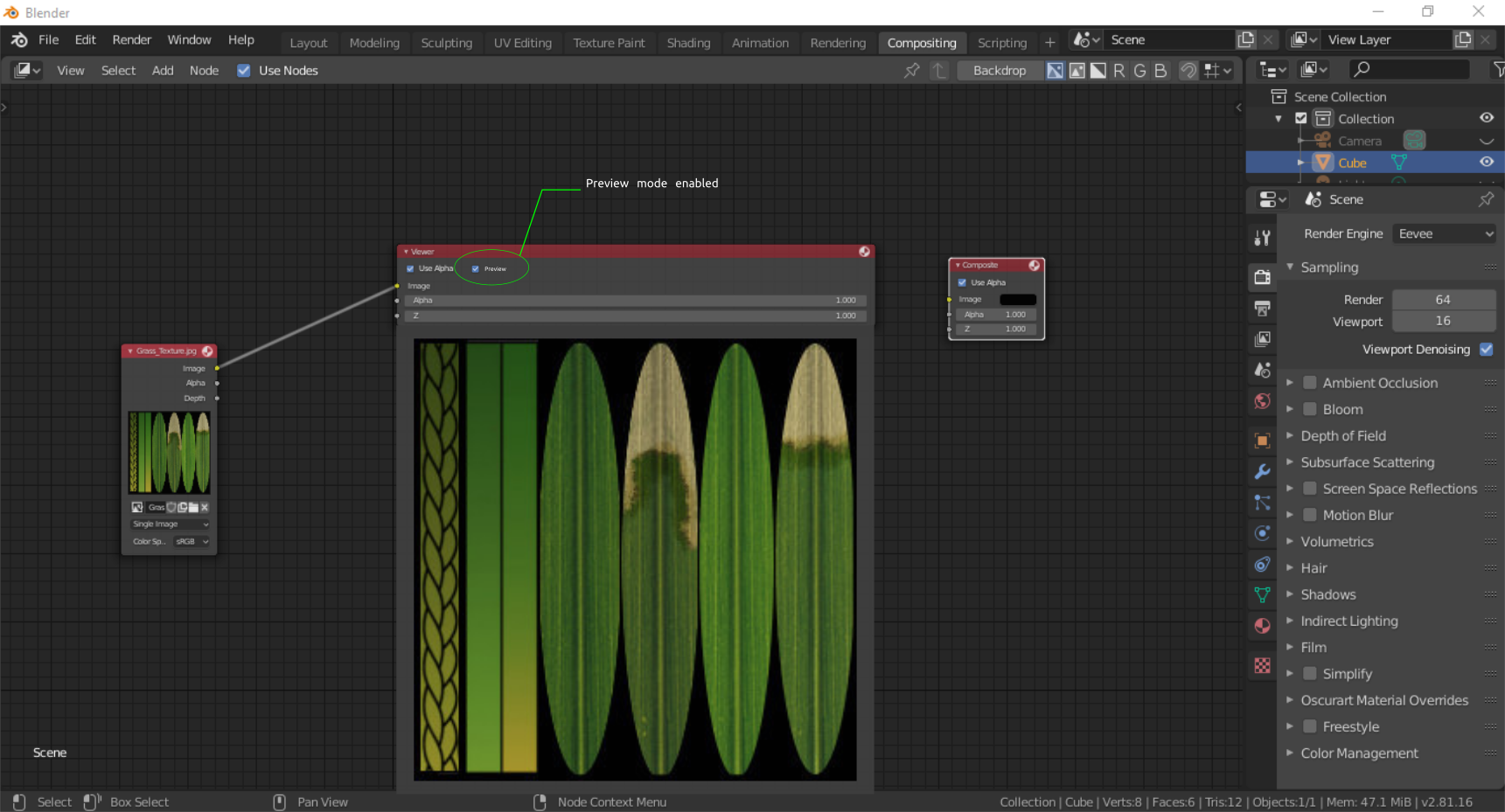
Currently the viewer node is just a blank space with inputs. It would be nice to have the possibility for a user to enable and disable anytime the image viewer inside the viewer node.
enabled

disabled
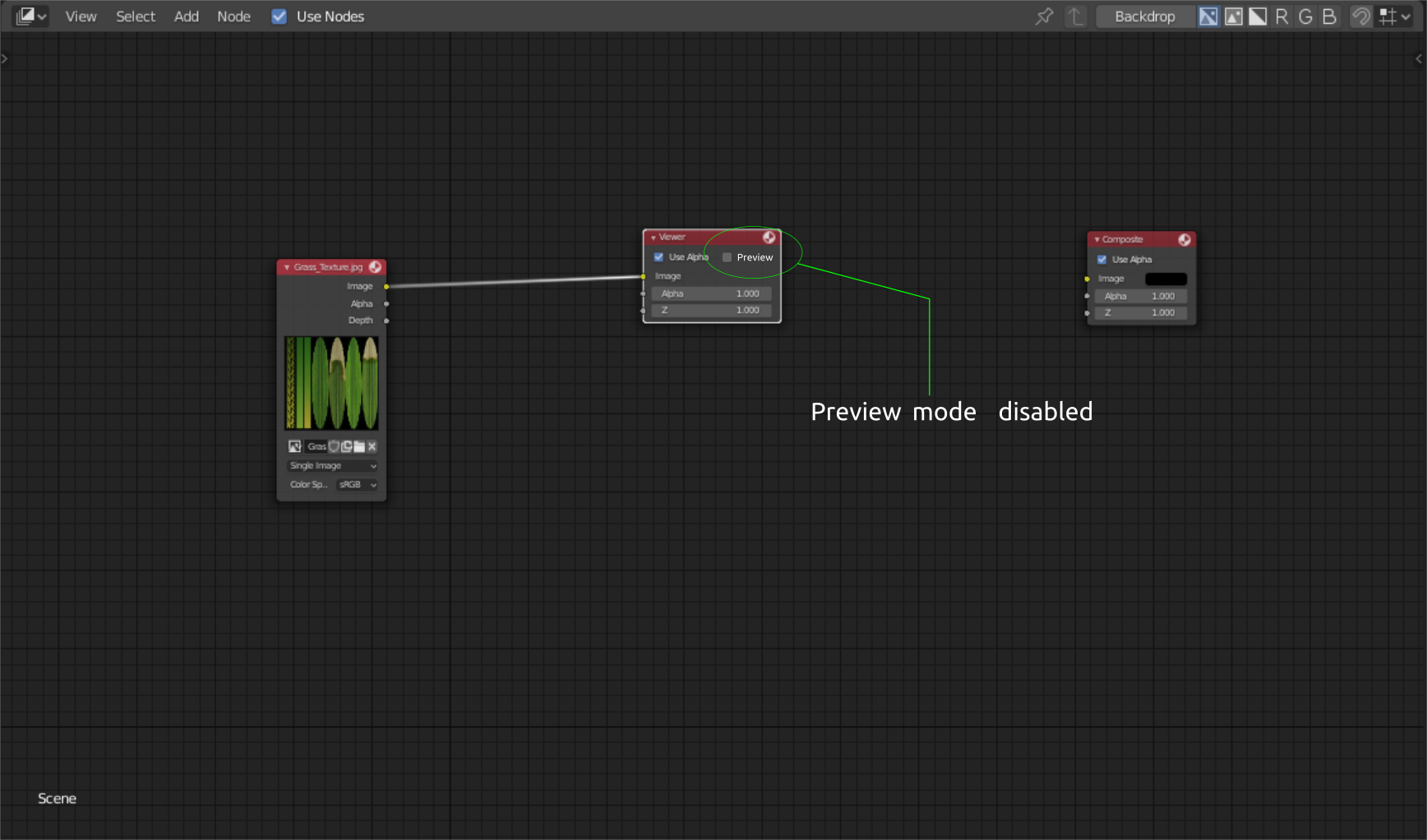 \
\
Currently the only option to view the image is by using the backdrop. Although the back drop is already good, the advantage of having a node as a viewer is how faster it is to adjust the scale of an image without having to click any other hotkeys. With the viewer node you just have to scroll the mouse wheel so that the user can inspect and and examine the render by zooming in and out.
\
\
Currently the only option to view the image is by using the backdrop. Although the back drop is already good, the advantage of having a node as a viewer is how faster it is to adjust the scale of an image without having to click any other hotkeys. With the viewer node you just have to scroll the mouse wheel so that the user can inspect and and examine the render by zooming in and out.
Thanks.
11 Comments
I don't see how this has any advantage over the backdrop. To be useful at all the Viewer node would have to be huge and that would obscure more of the node network whereas the backdrop is always visible regardless of where in the network you're working.
* @Jason van Gumster * I agree that scaling the node viewer to a size that would affect the entire viewport space is not a preferable situation but the work around is not in this manner instead, the user just have to zoom in and out of the image viewer. No need to scale up the image similar to the backdrop. Although a lot of users are already used to the backdrop while using the hotkeys, I believe this is a much faster and dynamic way of monitoring/reviewing your image composition.
* @johnpdelacruz26 * All previews in the Compositor are downsampled. Zooming in on the interface doesn't resample, so you end up seeing a pixelated mess.
* @Jason van Gumster * Is there a way to make the specific node resample on it self without taking too much time? Instead of it resampling when scaled, the node preview would resample if the user would scroll in to zoom.
But still, Having to option to view it on a scaled node viewer is almost the same with the backdrop. One solution I could think of if this is implemented, I would place the large preview node on the side where it would not interfere with the regular nodes.
* @johnpdelacruz26 * But why would I go through all of that if I have the backdrop right there? And if I were going to split a window to show what the Viewer node is connected to, I'd be better off splitting it to an Image Editor. There are more image viewing tools there and you can get it to automatically update whenever you change what's linked to the Viewer node.
* @Jason van Gumster * The main purpose is for a more coherent workflow. I agree in some cases all you need is the backdrop but that is not always the case. Again there are common cases where the user has to adjust the color properties of an image while at the same time the user also wants to review the changes by zooming in and out of the image.
I believe doing this kind of tasks using the curent features of blender requires a lot of steps that somehow interupts a continous workflow.
This is where the node viewer preview would come in handy. The first thing you would notice is that you don't have to think a lot about the additional clicks and hotkeys anymore because the regular nodes and the image viewer would now have the same methods/approach of achieving this steps.
If you try do it with the backdrop you would notice that you will encounter some laggs because of the additional clicks and hotkeys.
* @johnpdelacruz26 * I completely disagree. It's not a more coherent workflow because if you're doing color adjustment, you're going to want to see the image at the same time. If the image is in a node and your color adjustment is happening elsewhere in the network, then you lose the ability to see those adjustments live (because you have to move back and forth between your viewer node and your color adjustment nodes. So in those cases, either the backdrop or a separate Image Editor are the better approach.
* @Jason van Gumster * Pardon. I might have failed to explain it properly but you may have missed the point. The main purpose of the zoomibg in and out is not necessarily about going back and forth for example like from the color balance to the node viewer. Instead its main purpose and advantage is if a user has to split screens for the compositor, the left side would be where the node preview is placed where you can easily zoom in an out to review the image without any obstruction and additional clicks and hotkeys that a backdrop would require.
On the otherhand the regular node setup or the color correction nodes would be placed on the right side. No need to move in and out the node setup just to view tge image. With the backdrop, achieving these tasks will reaquire a lot of steps and hotkeys where on the otherhand you wont need to do these. You only need the mouse to navigate all the ins and outs of moving things around the compositor especially when it includes monitoring and reviewing images. If you try the said task yourself, I think you would see what I mean.
* @johnpdelacruz26 * But we already have the functionality you're describing with the Image Editor. Just change it to show Viewer Node instead of an image or the Render Result. If you're already splitting the view, then the Image Editor is the better way to go.
* @Jason van Gumster * I am very sorry. you are right. I failed to know that there is a node viewer option under the image editor. All I thought was that you still have to render something for the image editor to work with the compositor.
Not recommended as it will take yet another extra layer of memory buffer. The professional tools alike layout is using image editor>viewer. Backdrop IMHO is only good for this kind of feature and viewer node should be avoided to save memory and recalculation.