
Faster Video Editor For Blender 2.8 (Larger possibility for other poeple to try Blender) [In a degree Solved]
Hello guys. I highly respect the developers work and I believe doing this proposal will take some time but I believe there is a higher chance for blender to also thrive in these field of video editing.
I am not saying that blender should focus more on video editing than 3d modelling and the other stuff but in my opinion at least we can make the video editor faster. (The playback takes a long time to play smoothly or most of the time laggy.)
This will be a game changer for Blender.
Thanks.
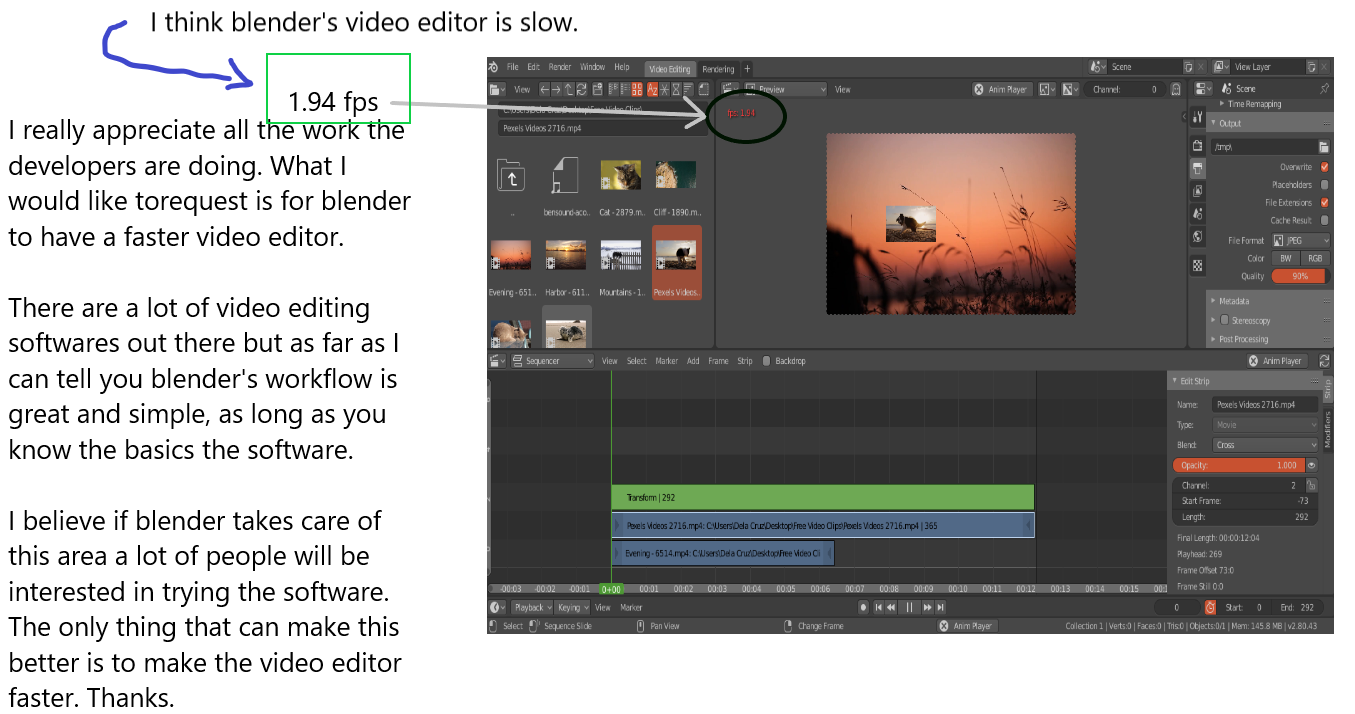
3 Comments
Maybe have a background thread render 5 to 10 sec of movie at lower resolution, usually that's enough for mixed animation to see if all goes right. I dont have to see the whole movie fast just the moments where i wonder if all effects work as i had imagined them.
This proposal reads a bit like "make it better", which isn't exactly helpful for other uses to discuss or actionable for developers to implement. In order to be a useful proposal, we really need something specific and actionable. How could playback be improved? There have been ideas floated in the past about improved multi-thread support, different playback engines, or improved frame caching... some of those ideas are still open here on RCS.
And that dovetails into a separate issue... there's currently not an active developer dedicated to supporting the VSE.
I am just new to blender's video editor. I guess I have to say I already have some solutions, which is by using the proxy rebuild feature. Now this will give you the option to lower the render quality of your videos. I just watched a tutorial of using it. I guess this would be enough.
Although making these feature more obvious and user friendly will make it better for those people that are new to the video editor or blender itself. This feature is somewhat hidden in the properties tab (Hotkey N) or you have to look for a tutorial that tells you how to make blender's video editor faster.
Thanks.