
Bevel/Rounded Edge Shading Node
Robust cycles bevel edge shading node that works with arbitrary intersecting geometry.
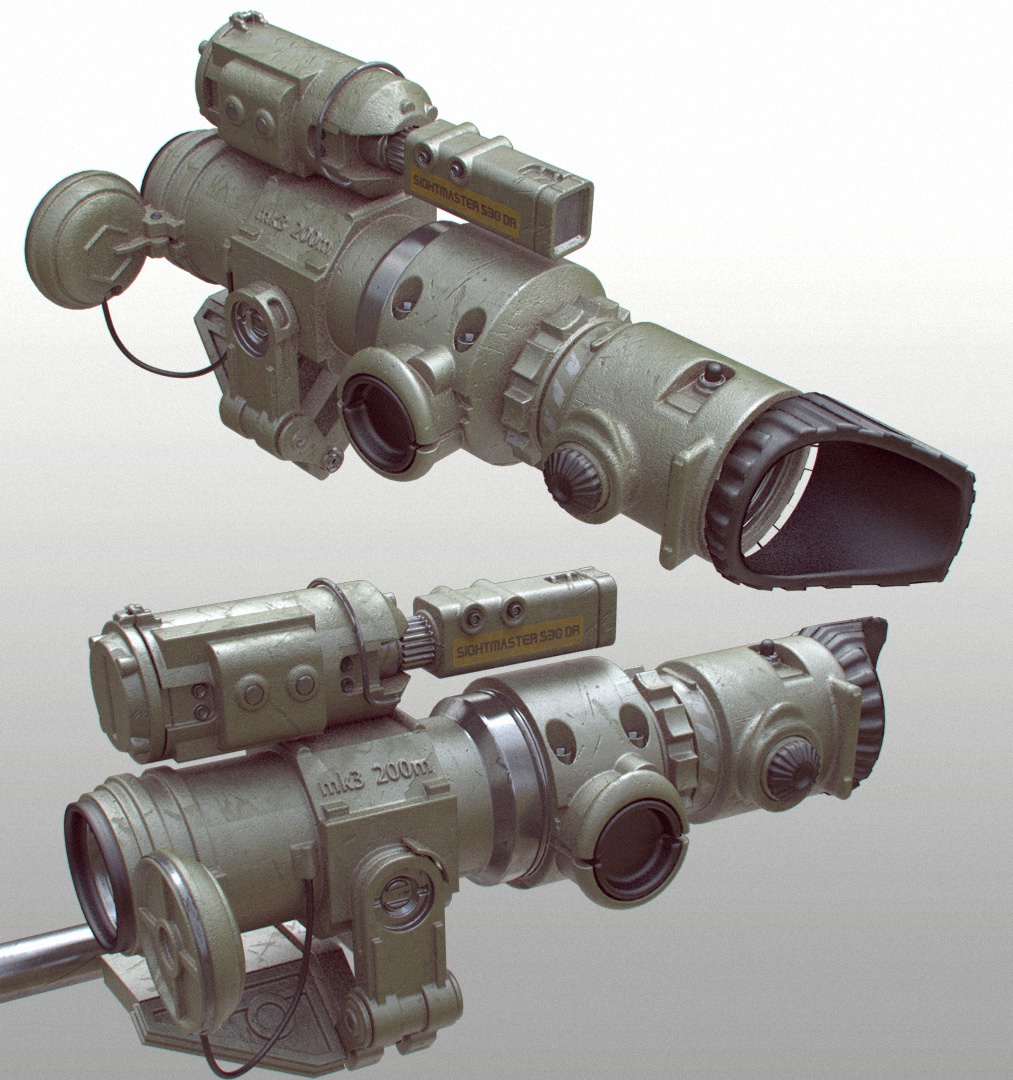
Image Credit: Tor Frick (Modo). I give a modo example because it's the cleanest implementation of a rounded edge shader thus far. Other renderers are artifact-heavy (MentalRay) or don't include intersecting geo options (Vray & Keyshot).
Blender experimental OSL bevel shader: blenderartists.org/forum/showthread.php
16 Comments
the core devs have started implementing a bevel shader : developer.blender.org/D2803
@Caetano Veyssières: and BAM ! twitter.com/plasmasolutions/status/928047868023328768
@Caetano Veyssières: Yes! Using it at work nearly every day! So great to see it get in.
If there's a screenshot of what the original geometry looks like, I think that would be helpful.
Also, how would the controls for this work in Blender? Would this just be type of node in the material editor? What would its inputs, outputs, and adjustable settings be? A mock-up of that would be helpful.
The material based bevels are to my understanding breaking sharp edges with the same value.
So this would be similar to the bevel command with where the face angle is used to find sharp edges to bevel.
I would very much welcome this! I used to use the Mental Ray implemenation and the f-Edge plug-in when I was still using 3ds Max. Saved me a lot of modeling work and kept the polygon count much lower, because actual beveled edges in your geometry weren't necessary anymore for renderings.
You can keep your scene low poly by adding a bevel modifier, selecting the Weight method, increasing the bevel weight on the edges or vertices you want to bevel and hiding the modifier.
in MODO you can assign different Bevel Shader "Width" to a single object by assigning different materials and changing the bevel width. Is this possible in Blender as well ?
@remosande: Of course it is.
@Caetano Veyssières: Hi Caetano, thanks for the quick answer. Have you worked with this shader yet ? Im curious what people think of the positives/negatives compared to MODO's RES. Cheers!
@remosande: Just played around with it but nothing serious. According to this RCS proposal Modo's shader seems better. But it's quite easy to try Blender's for yourself, just download Blender 2.8 for your platform and compare it with Modo's shader if you have a licence for Modo.
@Caetano Veyssières: The most apparent difference to Modo's rounded edge shader so far still ist that in Modo the shader can work across multiple objects intersecting with each other. The objects don't need to be joined for the shader to take effect.
Personally I don't mind the speed difference that much (yet). And in terms of quality it's very close, already. :)
The screenshots should be zoomed on an area with clear intersections and include a viewport capture to see the original mesh so we can really see the potential of this feature.
We use the experimental OSL shader quite often in production (visualisation of CAD data) and IMHO it adds a lot realism to the final result:
Sorry - you had to right-click on the image link to open it (dropbox) ...
I would also need this because I often work with data converted from CAD where Bevel modifier usually results in artefacts.