
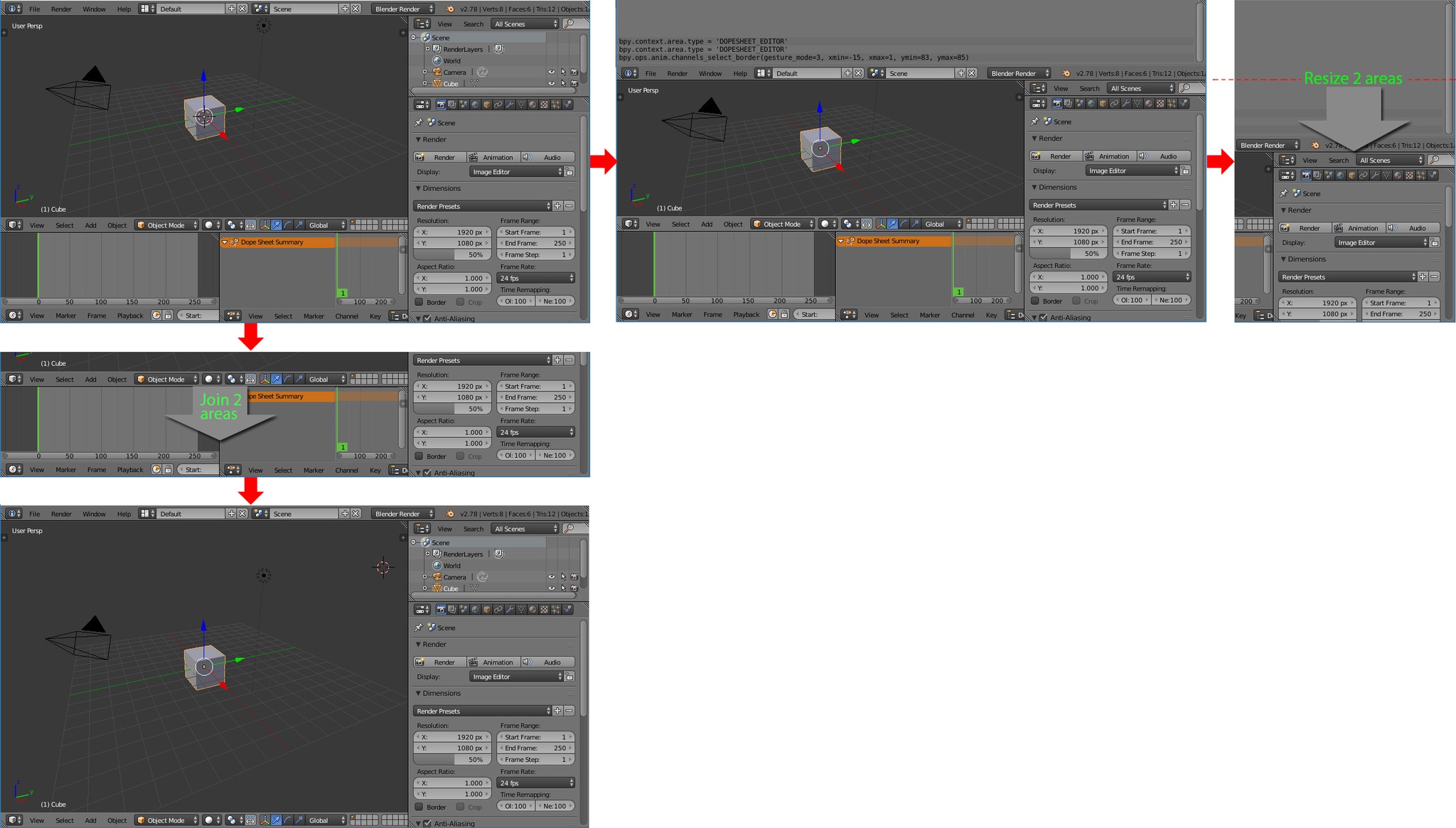
Join 2 or more areas, and resize 2 or more areas
Blender Areas UI have a couple of limitations, the first is that you can only join the areas one at a time. The second is that the scaling of an area can be blocked by an adjacent Subarea. Pawel Lyczkowski commented on the first limitation on page 80 of his document: docs.google.com/document/d/1ScPMbHv8WRCU2znB7IU2l-W9hH-NLs5weQKLkjqmgpA/edit I believe that these limitations hinder one of the most basic interactions with the program.
2 Comments
You are right that in some cases it may seem subjective, but I believe that logical rules can be extracted for solder the areas. Internally I do not know how Blender sorts areas, so I can not offer a logical solution. I suppose there is a hierarchical relationship, but it is only an assumption. Now, by chance I have discovered that when the windows are aligned, they stick and move at the same time :)
Understandable desire. However, logically speaking, how would you ensure that Blender does joining and resizing in a way that is predictable and results in the desired result every time? The examples you give in your images are fairly simple and make sense, but they're difficult to generalize.