
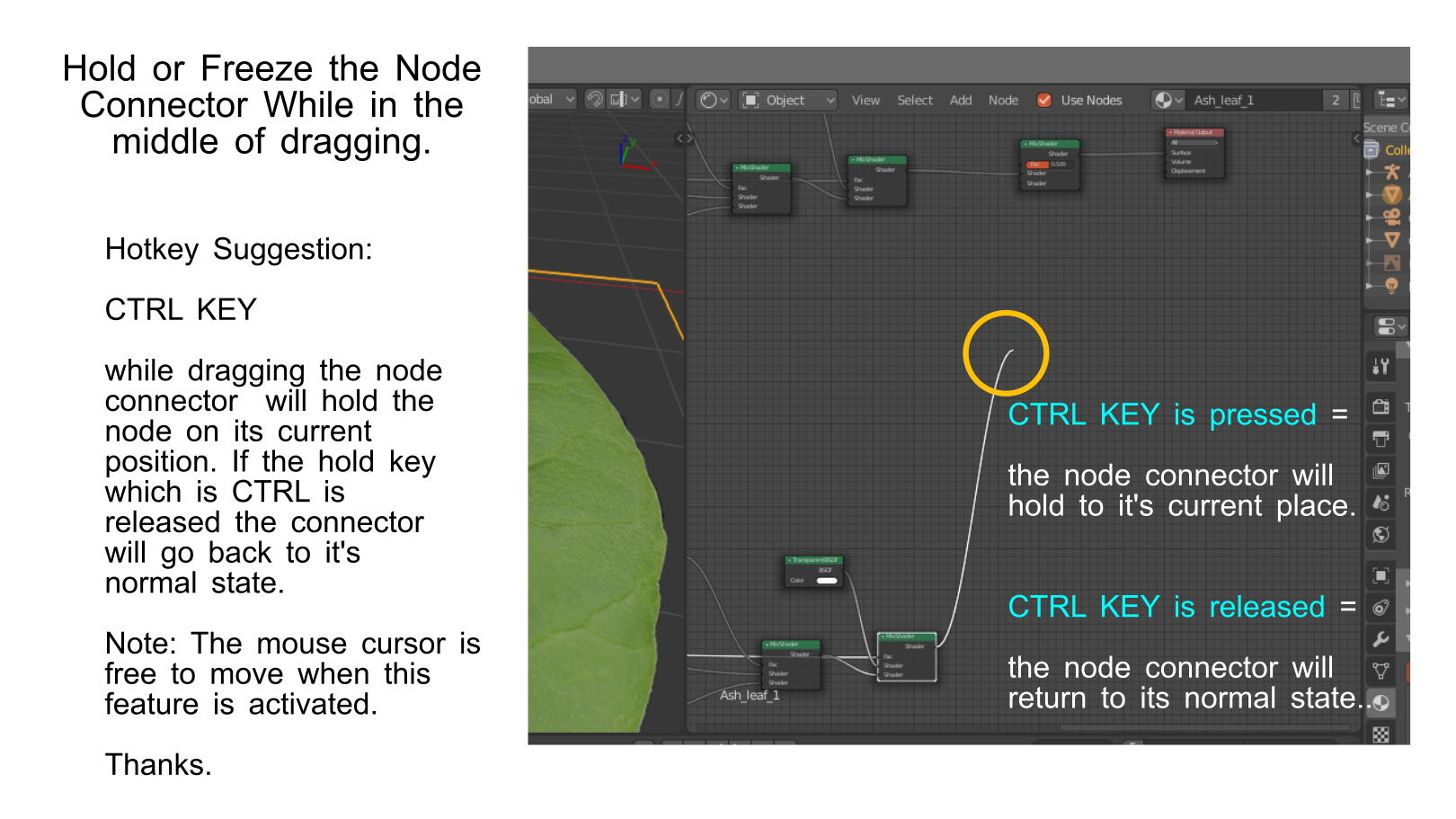
Allow node connector to temporarily hold it's current position in the middle of dragging when a hotkey is continouslly pressed.
Hello Guys. I would like to request a feature where the node wire can be frozen and hold on its current place when a key is continuously pressed(Ex: CTRL key) and return to it's normal state when the key is released. I am not quite sure is node wrangler has some alternative to it.
Note: The mouse cursor will be free to move while the feature is activated.
Ctrl key might be a good hotkey to make it hold.
Thanks.
7 Comments
I think instead of this, just have a hotkey that creates a reroute node in empty space. Then you could just delete the reroute node when you want the noodle to dissapear. I often wire many nodes into one input, and this may be more convenient than connecting to one and shift-dragging to create a reroute node to connect the rest of the nodes to.
* @Josephbburg * that would also be a good idea.
I don't see the advantage of it. Not to mention, CTRL is universally the Snapping button and overriding it would cause inconsistency.
* @MizManFryingP * Ctrl key is just an example. I just had to make a quick example of the issue about node connectors.
Maybe just allowing the node connector to stick to the mouse cursor as long as lefr click is not pressed might might also be another way to implement it.
Maybe if you mentioned the problem that this is trying to solve (I imagine it has something to do with connecting sockets that are far from each other in a large node network), then people could either get on board with your solution or devise other ones.
* @Jason van Gumster * I see. You are right most of the time when I create a node system, there are connections that are slightly farther than what you can consider as effortlessly workable in some ways.
I guess there might be another way to make it more reasonable but any feature that will be close to solving this would be nice.
* @Jason van Gumster * I have thought of another idea. This maybe better than the previous one.
1.The node connector will stick to the mouse cursor when clicked once (Not long pressed).
2.When the left mouse button is again pressed, the node connector if close or snapped to the node target, then the connector will stick to the node target.