
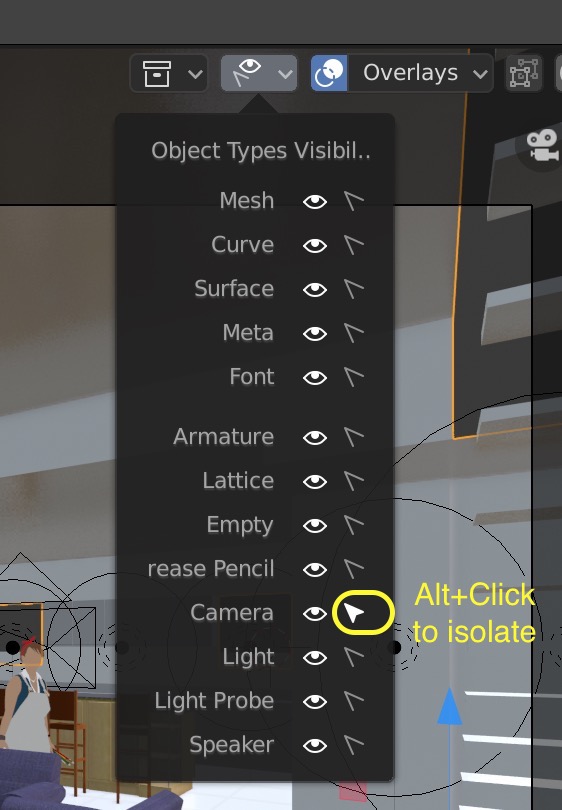
Alt+Click to isolate object types visibility
The new object types visibility menu is great, but I believe it can become even better by introducing the option to quicikly isolate a given element. For example, if all elements are visible and selectable, and I would like to only be able to select cameras, it would be wonderful if it's possible to alt+click or ctrl+click the camera viewport selection icon to get that isolation. And if there is only one element that's on, alt+clicking on it would toggle all the other elements back on.
5 Comments
When you ctrl click to panels you close others and open only you clicked. Outliner has a similar functionality for visible toggle. When you ctrl click only the object you clicked is become visible. Isnt it be more consistent if we use ctrl click for this too? Good proposal btw. +1
going to apply for this proposal but search it and found this but its 3 years old. like really... this simple thing can take 3 years?
For now, the solution I found is to drag over the list to disable all in one step and enable then selectively. But yes, I was looking for this one.
Would be nice to have at the top, one that you can click that will turn them all off.
Would be neat