
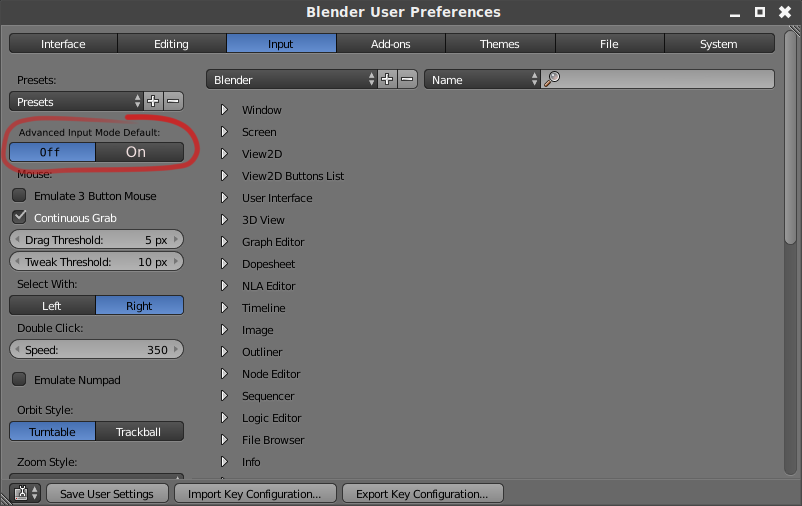
Advanced Input Mode Default on/off switch.
what i'm talking about is when you're typing an input... like g to grab then you press = to enable advanced input mode. TL;DR... check picture. keep reading for reasoning why it's useful.
it's something i use quite a lot... especially lately at work where i've been doing a lot of arch viz work. unfortunately not all of us live in a country that switched to the metric system so for me it's not as simple as just using a decimal.
here in the united states i grew up with some seemingly arbitrary measures that don't lend themselves well to being able to easily type in decimal values like metric system measurements. 12 inches in a foot 3 feet in a yard, 5280 feet in a mile. inches are typically divided into halves, fourths, eighths, sixteenths, and if you're getting really precise 32nds and 64ths. i've very rarely seen 128ths or smaller instead of using tools that use decimals but decimals tend to only be for really small measurements.
so when i do to scale models i use the imperial scale setting because as weirdly divided as the imperial system measurements are that is the kind of measurements i think in because i grew up using them.
realistically we almost never actually measure things in yards but coming across a measurement of 1 foot 5 and 5/8ths inches wouldn't be out of the question.
i mean it'd be annoying enough with just converting 5 inches to decimals but off the top of your head what's 1 and 5/12ths with 5/8ths of 1/12th as a decimal? i have no clue.
types it in blender
it's 1.46875
here we just type 1' 5 5/8" for that but i can't even do that without having to press '=' every time i want to enter a measurement in blender. for more organic models it's not such a big deal but for arch viz and things like furniture scaling it does matter. just typing 1' 5" requires me to press = so i can use the units i'm accustomed to.
so i'm suggesting to add the option to have advanced input mode on by default in the user preferences because it would be a well appreciated and big quality of life improvement for some of us. i use advanced input mode so much for arch viz at work that it would be part of my saved user settings there.
3 Comments
Using the metric system i don't feel your need, but anyway, my suggestion would be to put a checkmark right next to the unit system dropdown, where you actually choose "imperial". So it would be somehow in its context. Putting it in the preferences seems confusing to me
@: that would also be nice but my thoughts on it being in the input preferences are because advanced input mode isn't specifically imperial or metric. it does allow you to use units in your input but it also allows you to use mathematical expressions.
the caveat is you can't just hit - or / to make the whole input negative or inverse anymore (gotta add ctrl) so for simple things like that it's a little slower due to the hotkey change. i imagine the mathematical functionality is the main use it gets for you guys using the metric system.
docs.blender.org/manual/en/dev/editors/3dview/object/editing/transform/control/precision/numeric_input.html
maybe an overall better solution would just be to have a checkbox like you mentioned that simply allows the use of units rather than full blown advanced input or to just allow unit inputs when one selects something other than blender units.
(idiot mode on) Or ask USA to switch toward ISU . (idiot mode off) I think that the setting should be at the same place than the Units are, otherwise it's confusing to have a parameter in one place setting another parameter in another place.