
Subdivisions level failsafe for modifier and geometry nodes
The subdivision modifier can often lead to a blender freeze or crash when the user inputs a too high subdivision level value, which generates more faces than the computer can handle.
Adding a safeguard as a maximum face count value could help to prevent this kind of unpleasant user experience.
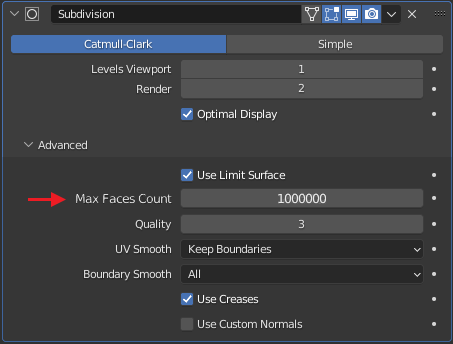
It could be added in the advanced parameters, with a high default value :
The number of subdivided faces can be precomputed with a simple formula, here is a python implementation :
def compute_faces_count(face_corner_count , subdiv_level):
    faces_count = face_corner_count * 4**(subdiv_level - 1)
    return faces_count
If this result is higher than the defined maximum, then an optimal subdivision level can be computed with this other formula :
def compute_subdiv_level(faces_corner_count , max_faces_count):
    subdiv_level = 1 + math.log(max_faces_count / faces_corner_count , 4)
    return subdiv_level
This function returns the subdivision level guaranteeing that the output face count will stay below the defined maximum count.
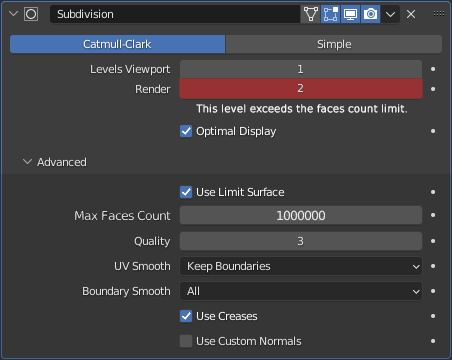
In the event of this could be triggered by a too high input from the user, the level would be internally overridden by the optimal value to ensure no freeze or crash, and the level could be displayed in red, with a supporting error message :
The same idea could be applied to geometry nodes. Here is a preview of a custom node group doing this task.
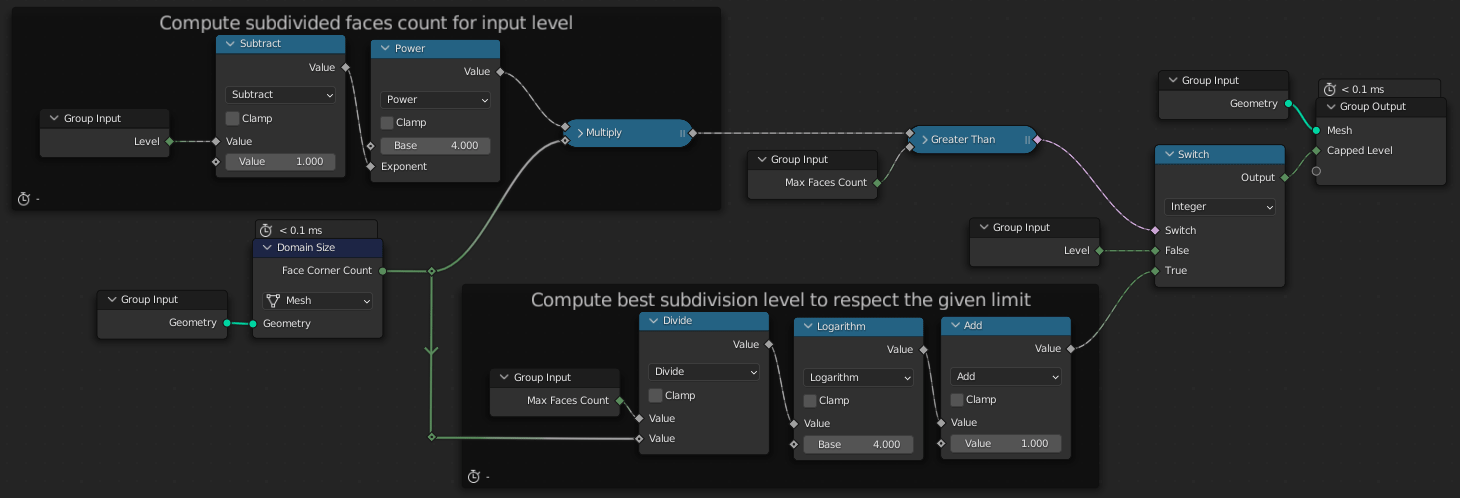
This node group will compute the best subdivision level to send into the Subdivision Surface node in order to get the resulting mesh stay below the defined Max Faces Count.
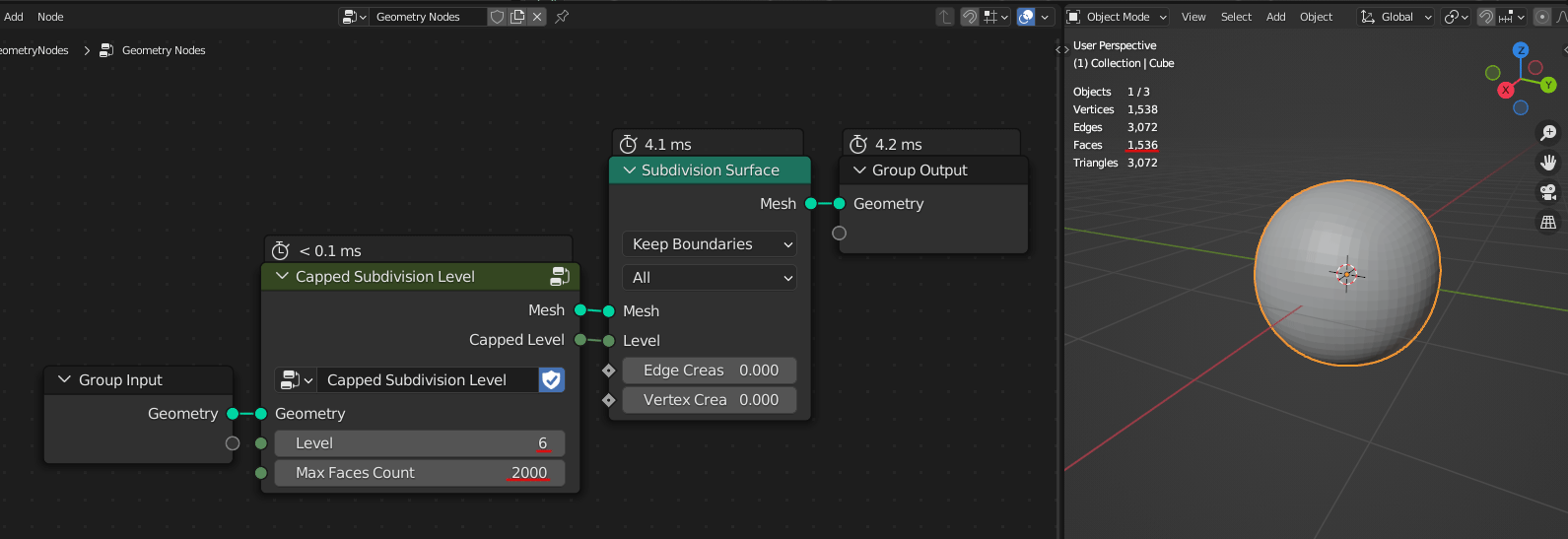
Here we can see that even if the level is set to 6, the original cube mesh is less subdivided, to keep the final faces count below 2000.
The nodegroup setup looks like this:
The problem here is that if this custom node is muted, the original level defined in it is sent to the Subdivision Surface node, and may crash blender if the value is too high.
Also, the Subdivision Surface node could be included into this nodegroup, but then, the two dropdowns wouldn't be directly accessible.
That's why it would be better to get this option included directly into the Subdivision Surface node.
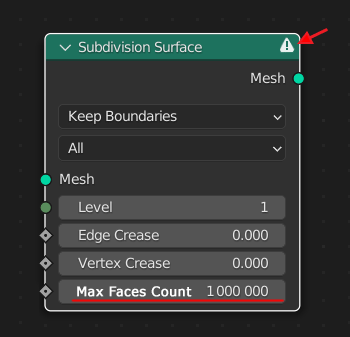
With this, we are sure to not make the faces count explode. A warning icon could also be added in the node header to notify the user if the level is currently automatically clamped.
6 Comments
I like the solution if being able to set the count, since everyone kinda knows how much their PC can handle.
I was thinking of suggesting a similar thing, but for the 'Instance on Point' node. Often I accidentally enter a high number and have to close the blender in an emergency
Yes, this idea could be applied in many other areas too ;) Anything that can make the faces count go crazy after tweaking a single value.
At least for subdivision modifiers - very good suggestion. But of course this kind of sanity check would be very neat in other places too, where user can accidentally or unknowingly enter too high numbers that will make system unresponsive or even crash Blender, I've sometimes in other software written too high value and somehow managed to ctrl+s to save the file!
I'd also like to point out that the "Use Limit Surface" being turned on is the major culprit most of the time. Sadly it's not even exposed in GN. Once you turn it off the modifer can go from one minute to execute to several seconds.
The "Use Limit Surface" parameter only changes the way the vertices are placed, not the faces count, so it should not lead to a crash because of RAM saturation... But yes, it may be longer to compute in extreme cases.